


Participant
May 22, 2021
Question

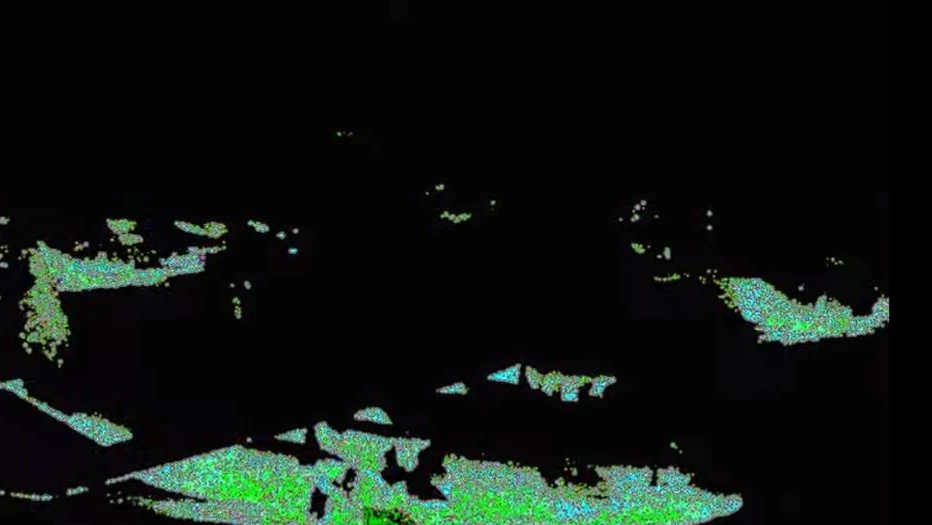
Images not showing correctly in preview AND after rendering in Premiere Pro
  • May 22, 2021
  • 2 replies
  • 3307 views


It happens only recently. Some images turn into like this. Sometimes deleting the image and dragging it into the timeline again will fix it(sometimes won't). Also, even if it works for the moment, it will happen again after some time.

I was assuming it would fix automatically after rendering but it did not. 


This topic has been closed for replies.

2 replies

Peru Bob
Community Expert
Community Expert
May 22, 2021

If that's not it:


Delete the Media Cache and Media Cache files:
https://community.adobe.com/t5/premiere-pro/faq-how-to-clear-your-media-cache-in-30-seconds-in-premiere-pro-2020/m-p/11017257/thread-id/260446?page=1

If that doesn't work,try resetting the preferences:
https://community.adobe.com/t5/premiere-pro/faq-how-to-reset-trash-preferences-in-premiere-pro/td-p/8236158?page=1

If that doesn't work, try resetting the Workspaces:
Reset a workspace
Reset the current workspace to return to its original, saved layout of panels.
1. Do one of the following:
• Click the Workspace menu icon and select Reset to Saved Layout.
• Choose Window > Workspace > Reset to Saved Layout.
from here:
https://helpx.adobe.com/premiere-pro/using/workspaces.html

If that doesn't work, try Preferences > Audio Hardware and set Input to None.

If that doesn’t work, try updating or rolling back your graphics driver directly from the video card manufacturer’s site. If NVIDIA, do a clean install of the latest Studio Driver (NOT the Game Driver)
https://community.adobe.com/t5/premiere-pro/faq-fix-for-nvidia-gpu-crashes-when-using-a-laptop-on-windows-10-pc/td-p/12037161.

If that doesn't work, try creating a new project and import the old one into it.

Also, please help us help you:
https://community.adobe.com/t5/premiere-pro/faq-what-information-should-i-provide-when-asking-a-question-on-this-forum/td-p/3929027?page=1

Peru Bob
Community Expert
Community Expert
May 22, 2021

Please use the free MediaInfo and post a screenshot the properties of your media in tree view:
https://mediaarea.net/en/MediaInfo

Many users are having issues with VFR. If the file is variable frame rate, use Hand brake to convert to constant frame rate:
https://handbrake.fr/downloads.php
Here is a tutorial:
https://www.youtube.com/watch?time_continue=34&v=xlvxgVREX-Y

Participant
May 24, 2021

They are all images so I guess it does not have anything to do with frame rate.