


Exit
  • Global community
    • Language:
      • Deutsch
      • English
      • Español
      • Français
      • Português
  • 日本語コミュニティ
  • 한국 커뮤니티
0

Interlaced Stutter not visible in Program-Monitor

Contributor ,
Mar 26, 2019 Mar 26, 2019

Hi, i have a big Problem:

Some time ago i did a feature length Project for a local (European) Broadcaster. The Delivery Format was MXF OP1a XDCAM HD 50 PAL 50i.

The Project came back from the technical Quality check with the criticism, that several shots had some kind of visual stutter.

At first, i was kind of clueless what to do, because i did not see any stutter in my project. Then i had the Idea to connect our SmallHD Field Monitor via SDI and our Blackmagic Mini Monitor. And Voila, there was the stuttering. I saw that the Problem was with old VHS footage, i had captured via our Blackmagic Mini Recorder, the offending footage was Lower Field First, the Sequence was Upper Field First (as most of our Main Footage was Upper) and the render was Upper, too.

I know now that these Settings were an error on my part, i will make a second discussion on how to best handle this and link it here. But thats not my question in this discussion.

My Question is, why i cannot see the Stutter in my Sequence, in the Program-Monitor, but only when i connect a Monitor via SDI and BM Mini Monitor??

And: Does anyone know a way to fix this? Is there a setting i can change, maybe?

I would have a Monitor connected via BM Mini Monitor all the time, but sadly, every time i do this, i get a nasty audio - video delay, probably due to performance issues.

Any thoughts would be much appreciated.

Thanks!

iMac (Retina 5K, 27-inch, Late 2015)

4GHz Intel Core i7

24GB 1600 MHz DDR3

AMD Radeon R9 M395X 4096MB

MacOS 10.11.6

Premiere Pro CC 12.1.2
1.1K
Translate
Report
Community guidelines
Be kind and respectful, give credit to the original source of content, and search for duplicates before posting. Learn more
community guidelines

correct answers 1 Correct answer

Community Expert , Mar 26, 2019 Mar 26, 2019

All computer monitors are by design progressive and cannot properly playback interlaced footage. That´s why external hardware and monitors can be really critical when it comes to broadcast deliverys.

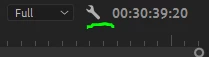
If i click on the wrench in the Program panel in Premiere Pro and change it from Display First Field to Display Both Fields i can see the stutter when i playback footage that has been interpreted incorrectly. I have a UFF clip and the playback is smooth, as expected. If i use Interpret Footage and se

...
Translate
Community Expert ,
Mar 26, 2019 Mar 26, 2019

All computer monitors are by design progressive and cannot properly playback interlaced footage. That´s why external hardware and monitors can be really critical when it comes to broadcast deliverys.

If i click on the wrench in the Program panel in Premiere Pro and change it from Display First Field to Display Both Fields i can see the stutter when i playback footage that has been interpreted incorrectly. I have a UFF clip and the playback is smooth, as expected. If i use Interpret Footage and set it to LFF the footage has the typical nervous stuttering when things move.

When you pause the clip when Display Both Fields are enabled you will see both fields. That can be a tad annoying, but is to be expected with this setting.

Translate
Report
Community guidelines
Be kind and respectful, give credit to the original source of content, and search for duplicates before posting. Learn more
community guidelines
Contributor ,
Mar 26, 2019 Mar 26, 2019

OMG Averdahl​!! My Hero of the day! Thank you! This is exactly what i was looking for! One follow-up question, if you care to answer it: why would ANYONE want to display one field only, if it conceals errors you might have made?

Translate
Report
Community guidelines
Be kind and respectful, give credit to the original source of content, and search for duplicates before posting. Learn more
community guidelines
Community Expert ,
Mar 26, 2019 Mar 26, 2019

why would ANYONE want to display one field only, if it conceals errors you might have made?

Good question!

When you first asked i was not aware that displaying two fields would show the stuttering so clearly. I did some tests before i answered your question and discovered that displaying both fields could be a solution for you. Personally i use the default, iow Display First Field, since the image is sharp and fine when the video is paused while it is a bit blurrier when displaying both fields. I did my test with SD footage and notice that HD footage. Plus, nowdays i seldom work with interlaced footage. But i learned something new today, so i may change my mind.

Translate
Report
Community guidelines
Be kind and respectful, give credit to the original source of content, and search for duplicates before posting. Learn more
community guidelines
Contributor ,
Mar 27, 2019 Mar 27, 2019
LATEST

My boss thinks it might be due to processing power... I'll have to work with showing both fields for a while to see if i notice a drop in performance, but at least for final test-viewing a big project, where i usually do a in-out render, it should be no problem... anyway, its good to know the feature even exists Thanks a bunch for taking the time and doing tests for me and answering my questions! All the best!

Translate
Report
Community guidelines
Be kind and respectful, give credit to the original source of content, and search for duplicates before posting. Learn more
community guidelines