
Metal Engine always renders 8 Bit
Hi,
I have a MacPro 2019 (7,1) with two Vega II graphics with Premiere 14.5 on a Catalina 10.15.7
I have 10 bit video files and while working with these files I see a lot of banding on the sky.
I have tried different configs to understand the issue.
My sequence settings use Maximum Bit Depth.
When the Metal engine is ON, there is no diffrence with the OFF state at the Program Monitor.
And when I render with the Maximum Depth / 16bpc the output is same, a lot of banding.
But When I swicth my project settings to openCL. I immidiately see the difference. The sky gradient is perfect. Even if i switch off the MAximum depth in sequence settings the banding is slightly better then the Metal engine.
Check out the following images: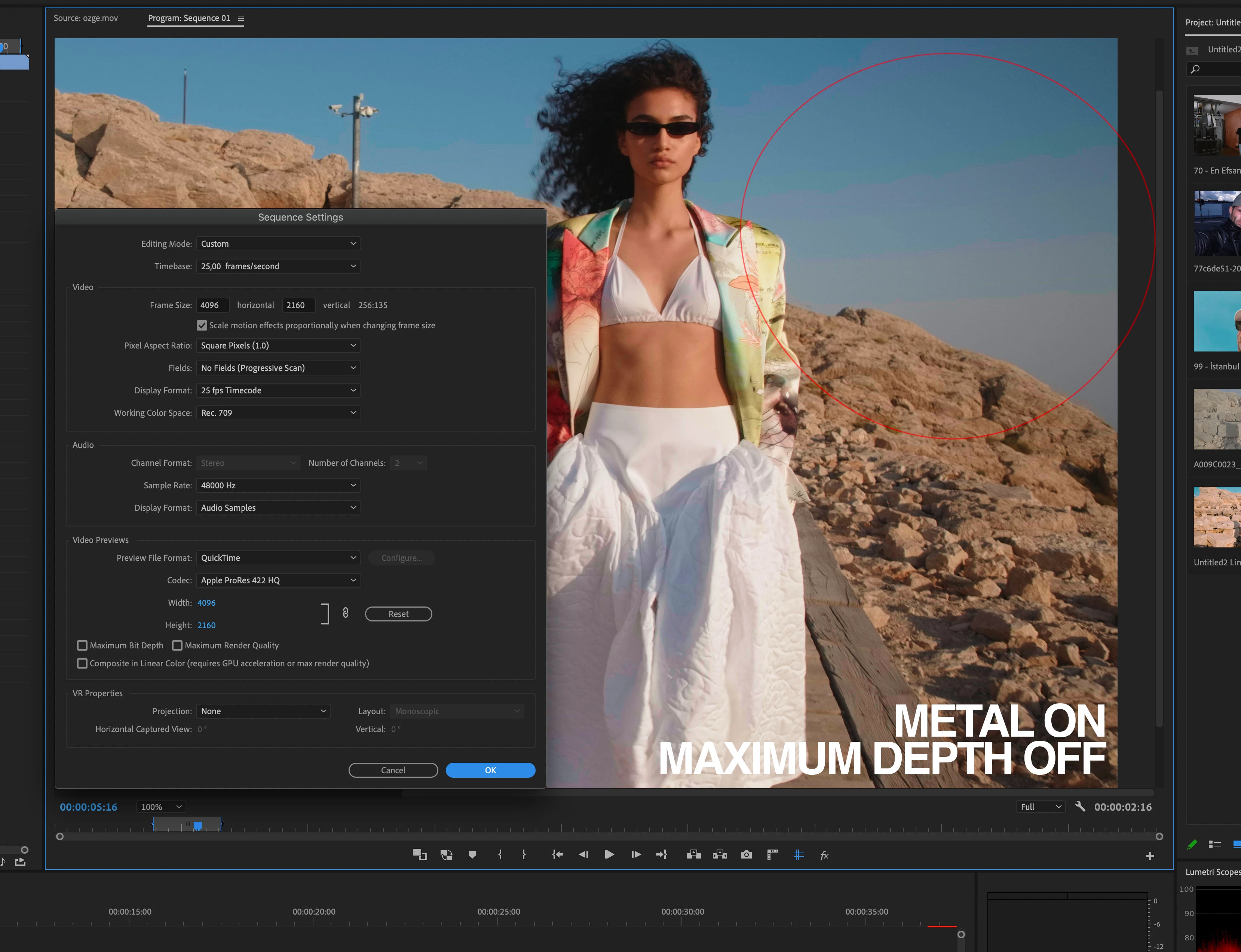
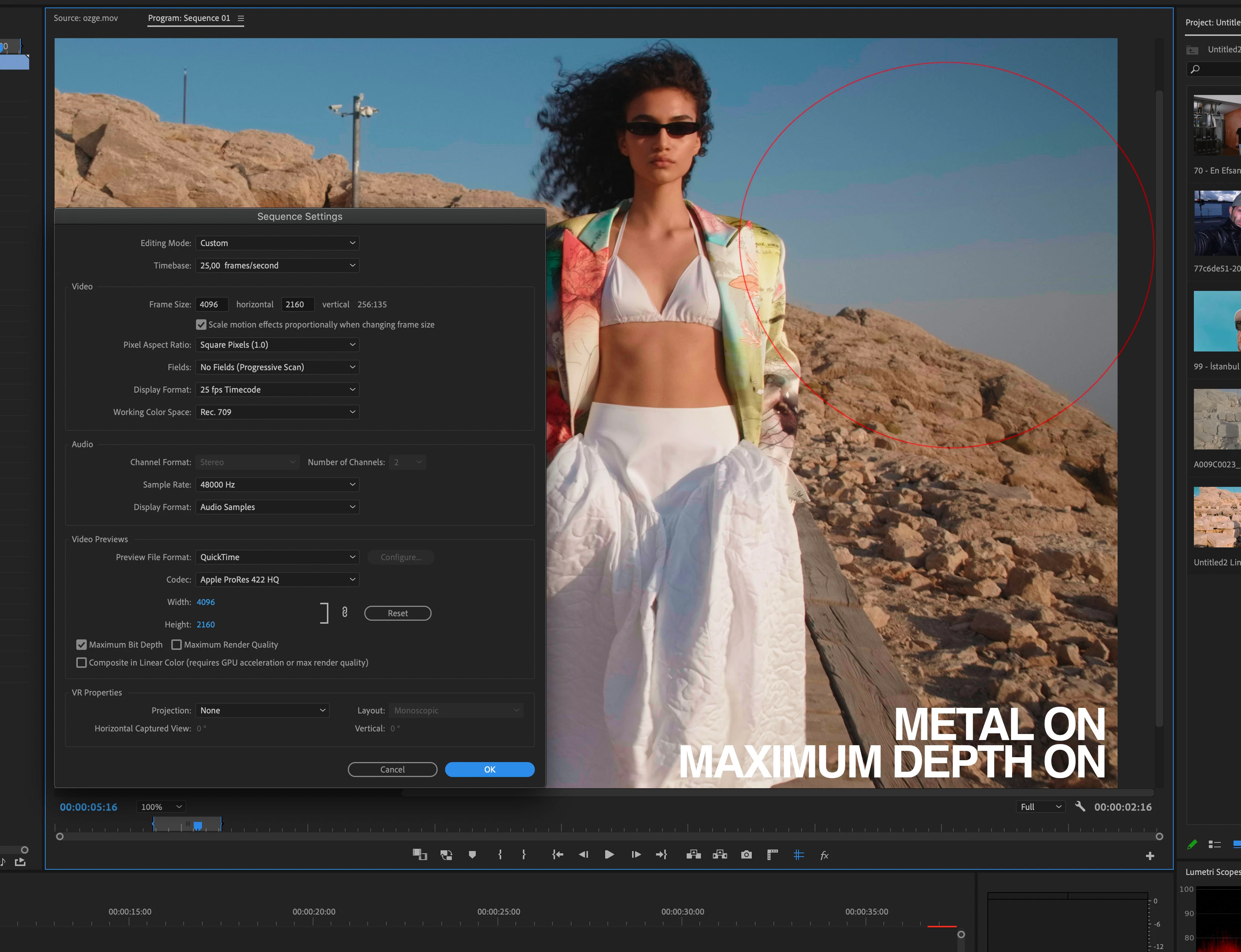
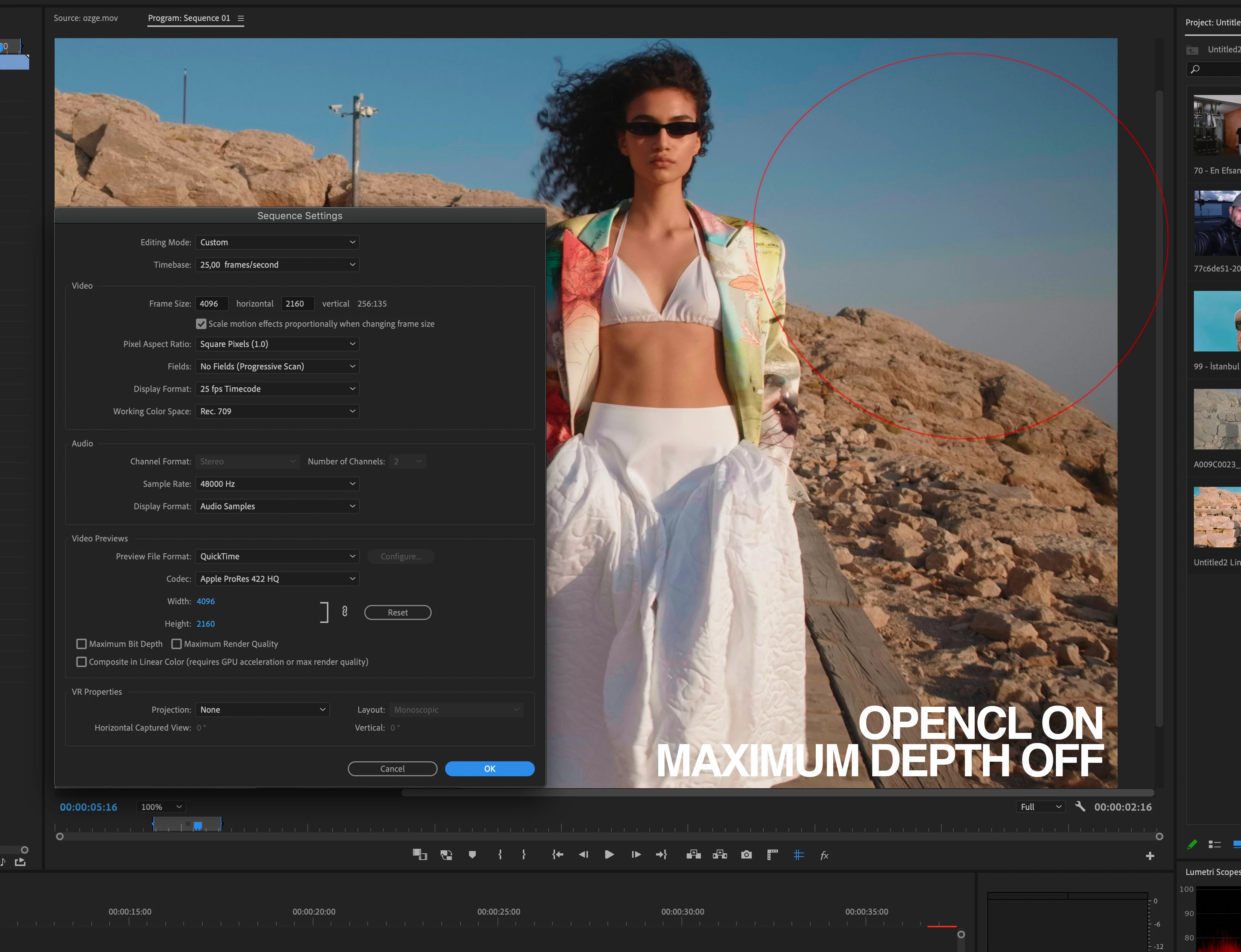
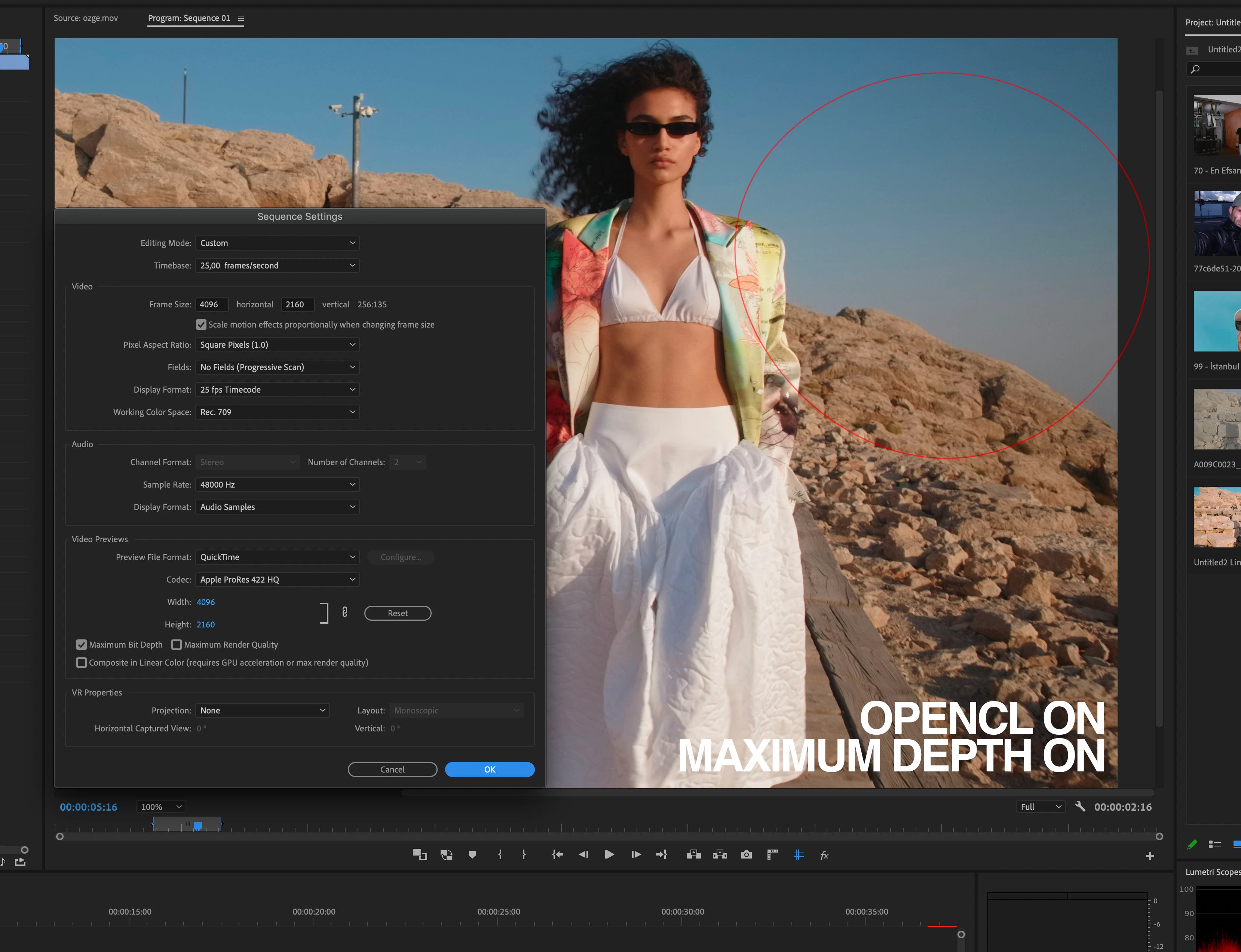
when I render out these clips with Maximum Depth /16 bpc the banding occurs when using Metal on the final output whereas when opencl is used output is perfect. You can check the files from the below link.
https://we.tl/t-WbSRKkbU3X
PS: When these same files checked on a PC with a 1080 graphics adapter (cuda engine). Maximum bith depth turned on there is no banding and rendered with maximum bith depth, output file is perfect.
Seems like an AMD / Metal releated issue.
Any thoughts ?
Koray Birand
 AdChoices