Inspiring
May 26, 2018
Answered

Please help: "unable to create image buffer" error

  • May 26, 2018
  • 23 replies
  • 122557 views

While editing, I keep getting an error saying "unable to create image buffer," shortly followed by the program freezing or crashing (or my display driver crashing).

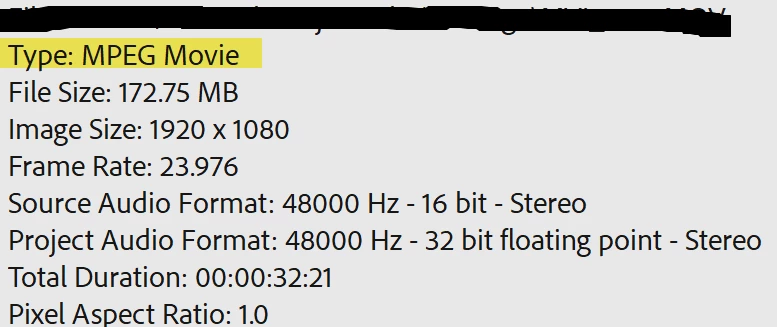
I'm editing .mov files imported via the media browser shot on a Canon t5. I faced the same problem when editing MXF files from a Canon XF100 a few weeks ago.

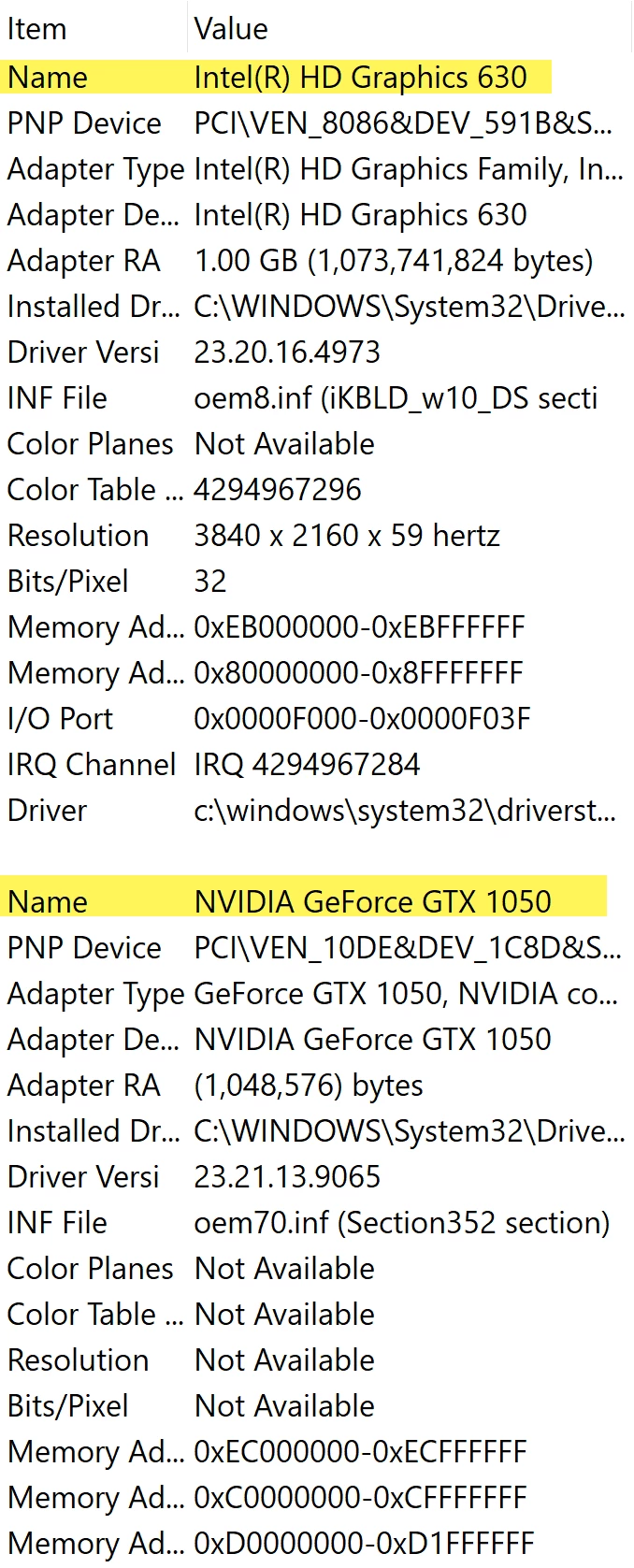
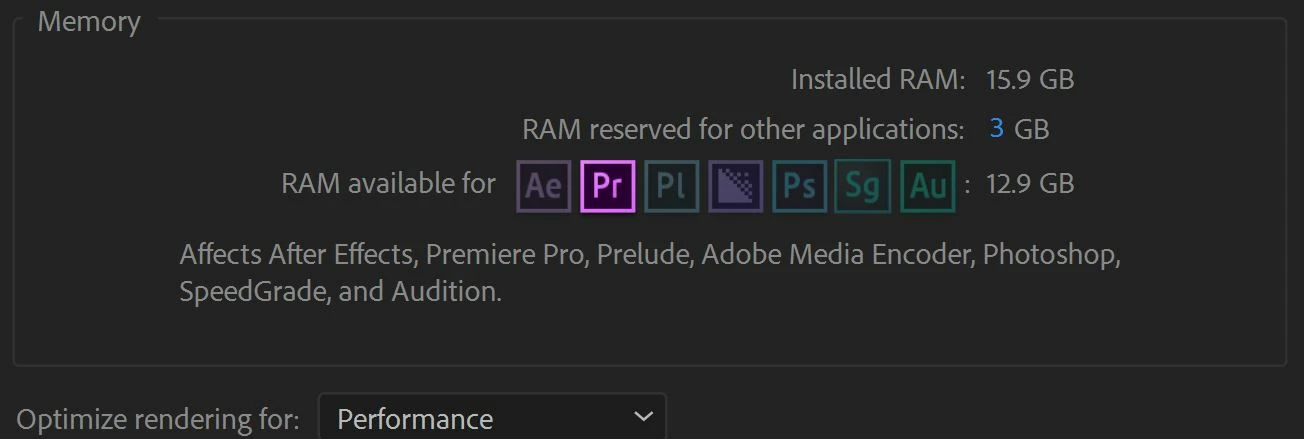
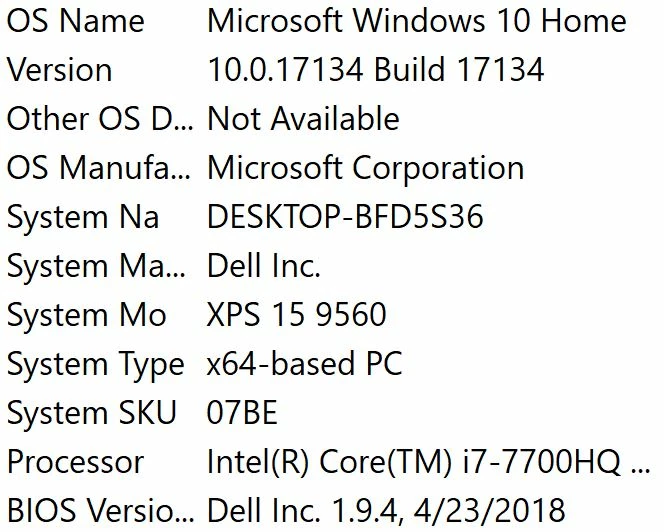
I've been trying to solve this problem for weeks to no avail. The only workaround I have is to edit quickly in sessions and frequently save before the program freezes again. Sometimes I think it's a pc problem and that I should install more RAM, but this wasn't an issue several months ago.
 
Windows: Version 12.1.1 (Build 10)
Mercury Playback Engine GPU Acceleration (CUDA) enabled


Error Messages



PC Info


Clip Properties


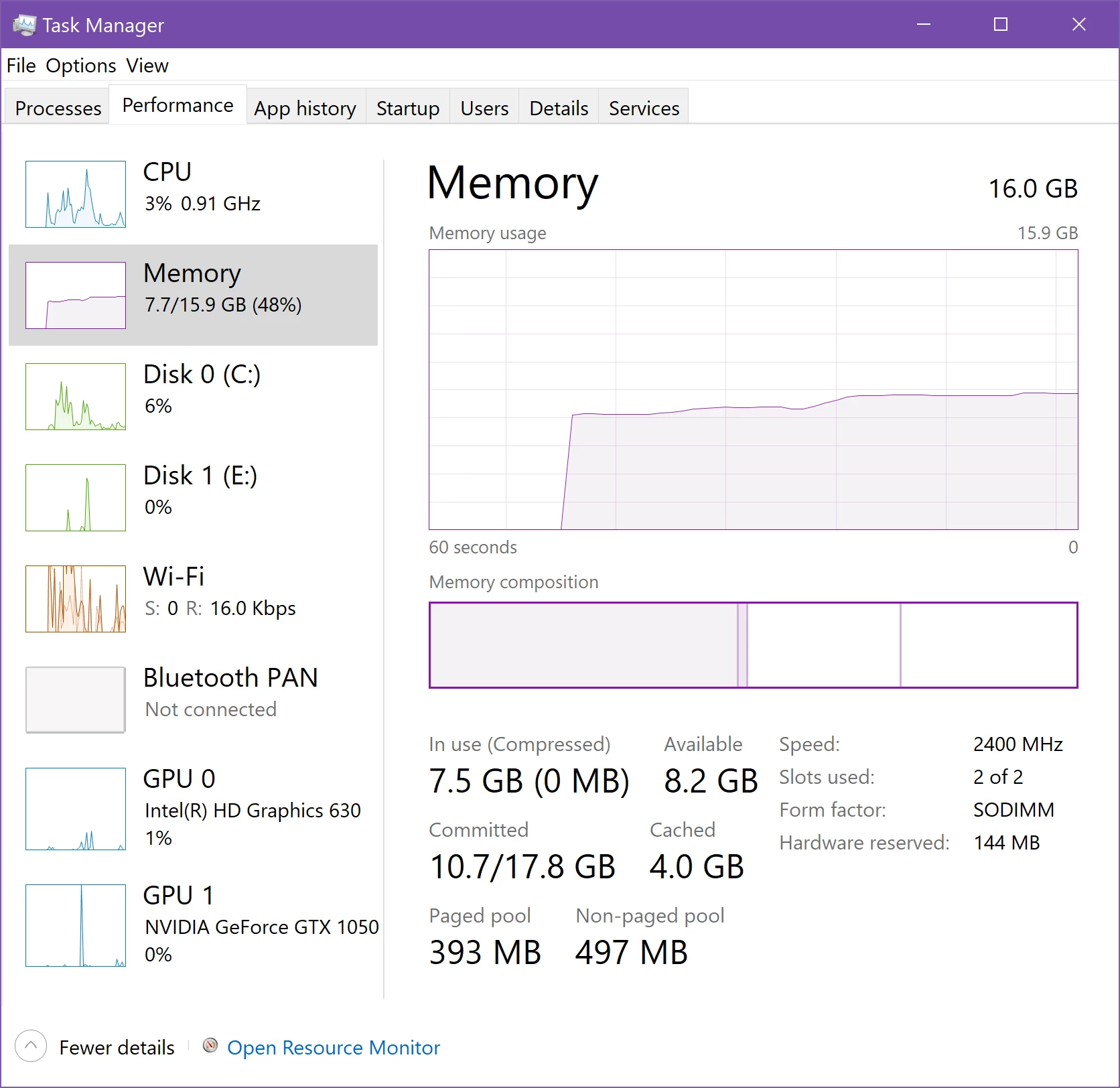
Premiere is Idle


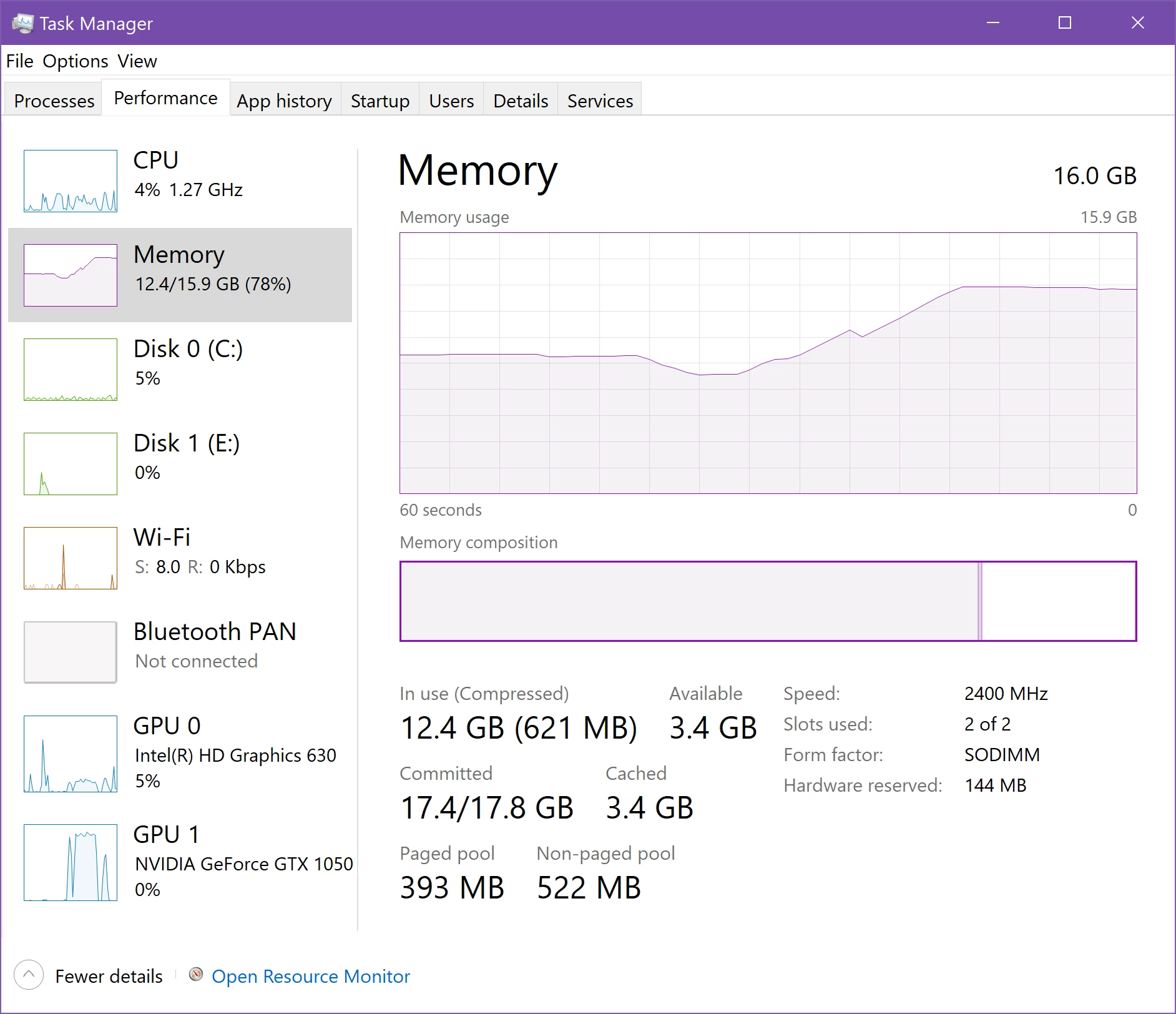
Working and Error Occurs
 

Correct answer louzelalala

I tried to remove all the plug-ins and MORGT files on my premiere then restarted it. This works fine with me. I just re-installed the few ones that I need. 

23 replies

Participant
September 15, 2024

The OP and many others had this issue back in 2018, and many more have posted in the years since. And there are many other similar threads here and on other forums. Here I am in Sept 2024 with the Exact Same ongoing problems. And from what I have read through this thread, the only time Adobe seems to reply is to basically say is its not their software, its "your video" or "your computer" etc.

I had so many problems with using Premiere Pro in the past year especially, getting error messages, freezing, timeline not playing back correctly, etc etc etc. It was costing me So Much Time, that I just spent $4k to upgrade to a Brand New computer JUST FOR my YouTube channel. AMD Ryzen 9 9950x cpu, 32gb of Corsair Dominator Matched DDR 5 Ram, Geforce 4070 TI Super GPU with 16gb VRam. Windows 11 with No bloatware and etc installed, All software, drivers everything up to date. And Three M.2 Drives, a 2tb for windows and apps, a 1 tb JUST FOR Premiere Pro to use as its Cache drive, and a 4tb for projects.

Yet... almost right off the bat, with this Completely Clean Install on a brand new machine, I started having the exact same problems as I did with my "old" system. Premiere freezing, crashing, playback not working smoothly or not at all, error messages etc.

And to top it off, my videos are very basic sequences. Right now I got this error while doing just my "rough edit" work, which is my "first pass" of going through raw footage removing dead space, repeated lines, etc. Mostly just using the ripple delete tool. And it is just a 1080p mp4 screen recording with my Voice Over for the audio. Not even Any Camera! And certainly not "hi res" 4k video etc. As I run a faceless youtube channel, so I don't need a camera. 

With everything running while I'm working, on average only about 10 to maybe 15 gb of ram (out of the 32gb) is being used, the CPU often runs between 2 to 8%, and the GPU is mostly idling with 1.5 to 2gb of its ram being used. 

So no, its not because we are working with "hi res video" on "weak hardware". Stop blaming your customers for the problems with your software. Adobe has to be making a huge amount of $$$ just from Youtubers alone. Forget about "new features" or whatever, Hire MORE software techs to fix these OLD ONGOING ISSUES. Get the programs running correctly first, then worry about adding in new features. 

The Only Program I have any issue with is Premiere Pro, even on my "old" system. And I have used Premiere for a long time, going back to when you still bought it on actual CD disks. But unlike then, ever since they went to a "subscription" based system, it seems like they never fix old known problems.

Although I have had a monthly subscription to Premiere Pro, I just recently received a 1 month free "upgrade" trial to the Full Creative Suite, which is all of the Adobe apps. I was considering upgrading to that subscription. But at this point, since Adobe doesn't ever seem to fix anything, I may move to DaVinci Resolve. As I have my YT Channel to run, and can't have a lot of wasted time just trying to get Premiere to work, when I have videos that I have got to complete on time.

just my $2... ($0.02 cents adjusted for inflation)

Participant
January 30, 2023

I solved it when i turned off HDR in windows screen set up. Hope it will work for you !

Participant
October 5, 2022

I solved, run as administrator, I used automatick click remover sound effect everytime but now i don't use.Another solution maybe, msconfig > advanced options > number of processors > and choose the most.


October 6, 2022

I was having this issue as well.

System:
Ryzen 5600x / 6600 xt / 16GB 3200mHz DDR4.

I was trying to create 1-8h ambience clips, and the mistake was duplicating clips with effects on them. Multiple instances of the same effects caused incredible load during playback and encoding.

Solution for me was to import all the audio which was getting looped into Ableton Live or Pro Tools. Create loops, loop it up and export full clip. As for the video clips with same effects. I made them into a nested and applied the effects to all the clips at once.

Obviously this won't work when you're not doing looped, static stuff. That said, this is a performance issue. The memory being full is my first guess. So I'd close down everything besides Premiere. Clean out all performance hungry background services. Honestly, I'd go so far as to install a telemetry / bloat-free windows if it's really a big issue. That should give all resources over to Premiere.

Kevin-Monahan
Community Manager
Community Manager
October 6, 2022

I'm sorry, Jamie. Did you say 8-hour clips? Well, that is well out of the norm for system requirements. You are going to need more hardware resources to support such a thing. I would concentrate on increasing RAM and VRAM as much as possible.


Good luck,
Kevin

Kevin Monahan - Sr. Community & Engagement Strategist – Pro Video and Audio
Participant
October 4, 2022

Still... I format my pc but nothing changed.

Participant
October 4, 2022

  Solved for me: after trying everything and a lot of frustration, a computer graphic technician told me to reinstall windows. It worked like magic. Warning: don't forget to backup from files; downloads, pictures, videos, documents, and everything you have on C.

Participant
October 4, 2022

I reinstalled but still same error.

Participant
September 12, 2022


I got the error after adjust this thing, later I add it back, the problem solved. Try add more paging file size.

Participant
June 19, 2023

Thank you so much for this solution!!! It started working perfectly immediately. You saved me hours and days of pain that I had with many projects.

Inspiring
October 19, 2021

Same Here. I have a powerfull machine and still have the buffer issue.

I also had the screen preview blacked out sometimes.

brianbbb
Inspiring
August 9, 2022

Struggled all day with the buffer issue, low memory warnings and more. Trashed preferences, deleted media cache, rebuilt the sequence by copying and pasting all the clips into a new project. Problems kept getting worse. I just deleted a Lumetri Color setting on a source clip and rebuilt it, and it *seems* to have fixed it. Fingers crossed.

Participant
August 25, 2021

Same here anyone hlep me out.  While editing I keep getting an error saying "unable to create image buffer" shortly followed by the program freezing or crashing (or my display driver crashing).

Participant
August 2, 2021

GUYS! I FINALLY MADE IT! 
So the problem itself in my project was with the "studio reverb effect" on my audio. I'm making videos with my voice and there is a lot of text and to give my audio a more natural sound, I add reverb due to my acoustic isolated room. Why don't I do that in an audition on the way with all other effects? Well because it's easier for me when I can delete reverb from the specific voice line if this is way too expressive line that is itself loud enough.

But anyway, deleting the studio reverb effect improved the memory leak problem due to premier pro somehow starts eat all ram and virtual memory just for audio playback.

October 7, 2022

Seems like rendering two iterations of your voice from your chosen audio application. One wet and one dry would be the quickest way to alleviate it. Then just mute/cut where you wanna swap between.

luisn22555378
Participant
August 1, 2021

Estou tendo o mesmo problema em 2021. Pelo o que eu li, pode ter relação com a memória do computador? Até esses dias estava funcionando normalmente, agora começou com esse "erro ao criar buffer de imagem". Trabalho em computador com 32GB de RAM e uma RTX 2070