

Participant
December 11, 2017
Answered

Subtitles not appearing in Premiere Pro CC?! (Premiere Pro 14.9 and earlier)

  • December 11, 2017
  • 2 replies
  • 118651 views

Hello!


I'm trying to add captions/subtitles to short film edit in premiere pro cc, but they don't appear. See print screen below! What am I doing wrong?
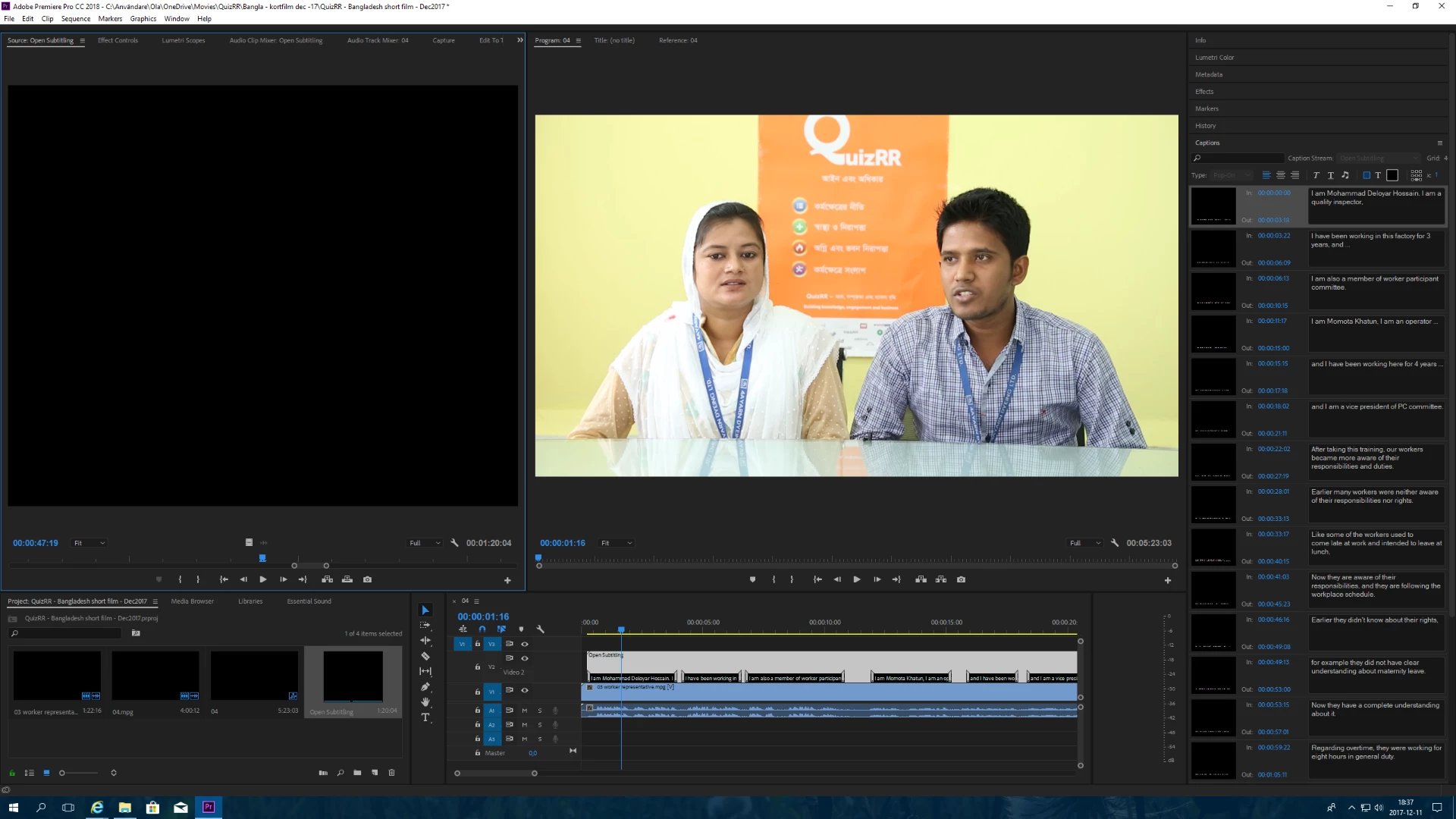

 

This topic has been closed for replies.
Correct answer Spinspider

Thanks! That was definitely part of the answer. I actually had it "enabled", but when I chose "Settings" I found that it was at "teletext", despite my original settings.

Anyway, problem solved! Thanks!

2 replies

tomd57602349
Participant
August 29, 2018

I have it set on enabled and the settings to CEA 708 service 1 (as are my subtitles) and yet I don't get my captions to show up... any other tips?

softananda
Inspiring
September 3, 2018

Hi Tom. Once it happened to me that some captions had disappeared while others were still visible. The reason was merely that we had inadvertently changed the motion attributes (position) in the effects tab of the source panel, so the missing subtitles were now below the image's bottom line. Have you tried simply resetting the captions' position?

Dave Creamer of IDEAS
Community Expert
Community Expert
December 11, 2017

In the Preview monitor, click on the wrench icon. Choose Closed Caption Display > Enable.

David Creamer: Community Expert (ACI and ACE 1995-2023)
SpinspiderAuthorCorrect answer
Participant
December 11, 2017

Thanks! That was definitely part of the answer. I actually had it "enabled", but when I chose "Settings" I found that it was at "teletext", despite my original settings.

Anyway, problem solved! Thanks!

Known Participant
December 27, 2020

same problem solved! thank you!