

Known Participant
August 2, 2019
Question

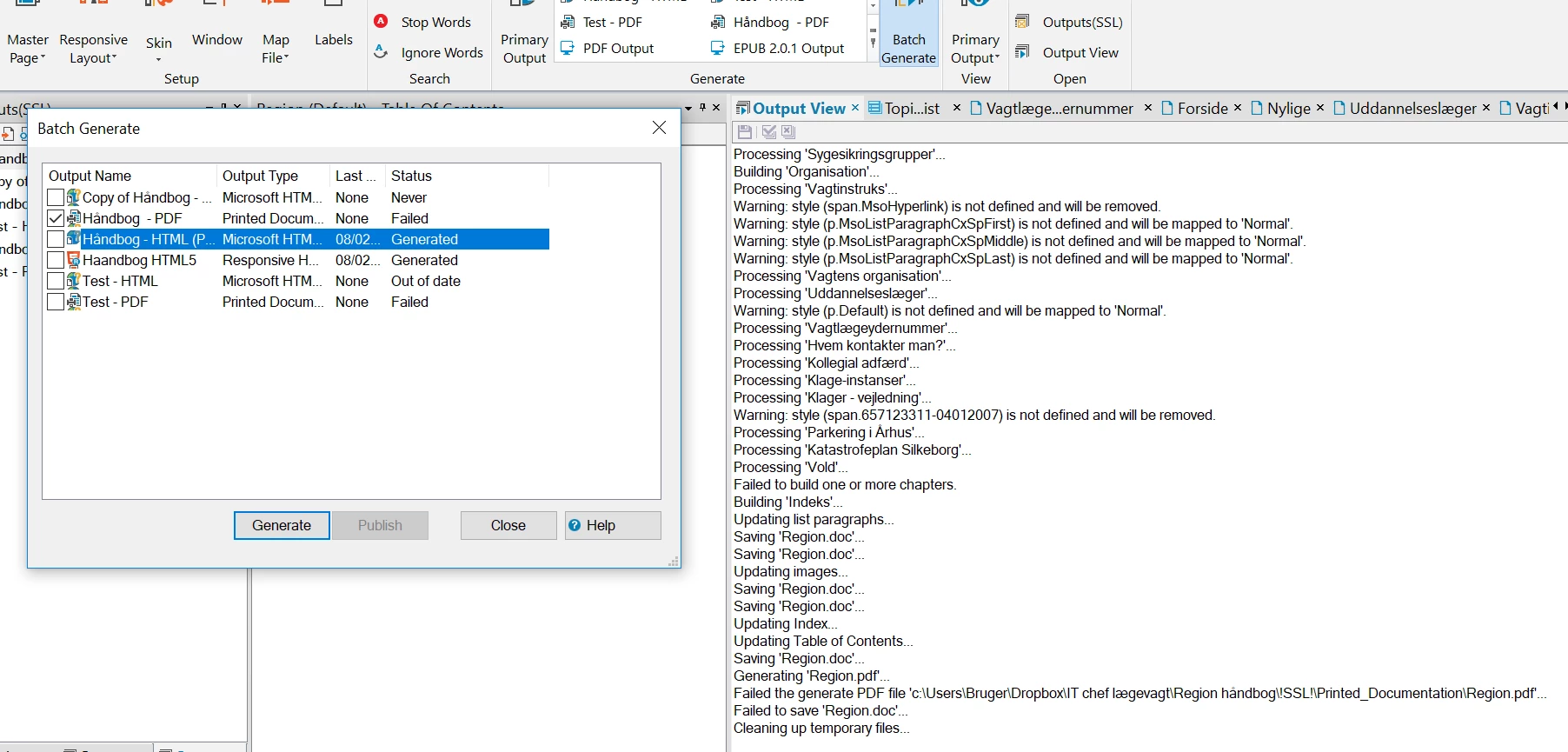
Can´t create a pdf file

  • August 2, 2019
  • 1 reply
  • 335 views

Why can´t I create a pdf file in Robohelp? There´s no problem creating HTLM and HLTM5.

Please help.
    This topic has been closed for replies.

    1 reply

    Peter Grainge
    Community Expert
    Community Expert
    August 3, 2019

    There are many things that can cause problems creating a PDF. Clearly you have content imported from Word (Mso is the clue) and that's often related. See Print Issues on my site.

    The problem is always identifying the topics that are causing the problem. As good a way as any is to create a new print layout but instead of having all the content, add one book at a time. When you reach a book that gives problems, you know it's one of those topics so you remove them all and then add them back in one at a time.

    Others have found that rather than create a PDF they can create a Word DOC and then PDF that.


    See www.grainge.org for free RoboHelp and Authoring information.

    @petergrainge

    Help others by clicking Correct Answer if the question is answered. Found the answer elsewhere? Share it here. "Upvote" is for useful posts.
    Known Participant
    August 3, 2019

    Ok, maybe it´t easier to create it from a word DOC and then to PDF. How do I generate the Word DOC from Robohelp?

    Peter Grainge
    Community Expert
    Community Expert
    August 3, 2019

    That's covered in the online help.

    In the first page of the Printed Documentation configuration there are two check boxes. Deselect PDF and select Word. Make sure DOC is selected in the dropdown alongside. DOCX is more fussy.


    See www.grainge.org for free RoboHelp and Authoring information.

    @petergrainge

    Help others by clicking Correct Answer if the question is answered. Found the answer elsewhere? Share it here. "Upvote" is for useful posts.
