



Can you help with RoboHelp Version 11: WebHelp Index Keyword Sorting?
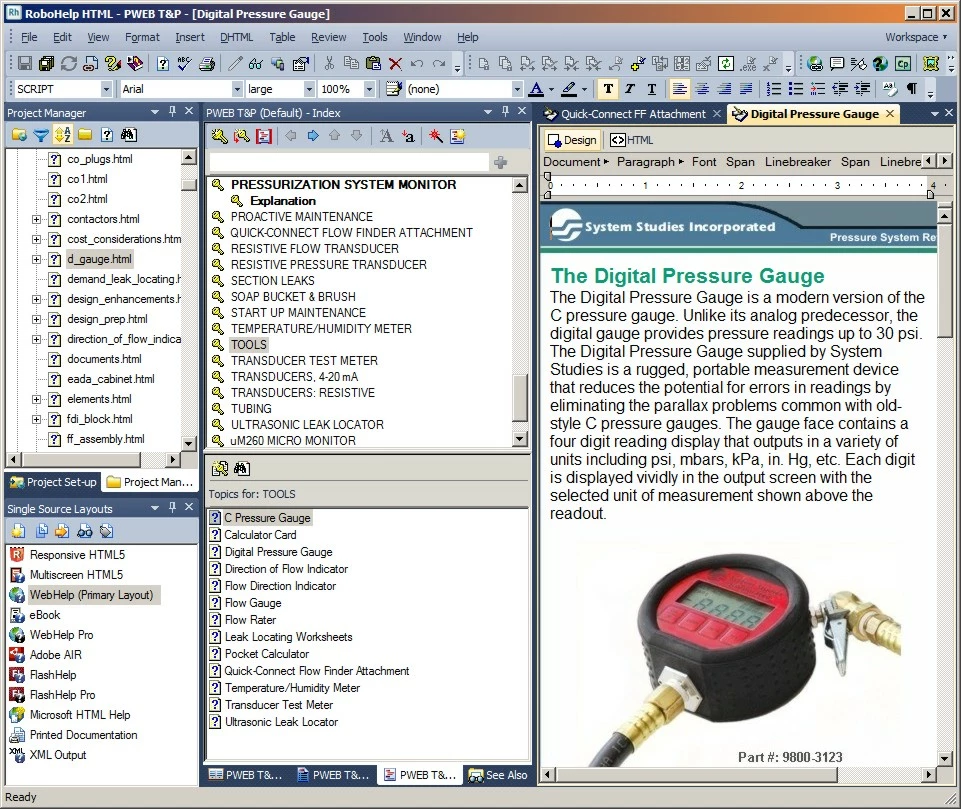
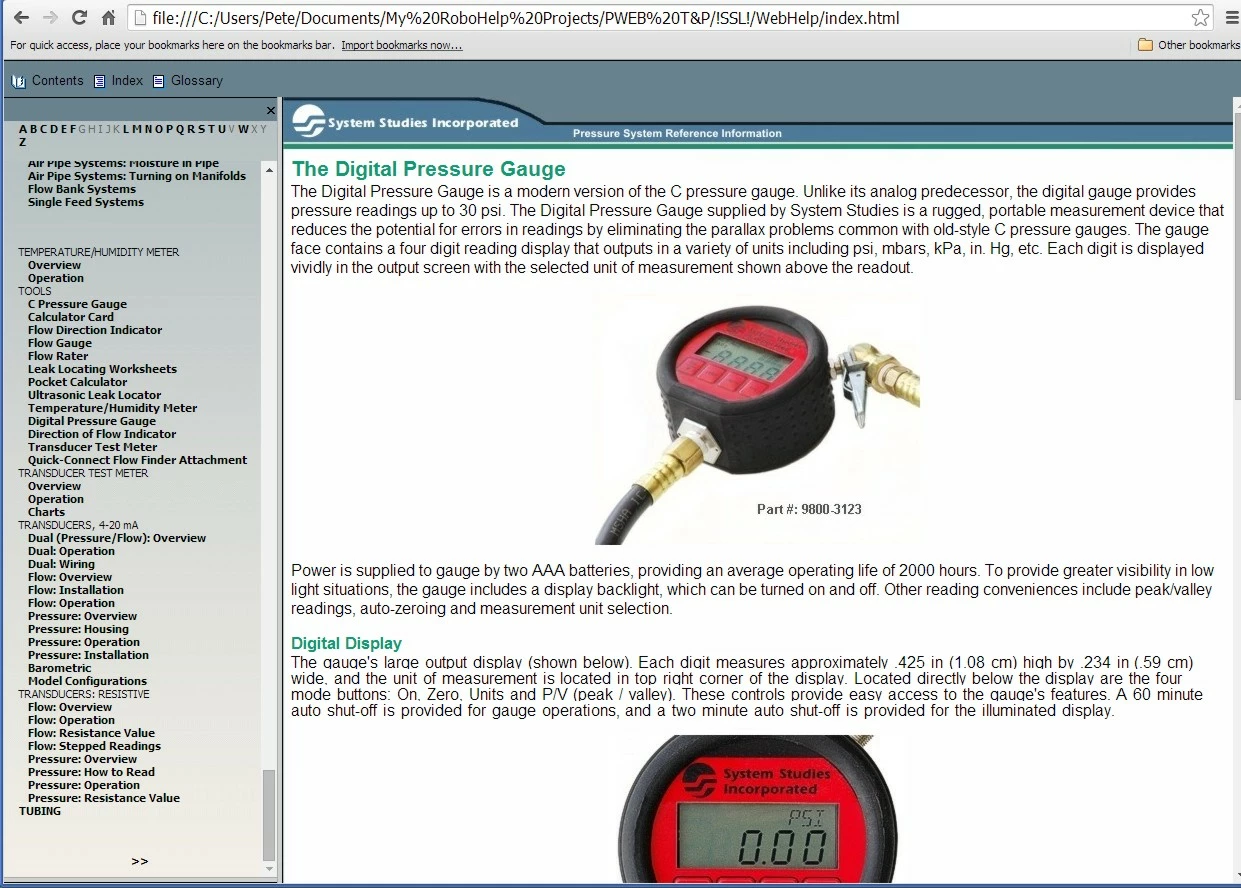
I'm new to RoboHelp 11, and I am finding it difficult to alphabetize topics listed under my Index Keywords. When I look at the keyword topics in my RoboHelp HTML editor, they are listed in alphabetical order (see the Tools topic in the first image), but when I generate WebHelp the Tools topics are not in the correct order (second image). I believe that the problem pertains to new entries made to a converted RoboHelp Version 6 WebHelp application. Basically, I have been adding content to several old version 6-generated html files in the new RoboHelp HTML editor.
Another issue that's perplexing is the fact that the Move Up and Move Down icons at the top of the Index editor pod, or whatever it's called, are grayed-out (not functioning). I remember with the Version 6 application, they worked fine.
Can anyone offer any suggestions on how to get the index alphabetized? I appreciate your help.
 AdChoices