Thanks, Rick!
Nita, I'm thinking what you are trying to do is to change the name of the project to a shorter filename so that overall, you will have shorter paths. If that is the case, you simply need to Rename the project, Then, delete any remnants of the longer-named project on the RoboHelp Server and you're home free.
So, if you want to change the name of the Project (as opposed to the name appearing in the "Title Bar" of the web browser, you need to change the name of the Project by going to > File > Rename Project
Then you will see this Alert:

That Alert message s a reminder that to publish a renamed project to the RoboHelp Server, you must Delete the older one and republish the newly named project.
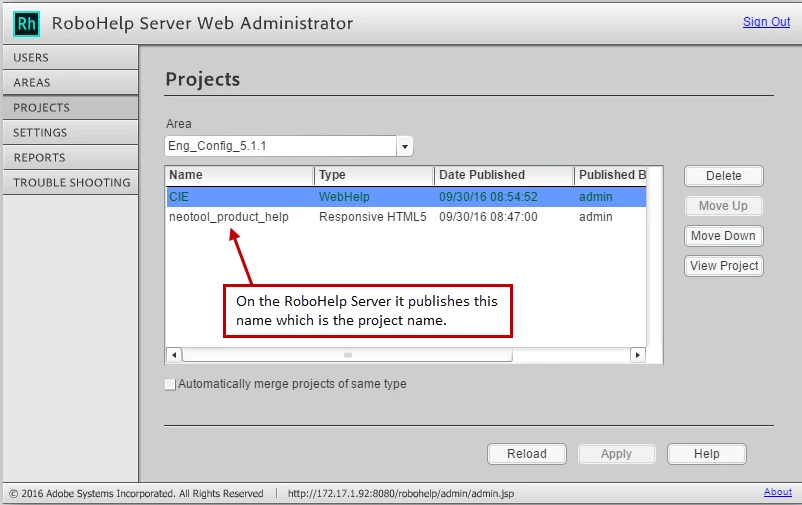
So looking at your previously posted screenshot, the CIE would be using the Responsive Layout but it would show up as
Name: CIE Type: Responsive HMTL5 Date Published: etc. You would not need the "WebHelp" version if I understand what you are trying to do.
Please Ignore all the following stuff if the question is already answered 
I'm adding the following material because there has been some confusion due to the new workflow of RoboHelp 2015 as well as the new RoboHelp Server 10.
As for the "naming" confusion let me try to unpack this. There have been some changes made in the publishing scheme of things since the release of RoboHelp (2015) and, now, RoboHelp Server 10. For example:
- What we formerly referred to as "Single Source Layouts" (SSLs), we now refer to "Outputs (SSL)"
- It used to be that if you were publishing to a RoboHelp Server, it was mandatory to use an Output called WebHelp Pro.
- WebHelp Pro is still alive and well and can be used to publish to RoboHelp Server 10.
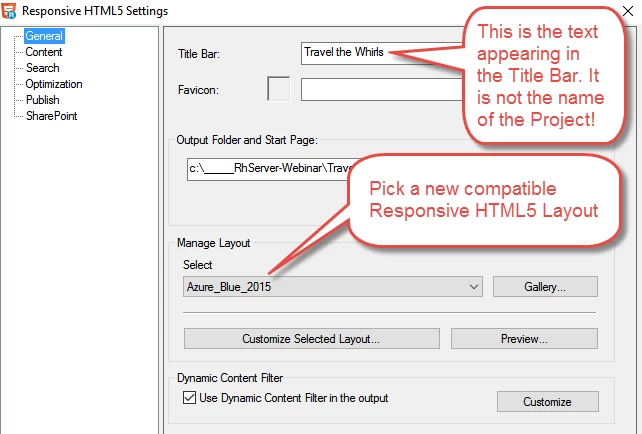
EXCEPT when you want to publish Responsive HTML5 content to the new RoboHelp Server 10. - In that case, if you are publishing the more modern Responsive HTML5 layout option, it is appropriate to use a Responsive HTML5 Output (SSL) and select a compatible HTML5 Screen Layout from the Output Setup Pod.
Here is an example of the Responsive HTML5 Settings Dialog:
Examining filenames further, here are some filenames and how they are used:
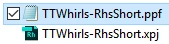
The .ppf is the XML control file containing information specific to info needed by the RoboHelp Server 10.
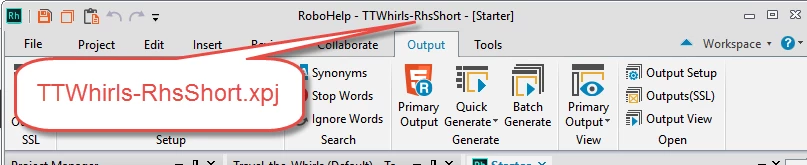
The xpj is the Project Name. That is what appears at the top of RoboHelp's editor:
Nita, let us know precisely what you are trying to accomplish and we'll take another crack at it.
Thanks
John
John Daigle
Adobe Certified RoboHelp and Captivate Instructor
www.showmethedemo.com



 AdChoices