


Disable UI Collapsed Margins
I use a lot of indenting. Some of the indenting results from different heading levels, some from drop-down text, and some from a combination of ordered and unordered lists, which are sometimes inside a drop-down section, embedded within a drop-down section. RoboHelp's UI has a feature that I think is meant to conserve screen space by adjusting the left margin so that it only shows the left-most text at the current level of indentation. When this occurs, I cannot see any of the list level data (e.g., I cannot tell if I am on #3 in an ordered list because the system hides all the list levels) and the system cuts off some of the paragraphs above and/or below the current section if those paragraphs are not indented as much as the current paragraph level. Because of the levels of indentation I use and the length of some of my help topics, this functionality is often not helpful for me.
Questions:
- Is there a way to disable this functionality? If yes, please let me know how.
- If there is not a way to disable this functionality, is there any easy way to get the system to display the content that is hidden from view on the left side of the page? Currently, the only way I have figured out how to make the content in the left margin visible again, in some cases, is to scroll to the very top of the page (where no indenting occurs) and then to scroll all the way to the left. If I scroll to the left-most part of the current paragraph, the system does not adjust the content visible in the left margin; when I reach the left-most margin, the system wraps up to the next line within the same indent level. Some of my topics, with embedded text that users can hide, are quite long. If I have to scroll to the top of the page to be able to see all the content in the left margin, I lose my current place in the document and have to scroll back down again to find it, sometimes soon ending up back in the same situation of not being able to see the content hidden by the UI in the left margin again.
Sample of what I mean (where boxes represent what I can see at two different indentation levels):
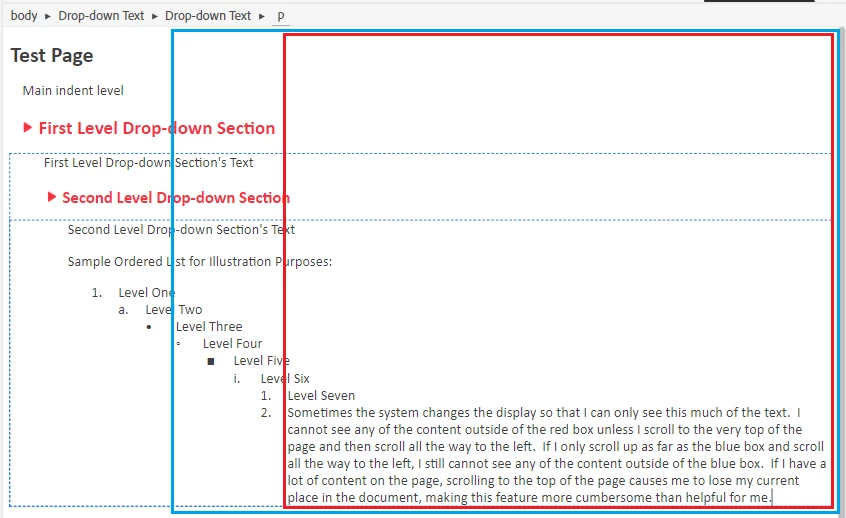
Actual (where I cannot see where I am at in an ordered list and can't read the full paragraph above the current indent level.
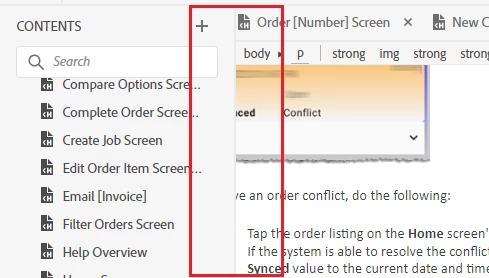
Working in this environment is not easy. Open to suggestions. Thanks.
 AdChoices