



scotth21436374
Participant
October 22, 2019
Answered

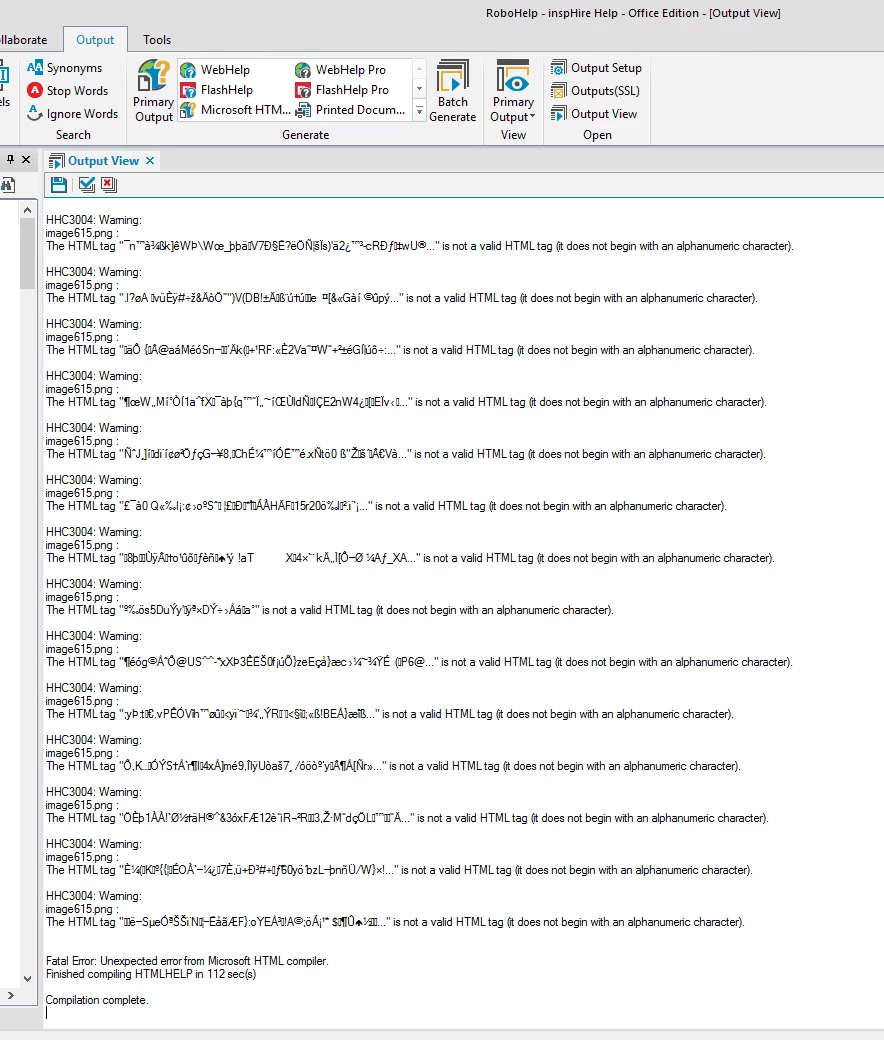
HHC3004: Warning: The HTML tag is not a valid HTML tag & Fatal Error: Unexpected error from Micros

  • October 22, 2019
  • 2 replies
  • 868 views

Hi there,


I've recently started using Robohelp, I'm new to the role and have downloaded Rh 2019.


My colleague has been using Rh for years now and hasn't had these problems. I've copied the project from my colleague onto my machine (project is currently in Rh 2017) and I can use Rh 2019 Classic successfully. However when I come to generate the CHM I receive the two errors in the title of this post. Oddly if I were to upgrade the project into Rh 2019 it'll compile and generate successfully...


If I create a new project and add an image to the 'first topic', it'll generate successfully, however won't display the image within the CHM.


Any advice greatly appreciated.


Thanks

Scott
This topic has been closed for replies.
Correct answer Amebr

I found one random internet post that said that the string ".H" in an image name causes problems. None of your image names contain that string, but by chance is your windows user name Scott.Hewes? And does your project live within your Documents folder?


 If yes, try changing where you're generating to something like c:\myprojects and see if that clears up the issue. It's possible you need to move the whole project outside your profile folder, but try just changing the generate path at first.

2 replies

AmebrCommunity ExpertCorrect answer
Community Expert
October 23, 2019

I found one random internet post that said that the string ".H" in an image name causes problems. None of your image names contain that string, but by chance is your windows user name Scott.Hewes? And does your project live within your Documents folder?


 If yes, try changing where you're generating to something like c:\myprojects and see if that clears up the issue. It's possible you need to move the whole project outside your profile folder, but try just changing the generate path at first.

scotth21436374
Participant
October 23, 2019

Hi Amebr,


You were right in that, that is my username and yes both the project and the output path was in my documents folder.


I've changed the output path outside of my documents folder and this has now allowed me to generate the CHM without ANY errors!


Thank you so much for this! 🙂

Peter Grainge
Community Expert
Community Expert
October 22, 2019

So that we are clear, you are generating using 2019 Classic, correct?


Those tags show some crazy characters. Look at one of the topics in HTML view and see if they appear in the code.


What is the filename of one of the images giving this problem?


www.grainge.org

Help others by clicking Correct Answer if the question is answered. Found the answer elsewhere? Share it here. "Upvote" is for useful posts.
scotth21436374
Participant
October 23, 2019

Thank you for replying Peter, Amebr's solution below worked a treat...