


roryj86911642
Inspiring
February 27, 2019
Answered

How do I connect images to topics so that the output folder includes has a complete help system?

  • February 27, 2019
  • 1 reply
  • 1076 views

I want to send my output folder to developers so that they can integrate my topics with the images. I saved my output folder to my desktop and when I clicked on the index.htm file, I got my help system with text only topics.
This topic has been closed for replies.
Correct answer Amebr

Yes I have the latest version 2019.0.5.

When I go outside of RoboHelp and go to the outputs folder from windows Explorer and click on a topic, yes the images show up.


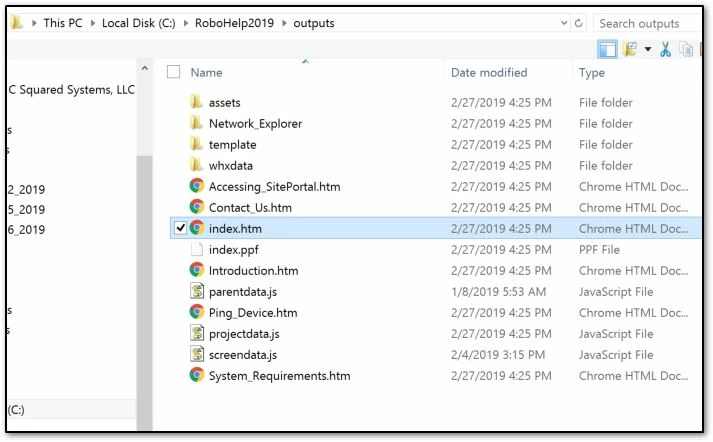
That Images folder doesn't seem right. Is there an "images" folder within the "assets" folder that contains the images in your project?

I'm wondering if somehow you linked to images outside your project, which would explain why it works on your C drive, but not when you copy the output folder.

1 reply

Jeff_Coatsworth
Community Expert
Community Expert
February 27, 2019

Do they appear properly in the project? How are they referenced in the project? Do you have them located in an Images folder within the project or as Baggage files?

roryj86911642
Inspiring
February 27, 2019

They appear properly in the project. I have the images in an images folder located as C:\RoboHelp2019\Unified2\Images. I don't know what baggage files are.

roryj86911642
Inspiring
February 27, 2019

I have noticed that when I delete the images folder in an upper directory and then generate my html5 it creates a new images folder.

Before generation -

After generation -