



Answered
How to shorten space between topics in printed documentations?
Hello,
I am using RoboHelp 2015 and Windows 7.
When generating printed documentation, two blank lines separate topics, as seen in the picture below:
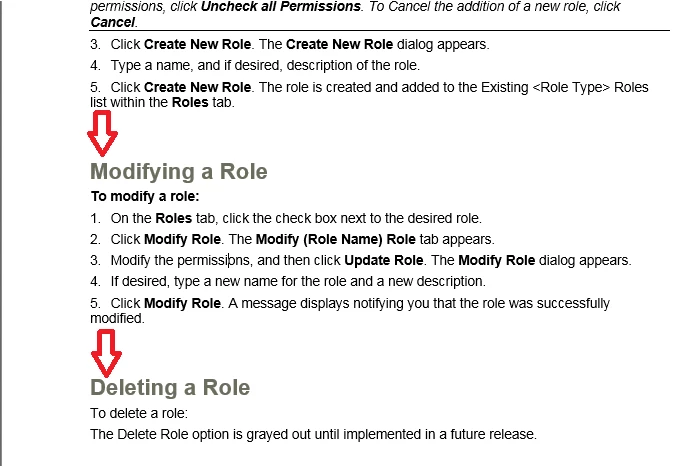
I am wondering if it's possible to make that space smaller? I've already tried adjusting Before/After paragraphs to 0 in RoboHelp and Word for those styles.
Any help is greatly appreciated. Thank you!


 AdChoices