


Inspiring
September 3, 2024
Question

Is translating gloss terms (not definitions) not supported?

  • September 3, 2024
  • 2 replies
  • 289 views

Robohelp v2022.3.93


Glossary terms are relatively straightforward: it's a term with a definition attached to it.

The problem is that glossary terms often also need to be translated. For example, the term NATO is translated as NAVO in Dutch and OTAN in French.
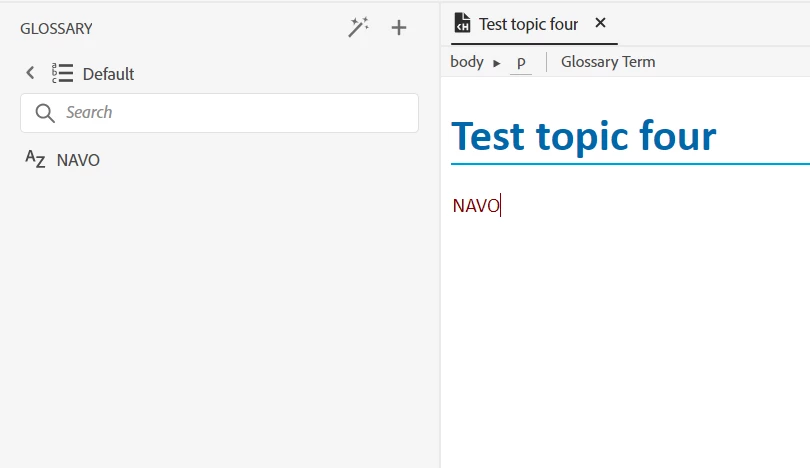
 

AFAIK, I do not see a way to translate the term along with the definition. We can of course create a French term, but that would mean plastering both the Dutch and French term in every topic with a language condition tag.


We can modify the term in the Default.glo itself (NAVO -> OTAN), but existing instances of the glossary term will not update to the new gloss term:

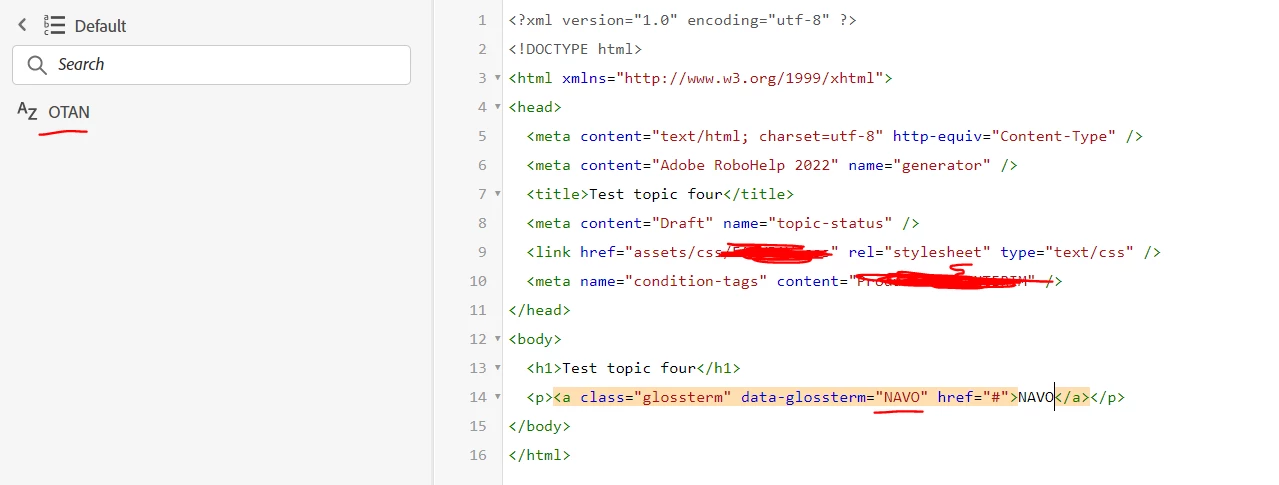
 

Am I missing something or is defining another term the only way?


On a side note, I don't really get why data-glossterm is mapped to the glossary term instead of the glossary ID ('Default_NAVO').


    This topic has been closed for replies.

    2 replies

    Peter Grainge
    Community Expert
    Community Expert
    September 3, 2024

    Hmm. So I see after checking. Did you ever report that as a bug?

    ________________________________________________________

    My site www.grainge.org includes many free Authoring and RoboHelp resources that may be of help.


    Help others by clicking Correct Answer if the question is answered. Found the answer elsewhere? Share it here. "Upvote" is for useful posts.
    Inspiring
    September 3, 2024

    I guess this blurs the line between a very limited functionality and a bug.


    After consideration, we'll just go with yet another script to add to the pile. What's one more 🙂

    1. We'll allow the translation of the gloss term in the custom XLIFF export script and load it in the translation project. The "data-glossterm" attribute will however still be wrong.
    2. For each <a> tag with "data-glossterm" attribute in the translation project, replace the value of the attribute with the value of the glossterm if the values differ.


    Peter Grainge
    Community Expert
    Community Expert
    September 3, 2024

    Does this translation option not allow both the term and definition to be translated?


    ________________________________________________________

    My site www.grainge.org includes many free Authoring and RoboHelp resources that may be of help.


    Help others by clicking Correct Answer if the question is answered. Found the answer elsewhere? Share it here. "Upvote" is for useful posts.
    Inspiring
    September 3, 2024

    The default XLIFF export does not work for us in 2022.3.93 (Trados), so we've been using a custom-built XLIFF export script for glossaries and variables.


    Looking at the default XLIFF export generated by RH, I can see that only glossdef (definitions) are exported for translation: