


Question
Link to external file in CHM from Button1
Hi All,
I've done some searching and have the start of this. Per Subject, I would like to link to a provided index.htm file that is included in the release CHM directory. I searched the forum and found the following:
describes the JS to get the relative URL
So here is what I tried. I created a script in the RH2019.Patch9 project.
function
URL_Parser(fn) {
var X, Y, sl, a, ra, link;
ra = /:/;
a = location.href.search(ra);
if (a == 2)
X = 14;
else
X = 7;
sl = "\\";
Y = location.href.lastIndexOf(sl) + 1;
link = 'file:///' + location.href.substring(X, Y) + fn;
location.href = link;
}
Then I simply added a Button1 URL as follows:
<a onclick="URL_Parser('index.htm')" style="text-decoration: underline; color: green; cursor: hand">Link to QSG</a>
However, this does not work.
Searching a bit, someone recommended keeping the script right inside the HTM page.
So I did a test link by adding the following to the bottom of my file:
<script language="JScript">
//<![CDATA[
function URL_Parser(fn) {
var X, Y, sl, a, ra, link;
ra = /:/;
a = location.href.search(ra);
if (a == 2)
X = 14;
else
X = 7;
sl = "\\";
Y = location.href.lastIndexOf(sl) + 1;
link = 'file:///' + location.href.substring(X, Y) + fn;
location.href = link;
}
//]]>
</script>
<p><a onclick="URL_Parser('index.htm')" style="text-decoration: underline;color:green;cursor: hand">Link to QSG</a></p>
And this worked per the figure.
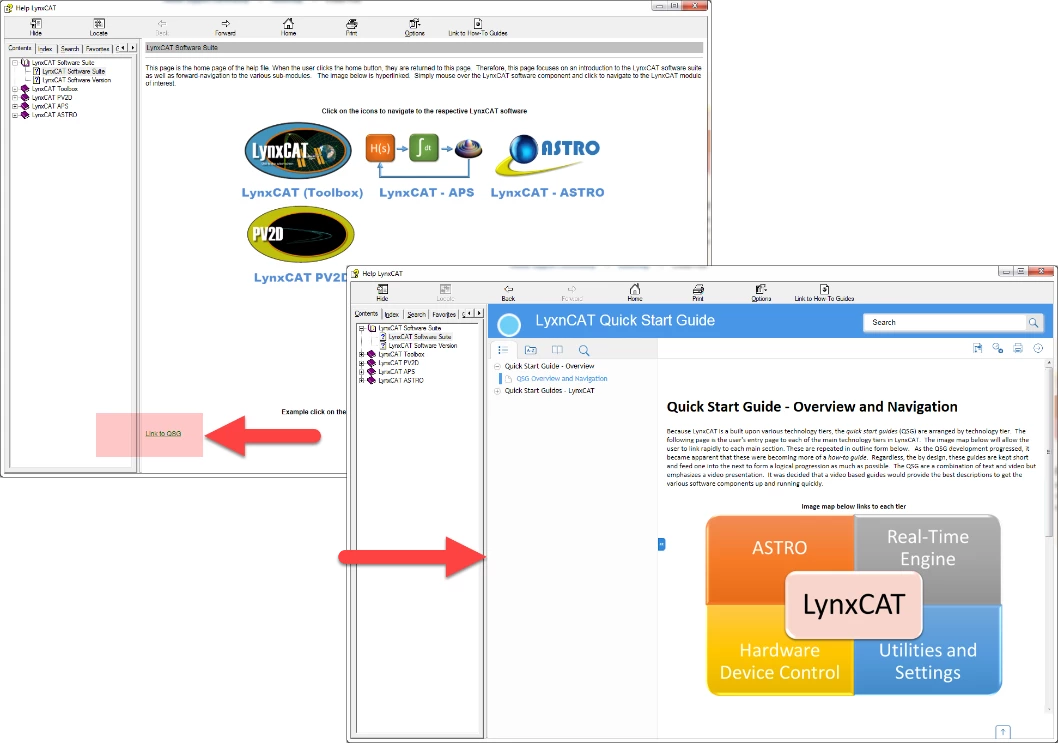
So what do I need to do to get this to kick off from the button?
thanks.
 AdChoices