New Participant
May 21, 2021
Answered

Linking Bookmarks in RoboHelp 2020

  • May 21, 2021
  • 5 replies
  • 1680 views

I need to link a bookmark created in one topic to certain terms in another topic. To clarify my point, here is a use case:
1. Create two topics: Topic 1 and Topic 2

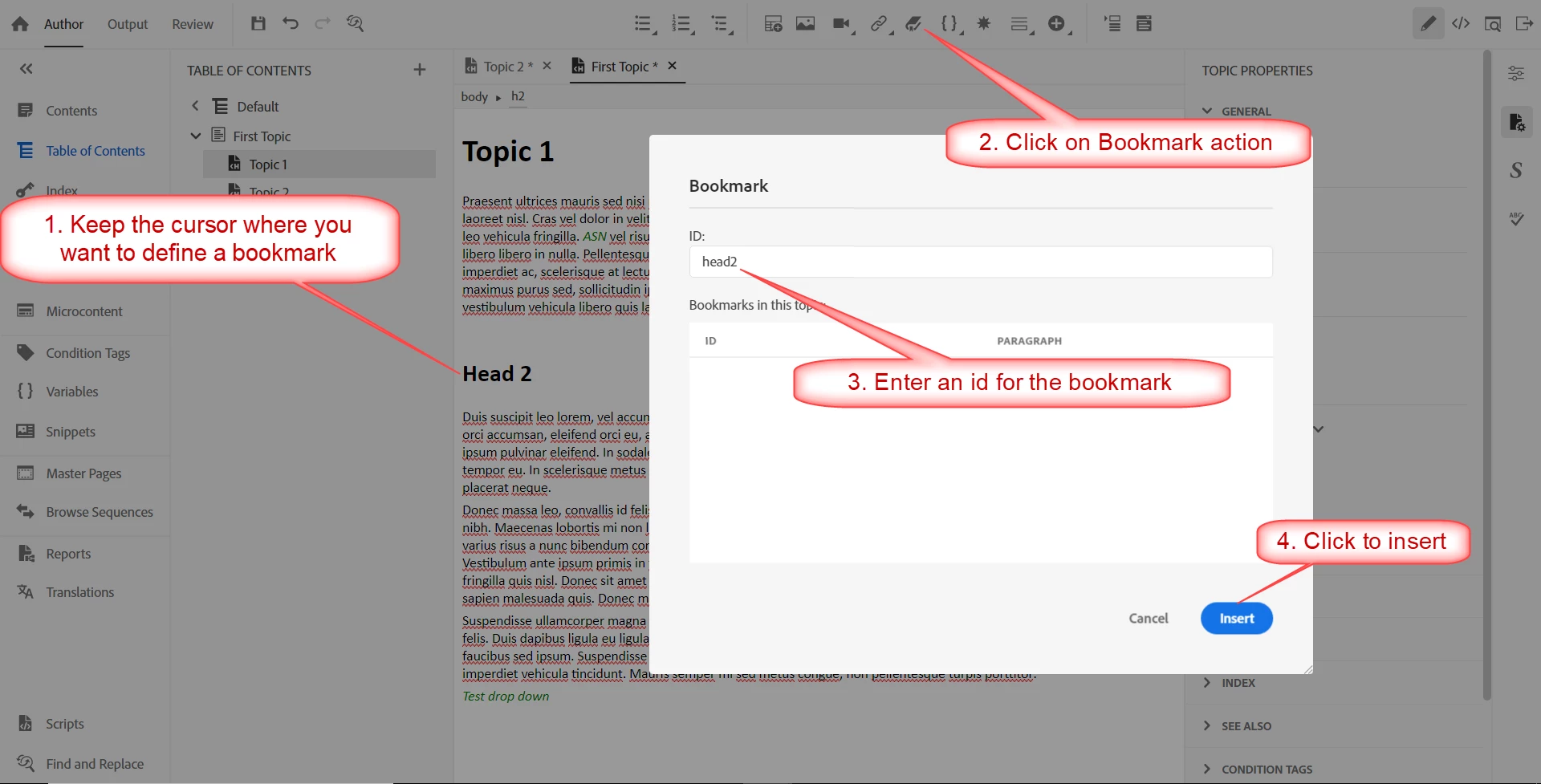
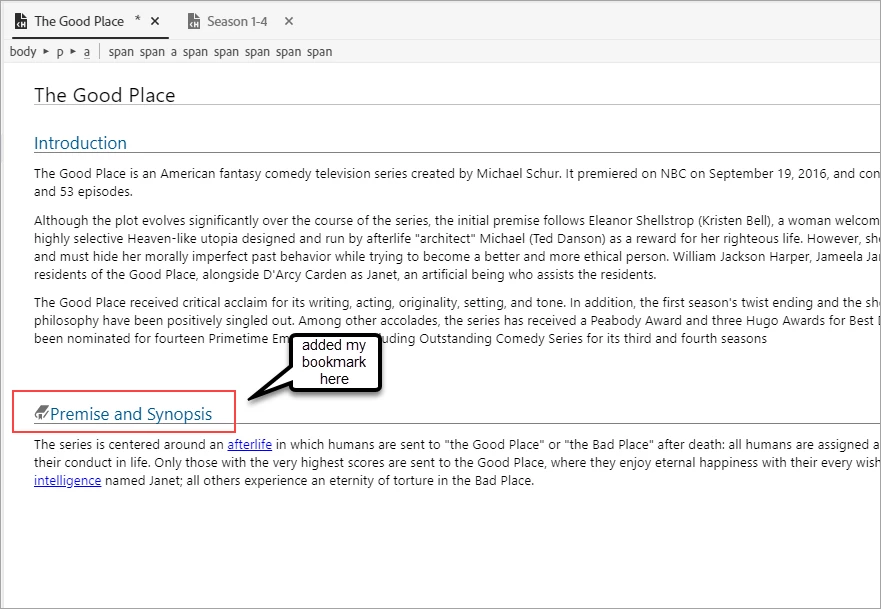
2. Add a Head2 to Topic 1 and insert a bookmark next to the Head2.

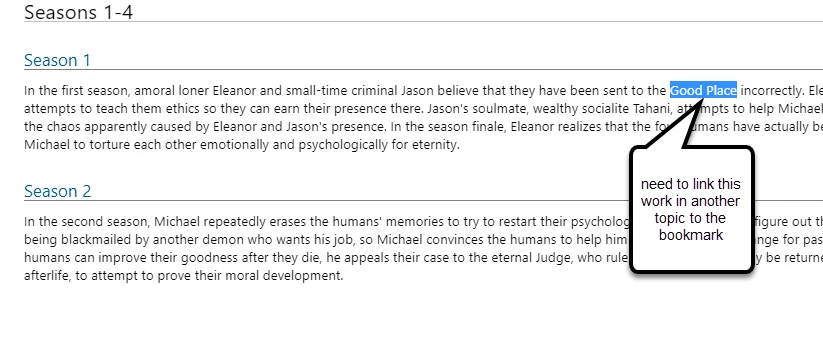
3. Now, create a Head 2 in Topic 2 and add some content to it. Try linking certain terms in the content to the bookmark in Topic 1.

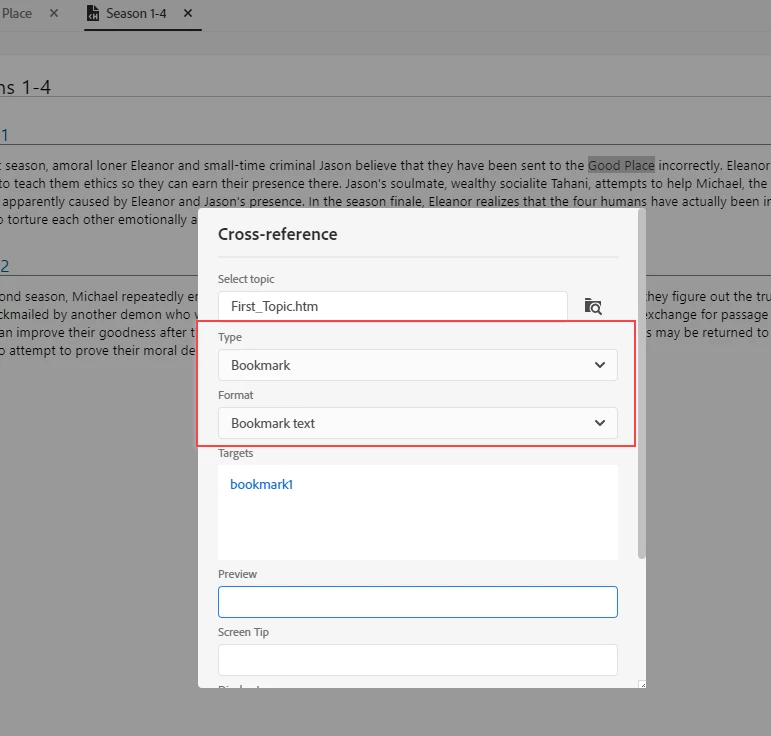
I tried using Insert Links> Cross-Reference> Add bookmark. The problem is that the term to which the bookmark should be linked is being replaced by the bookmark term( headin) itself. How do I link the term to that heading in a way the term is not replaced?
This topic has been closed for replies.
Correct answer Achal__

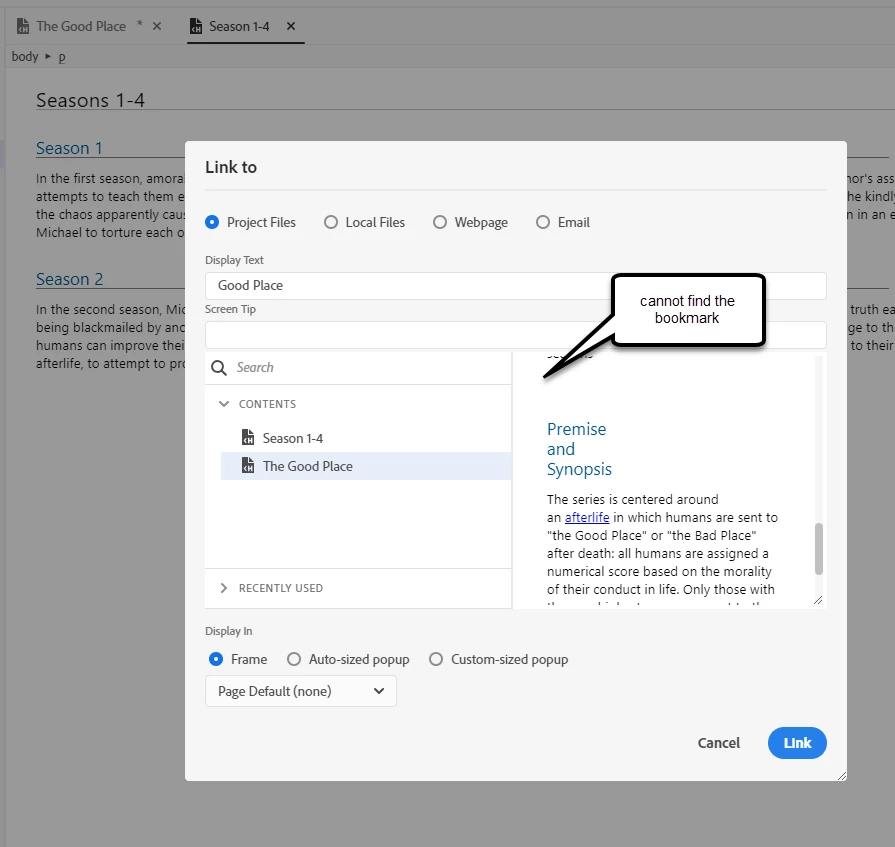
@Jeff_Coatsworth I do not see the #. This is what I have experienced.

1. I have added my bookmark in topic1

2. Highlighted the term that I wish to link the bookmark to.

3. I do not see the bookmark in the Hyperlink window. If I link it, it will take me to the topic, but not to the Head2 where I have applied the bookmark. This is needed in case the topic has many Headings.


In earlier versions it was simpler to perform this task. But now, the bookmarks are only visible in the cross-reference window. The issue being that the term is being replaced by the bookmark term itself as cross-references are supposed to work.


I am not sure why it is not working for the RoboHelp version 2020.3.32 that I have. If it does work for you @Achal__ @Jeff_Coatsworth could you please share the proper steps with screenshots?


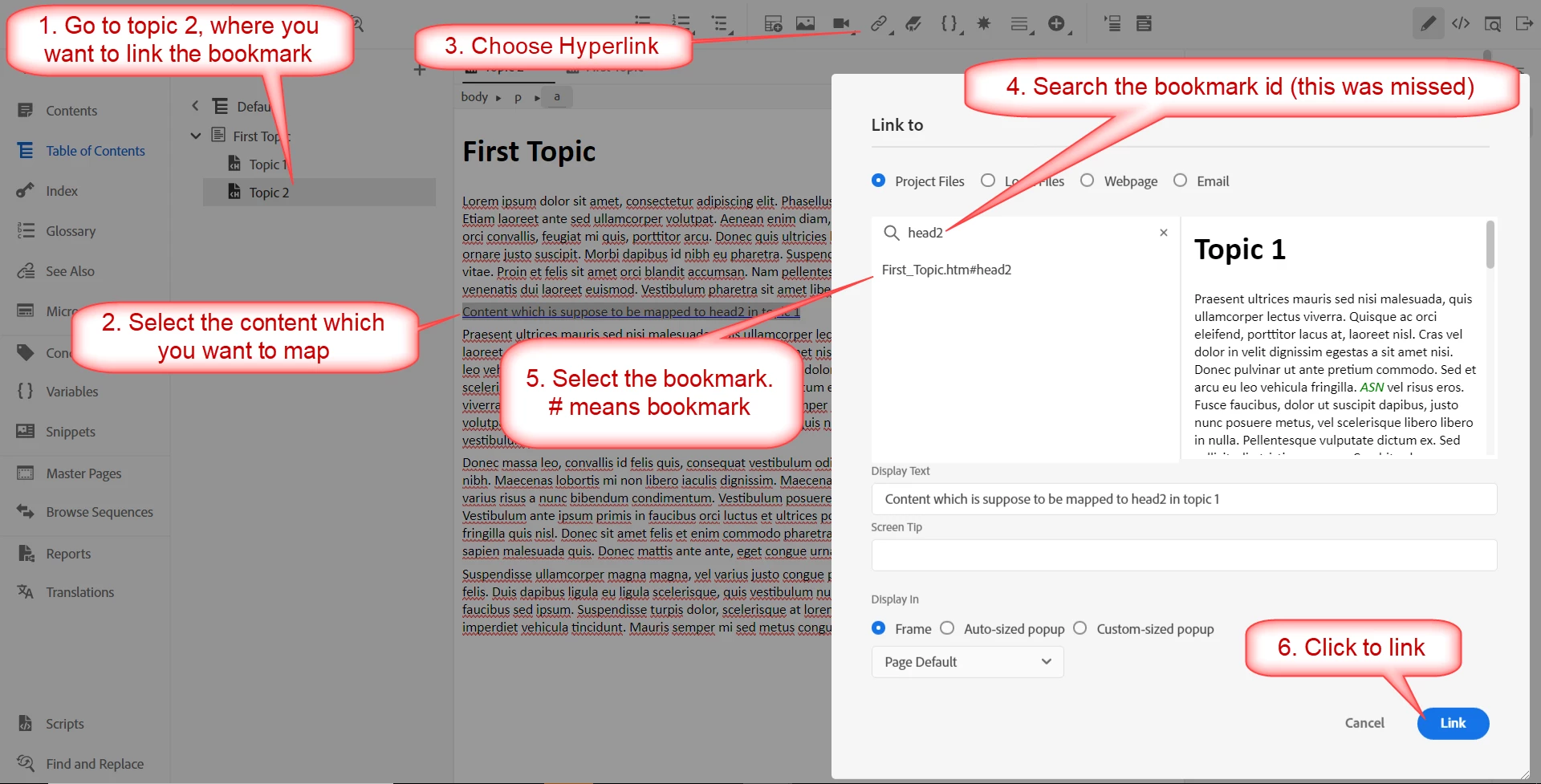
@ASR1428 the only thing that was missed in step 3 is searching the bookmark id. here is the attached steps


5 replies

Jeff_Coatsworth
Community Expert
May 21, 2021

I would apply Patch 4 and try again.

Peter Grainge
Community Expert
May 21, 2021

As has been advised you need a hyperlink. Cross References are specifically designed to show the target so that if it is changed, the link changes with it. Say you have a heading My Topic and you cross reference that, later you change the heading to Our Topic. Hyperlinks all need updating, cross references do not, they will change.

________________________________________________________
See www.grainge.org for free Authoring and RoboHelp Information

Help others by clicking Correct Answer if the question is answered. Found the answer elsewhere? Share it here. "Upvote" is for useful posts.
Jeff_Coatsworth
Community Expert
May 21, 2021

@Achal__ 's screenshot doesn't show it, but if you've set the bookmarks up on the spots in Topic 1 (which they have, but aren't seen because they aren't showing Topic 1), they will appear in the list of "things to be linked to" that they show. Notice that the "thing to link to" has the "#" part? That's the bookmark over in Topic 1.

Inspiring
May 21, 2021

@Jeff_Coatsworth Yeah bookmark is setup in topic 1 as "head2"

ASR1428Author
New Participant
May 21, 2021

@Jeff_Coatsworth I do not see the #. This is what I have experienced.

1. I have added my bookmark in topic1

2. Highlighted the term that I wish to link the bookmark to.

3. I do not see the bookmark in the Hyperlink window. If I link it, it will take me to the topic, but not to the Head2 where I have applied the bookmark. This is needed in case the topic has many Headings.


In earlier versions it was simpler to perform this task. But now, the bookmarks are only visible in the cross-reference window. The issue being that the term is being replaced by the bookmark term itself as cross-references are supposed to work.


I am not sure why it is not working for the RoboHelp version 2020.3.32 that I have. If it does work for you @Achal__ @Jeff_Coatsworth could you please share the proper steps with screenshots?

Inspiring
May 21, 2021

Hi @ASR1428 , I suppose you want to add a hyperlink from some content in topic2 to head2 in topic1, right? For that, instead of cross-reference option, you should go for Insert Links > Hyperlink option. In the Hyperlink configuration window, you can set the text which you want to display.

ASR1428Author
New Participant
May 21, 2021

HI, Thanks for the response. Won't adding a hyperlink , link the content to the Topic itself?. I wish to link it to a particular Head2 in that topic. So, that when I click the link mapped to the term in Topic 2, I will be directed to the designated Head2 in Topic1. Hope that now my question makes sense.

Inspiring
May 21, 2021

When we want to link a content, we use Hyperlink option. By saying content I mean it could be a term or a sentence. In case of bookmark option, we have a fixed set of displayed text value as Heading text, Page number, Chapter number, and  Heading text with page number, it can't be changed. It just gets updated when you update that topic. In your case, you have to select the content which you want to map it ot the head2 in topic1 and use hyperlink options.

Jeff_Coatsworth
Community Expert
May 21, 2021

I think you want to insert a Hyperlink to the other bookmark in Topic 1 - that will preserve your text in Topic 2.