New Participant
November 16, 2015
Question

On generating Webhelp in Robohelp 10 the Content, Index and Search tabs are not functioning

  • November 16, 2015
  • 2 replies
  • 821 views

Hi

We have been producing a User Guide for some 2 years on Robhelp 10. The last time we needed to update the User Guide and generate Webhelp was in Jul 15.

  After making some changes to day we generated the Webhelp by:


  • Having saved the changes to the project we
  • Selected the Generate action under the Webhelp (Primary Output) option in the Single Source Layout
  • In the popup, we selected the action Generate and Save
  • The system ran through the generate process at the end presented the option to View Results
  • We selected View Results and the Webhelp was displayed in IE11

   In the top left corner are the Tabs:

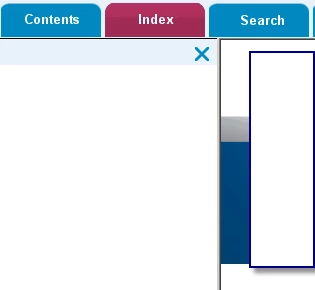
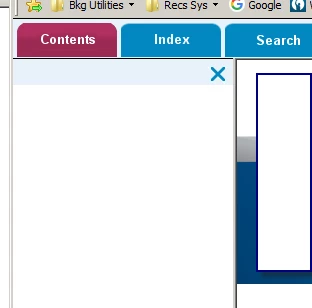
  • Content – This was blank when we expected it to be populated
  • Index – Again blank when we expect text and an input box
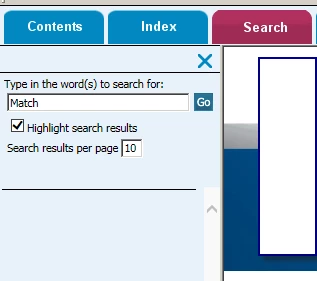
  • Search - Presented the text and input box but would not return any results when we input a search word or phrase.


Pictorial examples below.
 

Does anybody have any idea what might have changed or why this is occurring?

This topic has been closed for replies.

2 replies

WiscoLori
Known Participant
November 17, 2015

I had this same issue in a different thread.  It has to do with RH not working with IE 11 or other newer browser versions with scripting security (I think).  I had to manually replace the whutils.js file in the Output folder each time I generated my Output.  I can't remember where I got the file, I think out of the patch itself.  But you have take that file from the patch, and copy and paste it over the one that gets created during generation.  It worked nicely.  However I got tired of doing that and so my company let me upgrade to RH 2015.  This is no longer an issue.  If you need the file I can send it to you.  Thanks, Lori

WiscoLori
Known Participant
November 17, 2015

I meant "to fix this issue" I had to manually replace that .js file.

That .js file I was talking about should be in the folder containing the patch files that you downloaded.  Sorry if I'm not making myself very clear.  A long day of writing procedures and I'm brain dead.

I was just told by someone in the other thread that "You could have just replaced the “factory” version in your c:\program files\ RH folder to be used in the creation of the help output."  So you might wan to do that instead.  :-)

Psimmo55Author
New Participant
November 18, 2015

Thank you for your support. Your info addressed part of our problem, but we found a setting had been changed in the Generate as well.

Captiv8r
Brainiac
November 16, 2015

Hi there

My own guess is that your IT staff pushed out an update to the browser. One of the reasons folks should stay on top of RoboHelp updates is to ensure all the code in the outputs is up to date to adapt to and accommodate browser changes and advancements.

You likely need to pop over to Willam's site and install a patch.


Click here to view


Cheers... Rick

Psimmo55Author
New Participant
November 17, 2015

Thanks for the input. Your suggestion clearly fitted the issue. So we applied the fix. Unfortunately the problem still persists.

Known Participant
November 17, 2015

Perhaps this article would be more helpful:

WebHelp issues in RoboHelp versions 10 and 11