


ren_luy22905526
Participating Frequently
January 21, 2019
Question

Predictive Search Not Working - Indigo Layout

  • January 21, 2019
  • 3 replies
  • 2324 views

Hi All -

I am in the final stages of completing my help manual. We are testing it on internal sites before we roll it out to clients. The only issue that is keeping me from publishing it to our clients is the predictive search.

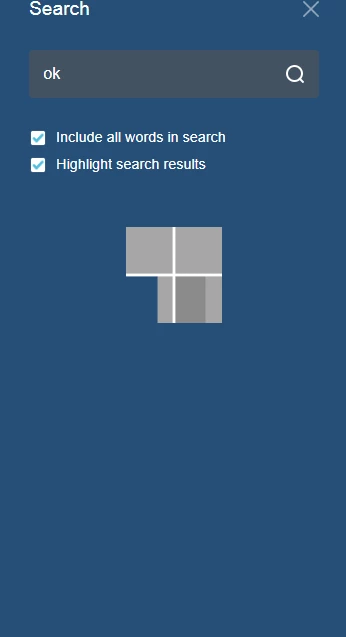
If a user searches for a term and selects one of the suggested options, the application populates the side search menu but just loads forever (screenshot below). If they select the search icon (magnify glass) to search again, the results load. If they close the side search menu and search again, the results load. I cannot figure out why they are not loading with the initial search?

We are on Robohelp version: 13.0.2.334

I am using the Indigo Layout and downloaded the updated file from the Adobe website when I started the project.
This topic has been closed for replies.

3 replies

Peter Grainge
Community Expert
April 30, 2020
Help others by clicking Correct Answer if the question is answered. Found the answer elsewhere? Share it here. "Upvote" is for useful posts.
Jeff_Coatsworth
Community Expert
January 21, 2019

IIRC you had to call the newer updated layout something different (like Indigo2 or something different) and use that. Is it behaving in the sample projects?

ren_luy22905526
Participating Frequently
January 21, 2019

Hi Jeff -

Thanks for the quick reply.

I was going to publish a sample project and push it out to one of our internal test sites, however, I found that the output options varied for the sample project vs my project.

The image on the left displays the output options for my help manual and the image on the left displays the output options for the sample project. I have just been using Responsive HTML for my output because I did not have the ability to choose the others. Could this be part of my problem?


Peter Grainge
Community Expert
February 8, 2019

Hi Peter,

I did as instructed (created a new indigo layout from the gallery) and the predictive search was still not working as expected.

To elaborate:

When I initially begin typing the word 'notification', I receive several suggested search options. When I select any of those options I either get a loading image that never goes away or the search results return nothing.

However, if I erase the word then type it again and select one of the suggestions search options, the results return immediately.

The suggested search options are tied to content within the manual so my issue is not the options the search is providing. It just does not initially work for users. My concern is if I roll the help manual out with this behavior I will either receive a lot of support calls for it not working or they just will not use it.


Are you testing the local output that you have generated or have you got it on a server?

Can you share the project direct with me? See the Contact page on my site and send the project as instructed there. Do make sure you include a link to this thread and please do not email the project direct. Also include precise steps for what to enter and when to click on one of the suggested results.


See www.grainge.org for free RoboHelp and Authoring information.

@petergrainge

Help others by clicking Correct Answer if the question is answered. Found the answer elsewhere? Share it here. "Upvote" is for useful posts.