Inspiring
June 25, 2025
解決済み

Problem With Framless' "In This Topic" Section on ONE Topic

Hello,


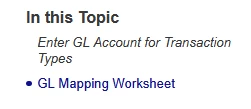
Normally, the "In This Topic" section of the Frameless output has links to the H1, H2, H3, and H4 styles, and links to them as such, without using bookmarks. See an example of the filepath/webpage URL that pops up for a normal topic when clicked in the "In This Topic" section.
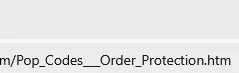



Now, see below an example of the page that is failing. I believe it is throwing Error 403 Forbiddens to our customers because it is using bookmarks (and incomplete ones, at that) to try and call the section of the page.


 

How do I fix this?

    解決に役立った回答 Zachary24897071nluu

    I don't see how it is demeaning. It is simply a statement of fact to establish it is something in your project that we haave to troubleshoot. 


    Does the file I sent work or not? If it does, then my troubleshooting was correct. 

    ________________________________________________________

    My site www.grainge.org includes many free Authoring and RoboHelp resources that may be of help.


    It is the italics and the link in the header that did this.


    Removing the italics from H2 and the outgoing link that was H2 solved the problem.


    Seems like it was a RH issue.

    返信数 12

    Peter Grainge
    Community Expert
    Community Expert
    June 26, 2025

    For Menu Setup, I notice the code has both em and strong, effectively the same thing. I don't know but wonder if that could be an issue. Just throwing it out there.

    ________________________________________________________

    My site www.grainge.org includes many free Authoring and RoboHelp resources that may be of help.


    Use menu (bottom right) to mark as Best Answer or to Highlight particularly useful replies. Found the answer elsewhere? Share it here.
    Peter Grainge
    Community Expert
    Community Expert
    June 26, 2025

    I think your tone is unnecessary given the time I have spent on this issue.


    I have sent you a working GL Account Setup file via Smash.


    If that doesn't help I suggest you go to Adobe Support. I suggest for this one you need to go to Adobe Support. See https://helpx.adobe.com/contact/enterprise-support.other.html#robohelp for your Adobe Support options. The email link tcssup@adobe.com is recommended as it reaches a team dedicated to Technical Communication Suite products including RoboHelp.

    ________________________________________________________

    My site www.grainge.org includes many free Authoring and RoboHelp resources that may be of help.


    Use menu (bottom right) to mark as Best Answer or to Highlight particularly useful replies. Found the answer elsewhere? Share it here.
    Inspiring
    June 26, 2025

    Apologies for my tone, but I have also been working the issue for as long, if not longer.


    And quite frankly, being told what I am seeing happen couldn't happen, or has not happened to anyone else, is frustrating and demeaning, especially since you keep repeating the same troubleshooting.


    I have emailed adobe techincal support already.


    Have a nice day.

    Peter Grainge
    Community Expert
    Community Expert
    June 26, 2025

    I don't see how it is demeaning. It is simply a statement of fact to establish it is something in your project that we haave to troubleshoot. 


    Does the file I sent work or not? If it does, then my troubleshooting was correct. 

    ________________________________________________________

    My site www.grainge.org includes many free Authoring and RoboHelp resources that may be of help.


    Use menu (bottom right) to mark as Best Answer or to Highlight particularly useful replies. Found the answer elsewhere? Share it here.
    Peter Grainge
    Community Expert
    Community Expert
    June 26, 2025

    With respect, I don't think it is me not understanding.


    The issue I saw was In This Topic did not show anything as you can see in the image in the post at https://community.adobe.com/t5/robohelp-discussions/problem-with-framless-quot-in-this-topic-quot-section-on-one-topic/m-p/15389372#M157674


    To correct that I showed the problem with the code. The topic has no headings, as you acknowledged. If you fix the code for what should be headings, they then appear and work.


    <p><strong><a id="trans_id_gl_account_code_setup"></a>Trans ID</strong><br />

    Change that to 

    <h2><a id="trans_id_gl_account_code_setup"></a>Trans ID</h2>


    If I do that in Parts Watch H2 applies to the whole line so used Enter after Menu Path so that the rest is on another line and I applied P to that.


    Next I have worked through that should be a heading and made the same changes. So that the above appears as 


    Having done that, I generated an output using your Frameless preset and this is what I see locally.


    All links work without error. Please explain what I am not understanding about this part of the issue.

    ________________________________________________________

    My site www.grainge.org includes many free Authoring and RoboHelp resources that may be of help.


    Use menu (bottom right) to mark as Best Answer or to Highlight particularly useful replies. Found the answer elsewhere? Share it here.
    Inspiring
    June 26, 2025

    Show me the link you get when you click any of those "In This Topics". It will look different from mine.


    That is my issue. That is what you are not understanding.


    And again, I don't think you read what I wrote. I purposefully changed it to <p> inline text. I sent that file incrorectly, I should have sent you the one with <h2> lines. I think I am done on this topic, I can't explain it right, and your troubleshooting is for a totally different error.


    For what it is worth, when I copy your code into RH, I get the same thing as my original issue. 


    Thanks for your time but I am going to just remove the headers from this topic, and make a workaround, like I have for all of my other unsolved issues with this software.

    Peter Grainge
    Community Expert
    Community Expert
    June 26, 2025

    Personally I would fix In This Topic in GL Account Setup and generate a fresh output and test it works locally. Then I would test locally any topics with link to the bookmarks in that topic. Then put that output in a new folder on your server and check it still works.


    In your testing check the code in the topics with the links to GL Account Setup and make sure the bookmark part of the link is the same as the bookmark.


    Assuming it does, maybe trash the troublesome output and replace it with this working one. 


    I don't believe RoboHelp is the issue here as if it were, then others would be having this problem. Also note In This Topic relies on heading styles and not bookmarks.

    ________________________________________________________

    My site www.grainge.org includes many free Authoring and RoboHelp resources that may be of help.


    Use menu (bottom right) to mark as Best Answer or to Highlight particularly useful replies. Found the answer elsewhere? Share it here.
    Inspiring
    June 26, 2025

    Peter,


    The problem I am having is because I don't know how to fix the "In This Topic" section of the GL Account Code Setup.


    When generated the links work locally - because there is no network to forbid me from. However, as you can see from the images I posted, it still does "create" these half bookmarks for when the links in "In This Topic" are clicked. So in essence, it is still creating the same error, it just doesn't throw a 403 because it is local. The images I provided were from my local machine, but they do the same thing in a web browser, and in the web browser it breaks and throws a 403.


    I did not link to any BOOKMARKS in this topic!!! The 2 incoming links link to the topic as a whole. There are no bookmarks here except the internal ones I plan on linking an image map to.


    I feel you are not understanding the issue here, as you can see in the top images ROBOHELP is CREATING those bookmarks. I did not type those half words! It took them from the headers, and created a half-bookmark (starting with the hashtag, as pictured) and ruins the links.


    Please stop telling me what "In This Topic" refers to, I understand it only does H2-H4, I can change that setting as well.


    If it is not RoboHelp, why is the problem beginning in RoboHelp, and present on a local machine and a network where the site is stored?

    Jeff_Coatsworth
    Community Expert
    Community Expert
    June 26, 2025

    Hang on - if the output works locally, but not on your webserver, then the issue lies on the webserver, not in the output files. Did you ensure that all files were cleared off the webserver & re-uploaded? Are there permission issues on the webserver? Did you clear your cache(s) on the browser(s)?

    Peter Grainge
    Community Expert
    Community Expert
    June 26, 2025

    Is the failure you first reported perhaps when they use a link to the bookmark from another topic and not related to the In This Topic issue?

    ________________________________________________________

    My site www.grainge.org includes many free Authoring and RoboHelp resources that may be of help.


    Use menu (bottom right) to mark as Best Answer or to Highlight particularly useful replies. Found the answer elsewhere? Share it here.
    Peter Grainge
    Community Expert
    Community Expert
    June 26, 2025

    Let's correct a few things.


    You say your customers are getting a 403 error when they click the links in In This Topic. That makes no sense to me as a 403 means they are not authorised to see the target but they are already viewing the topic so patently they are authorised. For what it is worth no one has ever reported a 403 from In This Topic.


    I don't know which of the output presets you are using so I created a fresh one. Using that and your Orange template I get this, the same as the test project you sent. In This Topic does not appear, never mind error.


    The reason nothing appears is that the "headings" in the topic are not formatted as heading styles but as paragraphs with inline styling. In This Topic relies on heading styles. 


    Example

    <p><strong><a id="trans_id_gl_account_code_setup"></a>Trans ID</strong><br />

    Change that to 

    <h2><a id="trans_id_gl_account_code_setup"></a>Trans ID</h2>

    and that will work.


    You can't have a line break at the end as the following line will also be styled heading 2.


    In short, the problem of In This Topic not showing is you have applied inline styling rather than proper styles.


    The 403 error, as I said, makes no sense. It feels like there is something wrong with the installation of the help wherever your users are viewing it.

    ________________________________________________________

    My site www.grainge.org includes many free Authoring and RoboHelp resources that may be of help.


    Use menu (bottom right) to mark as Best Answer or to Highlight particularly useful replies. Found the answer elsewhere? Share it here.
    Inspiring
    June 26, 2025

    Ah I sent you the "fixed" version where I removed the headers. This is not helpful to you.


    But if the 403 is some sort of issue where the hosting is the problem I will speak to my hosting team.

    Peter Grainge
    Community Expert
    Community Expert
    June 26, 2025

    First you need to know what triggers the 403. I don't believe it is the In This Topic, rather a bad link from another topic.

    ________________________________________________________

    My site www.grainge.org includes many free Authoring and RoboHelp resources that may be of help.


    Use menu (bottom right) to mark as Best Answer or to Highlight particularly useful replies. Found the answer elsewhere? Share it here.
    Peter Grainge
    Community Expert
    Community Expert
    June 25, 2025

    I'll look in the morning.

    ________________________________________________________

    My site www.grainge.org includes many free Authoring and RoboHelp resources that may be of help.


    Use menu (bottom right) to mark as Best Answer or to Highlight particularly useful replies. Found the answer elsewhere? Share it here.
    Peter Grainge
    Community Expert
    Community Expert
    June 25, 2025

    Please look at the test project. I am not seeing In This Topic in it.

    ________________________________________________________

    My site www.grainge.org includes many free Authoring and RoboHelp resources that may be of help.


    Use menu (bottom right) to mark as Best Answer or to Highlight particularly useful replies. Found the answer elsewhere? Share it here.
    Inspiring
    June 25, 2025

    I can't even open my test file anymore, it says it didn't load properly this time. The import of the topic is all jacked up, are you able to open the other Project? Same file is in there to inspect.

    Inspiring
    June 25, 2025

    The import obviously is failing, because the author view and output of this file is totally wrong in the test file.


    Look at this:

    Peter Grainge
    Community Expert
    Community Expert
    June 25, 2025

    You have only sent the rhpj file. I need the whole test project. Zip the folder.

    ________________________________________________________

    My site www.grainge.org includes many free Authoring and RoboHelp resources that may be of help.


    Use menu (bottom right) to mark as Best Answer or to Highlight particularly useful replies. Found the answer elsewhere? Share it here.
    Inspiring
    June 25, 2025

    Apologies, I have zipped it. I also sent you over the problem project if you need to take a look through.


    Thanks,

    Peter Grainge
    Community Expert
    Community Expert
    June 25, 2025

    See the Contact page on my site and me the test project as instructed there. I will look tomorrow morning.

    ________________________________________________________

    My site www.grainge.org includes many free Authoring and RoboHelp resources that may be of help.


    Use menu (bottom right) to mark as Best Answer or to Highlight particularly useful replies. Found the answer elsewhere? Share it here.
    Inspiring
    June 25, 2025

    Sent it your way, take your time!