


Known Participant
April 17, 2014
Question

Questions about using skins in online and local help

  • April 17, 2014
  • 2 replies
  • 1879 views

Caveat: I'm a very new RoboHelp users, somewhat self-taught, so my questions may be very rudamentary, but I can't quite find them in the (very meager) Adobe help.

In a previous version of the Help (created by my predecessor), the local Help (.chm) looked like this, i.e., no skins:

The online Help looked like this--i.e., it had the skin:
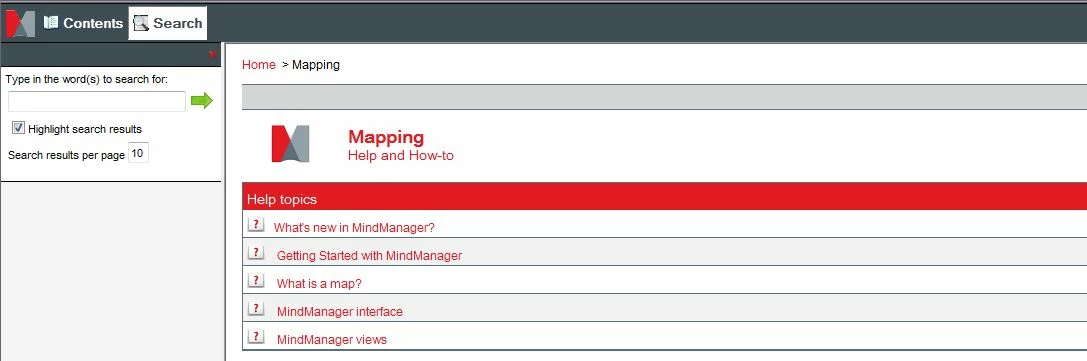
First question: why doesn't the local help have the skin? Is this a setting?

Second question: In a newer version of the help that I created, both versions of help look like the local Help above--no skins.  How do I make the skins display?

Third question: We localized to French. When I open FR online Help and right-click a help topic (to open in a new tab) the page displays as below, with the "Montrer" standing in for what is "< Show Contents" in English (see below). This content is incorrect in French, and should be "Afficher le sommaire" ("Show Summary"). 

Where do I find the source for this piece of content, so that I can correct it?  I've looked in the skins file, but didn't see anything that would qualify.

This topic has been closed for replies.

2 replies

Jeff_Coatsworth
Community Expert
April 17, 2014

Your “show” terminology will be in the .lng file – you can get at them to customize them through File > Project Settings.

Kasey1024Author
Known Participant
May 1, 2014

Wait--found montrer!  (buried in a rarely visited backwater in the .Ing file, missed it the first time.)

Okay, so that's solved.

Kasey1024Author
Known Participant
May 7, 2014

Have you resolved the issue of the local CHM not having a skin?


See www.grainge.org for RoboHelp and Authoring tips

@petergrainge


Nope.

Captiv8r
Brainiac
April 17, 2014

Hi there

One thing I notice is that you have a link in the upper left corner:

Try clicking that link and you should see your skin.

The thing is, you have opened just a topic inside the help system. The help system overall has what is called a "Start page" that has many functions. If you open just the start page, you end up with the full WebHelp system. But if you open just a topic in the system, it doesn't know to wrap the help skin around it until you click that link I pointed out.

First, let's see if we managed to sort the skins issue. Assuming we have, come back and I'll tell you how to sort the French wording issue.

Cheers... Rick

Kasey1024Author
Known Participant
May 1, 2014

Okay, Rick (Captiv8--nice!).  OMG, I KNOW that I can get to the content by clicking Show Contents. But what I want to know is why they online and local help open with and without skins, and where is that controled? So that, if I want to open in the skins, I can (or note--but it would be nice if it was a decision instead of an accident ),

As for which topic file it's opening to, I've selected the one I want. Should I be using some other topic file--and how would I know how to identify this "Start page?" (remember, I inherited this whole setup!)

The French wording issue is taken care of, thanks to Jeff Coatsworth (below).

Jeff_Coatsworth
Community Expert
May 1, 2014

When you launch your help in a context-sensitive manner (that is, a CSH call to a specific spot in your help), the tool that gets used strips off the skin and just offers you the topic you want to see when you pressed F1 on the page. The “Show” link launches the “full” help with all the ToC, Index, Search, etc. stuff that’s in your skin.

Are you trying to launch a CSH call with the full skin? If so, you need to change the way you call the help. Read up on CSH on Peter’s site (grainge.org) and on Willam’s (wvanwelden.eu)