



"rhcl.exe has stopped working” (CMD) / "Failed to generate Printed Documentation" (Rh GUI)
Hello Rh Community (Hi Peter and Rick  )
)
Any of you come across this "acute" issue (unable to determine the exact timing on what was done prior to having this issue) when attempting to generate Printed Documentation from RoboHelp?
Thank You,
~PM
OS: Win 7
Adobe Rh Version: Rh11
History: Rh11 on a separate machine (Win 7). I did have Rh 2017 installed (not anymore) on the same Rh11 PC just to upgrade one project for testing. Local Build (No source control involve in this case.
Issue: When running the documentation build script from the Command Line (CMD) and Rh attempts to build the two certain documents. The first time Rh compiler hits the “PayablesAdministratorGuide”, a message pad (popup) indicating that the “rhcl.exe has stopped working” (see Pic 1 below). This error reoccurs when it comes to PayablesImportExportGuide document. Note: The remaining printed documentation (e.g. User/Admin guides) for all projects generate with no issue.
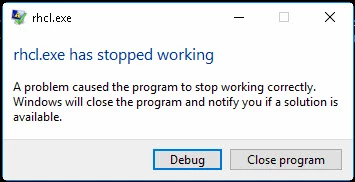
If I use Rh11 GUI (Opening Rh project and generating printed docs), I can not generate ANY Printed documentation, 20 seconds through the generation process I get an error "Failed to generate Printed Documentation (XXXXX)." (See Pic 2).
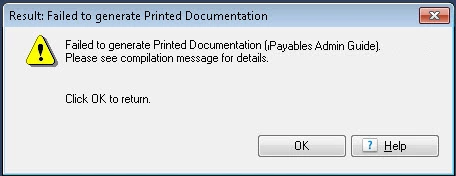
Notes:
- This happens for any project. This even happens when I print the EmployeeCare2.
- I am able to generate CHMs with no issue.
Attempts to resolve issue: I also Re-installed Rh11, as well as its Update. No change.
In a Nutshell: Using the command prompt works but crashes on two documents, and using Rh GUI, nothing works.
 AdChoices