


Oleg_Shynkarenko
Known Participant
September 3, 2021
Question

Render PDF only a part of a project

  • September 3, 2021
  • 4 replies
  • 275 views

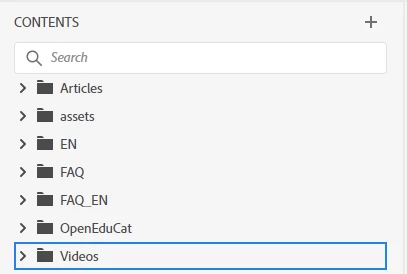
I have a project with a lot of folders. Is it possible to render in PDF not all the project, but only one folder, for example, OpenEduCat?



This topic has been closed for replies.

4 replies

Community Expert
September 6, 2021

In your output preset on the Content tab, make sure "Include All Referenced Topics" is unticked. That will pull in everything that your included topics link to (and possibly then any that those topics link).

Peter Grainge
Community Expert
Community Expert
September 3, 2021

Perhaps you didn't change the name of the TOC in the preset?

________________________________________________________
See www.grainge.org for free Authoring and RoboHelp Information

Help others by clicking Correct Answer if the question is answered. Found the answer elsewhere? Share it here. "Upvote" is for useful posts.
Oleg_Shynkarenko
Known Participant
September 3, 2021

I created new TOC and chose this new TOC in the preset. Finally I decided to leave this idea. I just created new folder with new topics. And when I finish my work I will just open a new empty project with only one TOC and copy-paste there my folder from the old project.

Peter Grainge
Community Expert
Community Expert
September 3, 2021

Drag the folder and you will see a Section called Videos with all its topics.


Select all the topics and drag them, then you will have just a list of the topics, which is probably just what you want in a PDF with limited contents.

________________________________________________________
See www.grainge.org for free Authoring and RoboHelp Information

Help others by clicking Correct Answer if the question is answered. Found the answer elsewhere? Share it here. "Upvote" is for useful posts.
Oleg_Shynkarenko
Known Participant
September 3, 2021

I've done like that. But after the only folder I need was copied to the new TOC all the others folders of my project were generated in PDF, though they were not in the New TOC: only one folder I need is present there. Very strange.

Peter Grainge
Community Expert
Community Expert
September 3, 2021

Create a TOC that only includes what you want. Outputs only include what is in the TOC.

________________________________________________________
See www.grainge.org for free Authoring and RoboHelp Information

Help others by clicking Correct Answer if the question is answered. Found the answer elsewhere? Share it here. "Upvote" is for useful posts.
Oleg_Shynkarenko
Known Participant
September 3, 2021

Is it possible to import to that new TOC files from my already created folder to render only this folder?