


Inspiring
September 22, 2015
Answered

Responsive HTML5 output TOC only shows the book that is open. How can this be changed?

  • September 22, 2015
  • 1 reply
  • 1250 views

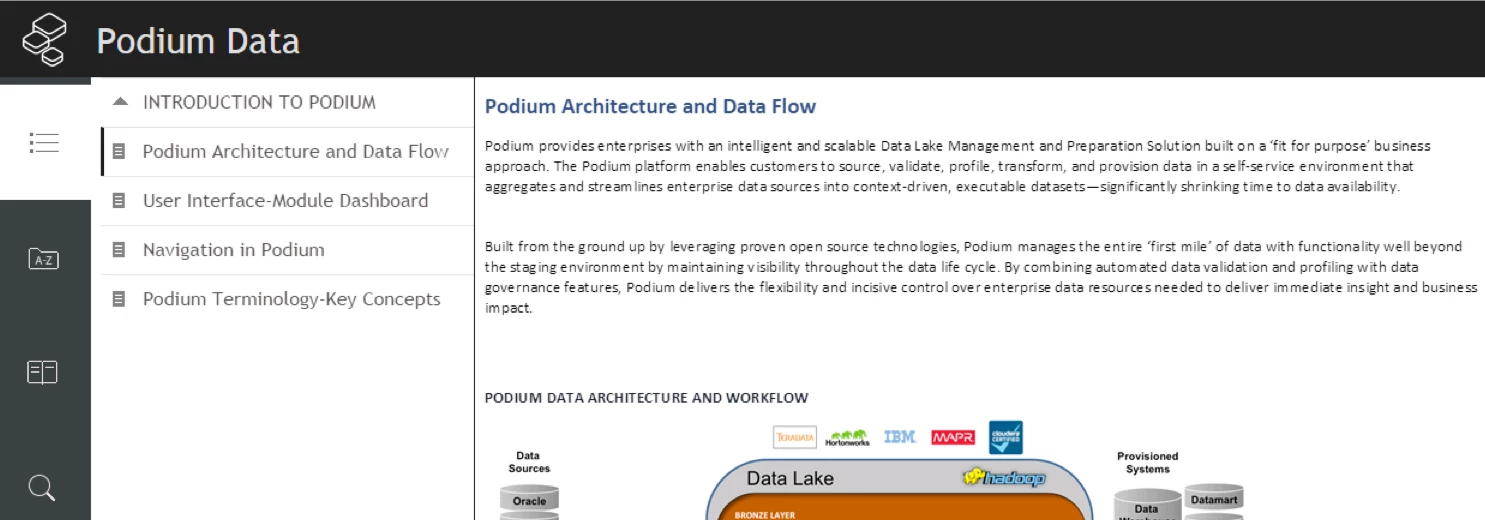
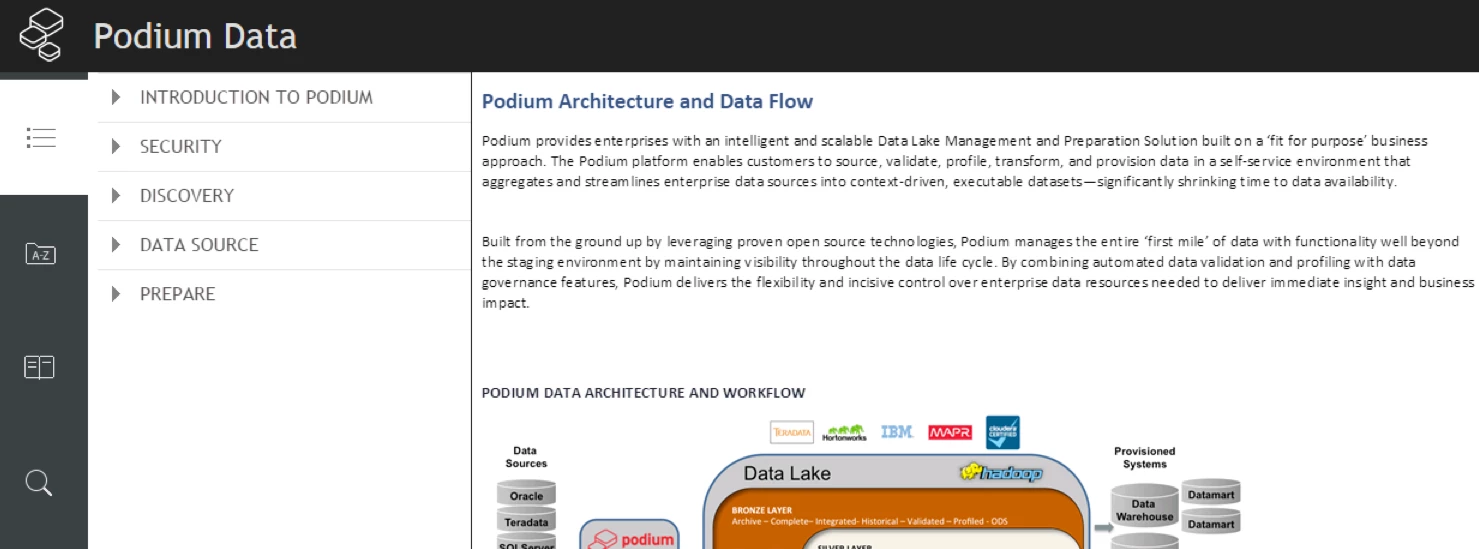
When I generate Responsive HTML5 output the TOC only shows the book that is associated with the default topic that it opens to. How can I change this so that users can see all books in the TOC. Users could easily get the impression that the book that opens is the only content available. Multiscreen HTML5 output shows all books, while also indicating which topic is open but, Responsive HTML5 (where the UI looks so much better) is not allowing this default TOC to appear with all sections.

The second screenshot is what I would like to open to--you can see how a user might not know that SECURITY, DISCOVERY, DATA SOURCE, and PREPARE sections are available in the first screenshot. The user will only get to that (5 book/section) view by clicking on INTRODUCTION TO PODIUM, which they might not intuitively know to do.
This topic has been closed for replies.
Correct answer surbhi_maheshwari9120543

Hi,

All books will be shown with opened topic in "Desktop View". From the posted images, it is clear that you are viewing it in "Tablet" mode.

In Tablet, it works this way only. It is as designed because of space crunch due to small size of screen.

Workaround will be to view it in Desktop mode.

Thanks and Regards,
Surbhi Maheshwari

1 reply

surbhi_maheshwari9120543
Community Manager
Community Manager
September 23, 2015

Hi,

All books will be shown with opened topic in "Desktop View". From the posted images, it is clear that you are viewing it in "Tablet" mode.

In Tablet, it works this way only. It is as designed because of space crunch due to small size of screen.

Workaround will be to view it in Desktop mode.

Thanks and Regards,
Surbhi Maheshwari

Community Expert
September 24, 2015

Keep in mind that it may be possible to have tablet view on a desktop PC depending on your screen resolution and/or the size of your browser window. At least, this occurs with RH11 responsive HTML5. I'm unsure if there is a way to prevent this on desktop PCs.

Participating Frequently
April 20, 2017

I forgot to mention it earlier. You can surely opt for what Willam has suggested.

When you edit the Responsive Layout, you can set the mobile drill down toc to false.

Refer:

Thanks,

Surbhi Maheshwari


I had this exact same question, but when I changed the Mobile TOC Drill Down to false, the output still opened only the book associated with the default topic. Is there something more that should be done? I only have two top level books with associated topics, so it would be great if both those books were open when users access the online help.