


michellef1266897
Known Participant
April 1, 2019
Answered

RoboHelp 2019 issues with importing Word doc

  • April 1, 2019
  • 1 reply
  • 1800 views

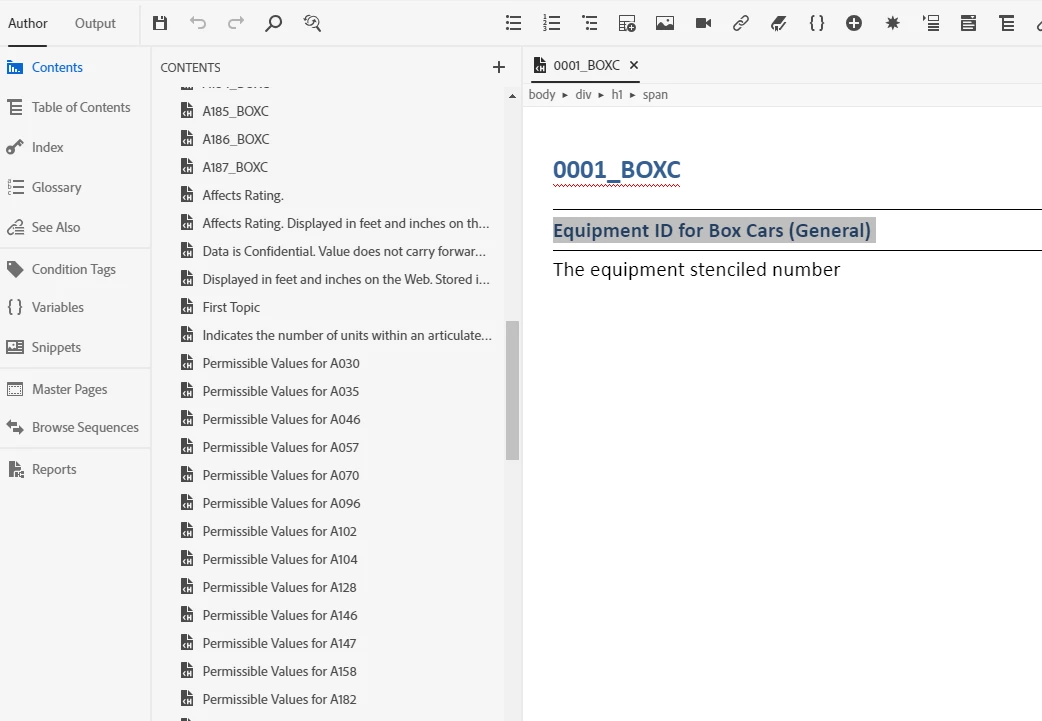
This is for a new project in the new RH2019 version with a Word document that imports correctly with RoboHelp 2015.  This is also a different project/issue from the WebHelp forum I was a part of last week11000584​. In that case, the file imported correctly.  However, my issues in this case with a different file appear similar to what happens for ColdForest 10703389 and I have a partial .docx file I can share. I am using the most updated version 2019.0.5.   Selecting Heading1 as the Start new topic from style in the new version of RH2019 and <$paratext> for Topic Name Pattern, yet RH doesn't seem to know where to separate topics and separates them on almost every line.

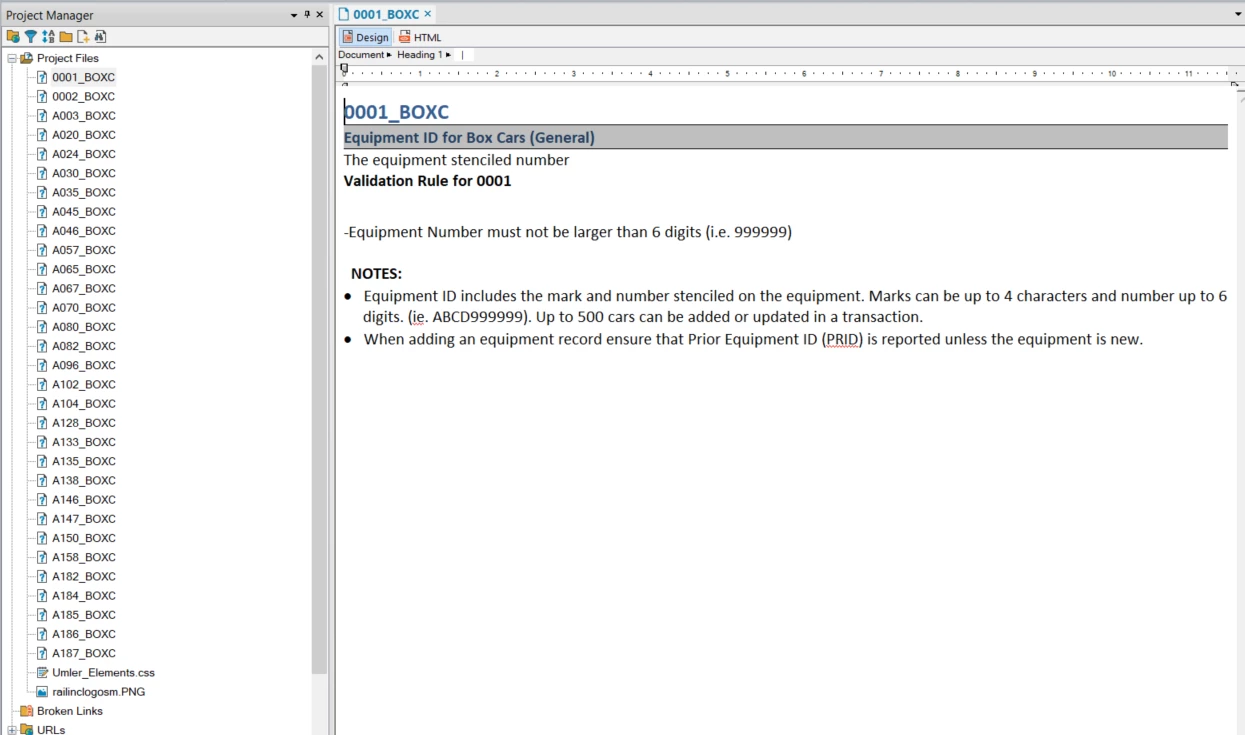
Example of the same file correctly importing in RoboHelp 2015/Classic:
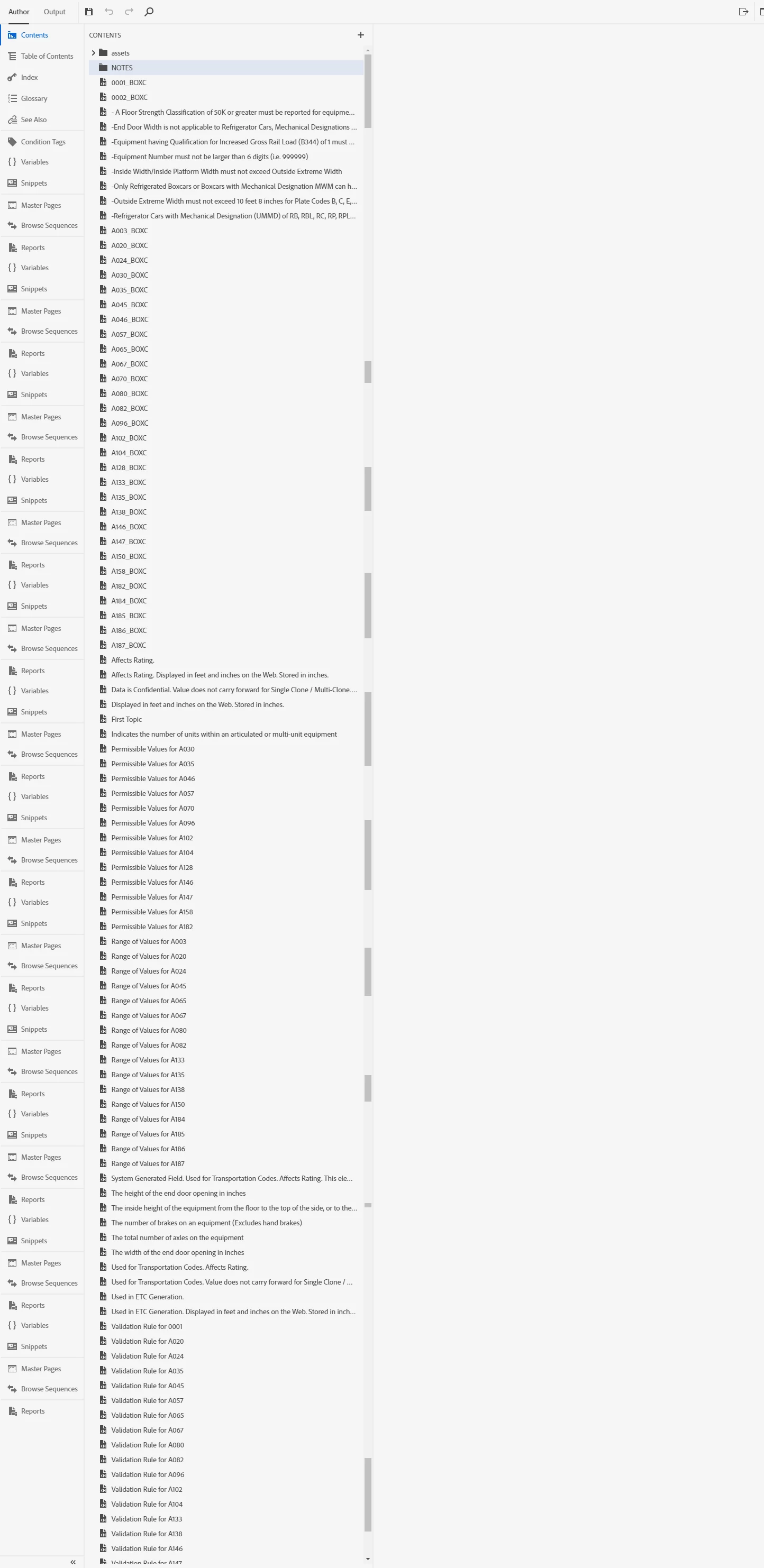
Examples of the same file importing incorrectly with RoboHelp 2019:
This topic has been closed for replies.
Correct answer Peter Grainge

Difficult to answer that. If you want to send me your corrected document and the CSS you are using, I will try it here.


See www.grainge.org for free RoboHelp and Authoring information.

@petergrainge


To complete this thread, the document in question was sent to Adobe and changes were made in Update 7 to handle large documents better. It is understood this has fixed the problem for Michelle.

1 reply

Peter Grainge
Community Expert
April 1, 2019

Send me the file via my website, see the Contact page. Also send the CSS

file you specified in the import if not the supplied default.

I will look at it tomorrow.

Peter Grainge

www.grainge.org

@petergrainge

Help others by clicking Correct Answer if the question is answered. Found the answer elsewhere? Share it here. "Upvote" is for useful posts.
Peter Grainge
Community Expert
April 2, 2019

The problem seems to be in your document rather than RoboHelp.

I got the same problem as you so I then opened the document in Word. Nothing obviously wrong until I turned on the Navigation pane from the View menu. What you should see there is the headings in your document, which you can filter to any level. Key point though is you should only see headings as below.

In your document, this is what I see.

Note there are lots of spaces. Using the Navigation pane, when you click on a heading, you are taken to that point in the document. Where these spaces took me was to empty lines which the style bar told me were NoSpacing.NormalHeadings style.

Using Find and Replace > More > Format > Style I selected that style in Find and Normal in Replace. With that done, the Navigation pane did not show the blank lines or the text.

I then saved the changes and imported again and it was split correctly.

There is something wrong with that style in Word as it should never show spaces like that or anything other than heading levels. I changed it to Normal but you need to create and use a style that does what you want but Word does not see as a heading. If Word sees it as a heading, that is what RoboHelp will receive. At the heart of any linking or importing, the document is effectively saved in Word as an HTML document and then handed over to RoboHelp. RoboHelp is simply showing what it was given.

I've not seen this before and at least it is easy to fix.


See www.grainge.org for free RoboHelp and Authoring information.

@petergrainge

Help others by clicking Correct Answer if the question is answered. Found the answer elsewhere? Share it here. "Upvote" is for useful posts.
michellef1266897
Known Participant
April 2, 2019

Thanks Peter for the explanation and a way to solve it!  As soon as I have opportunity I will try this with the file and let you know the results.