Known Participant
January 18, 2024
Answered

Robohelp 2022.3.93 - Unable to view last topic in Table of Contents TOC

  • January 18, 2024
  • 2 replies
  • 285 views

Hello,

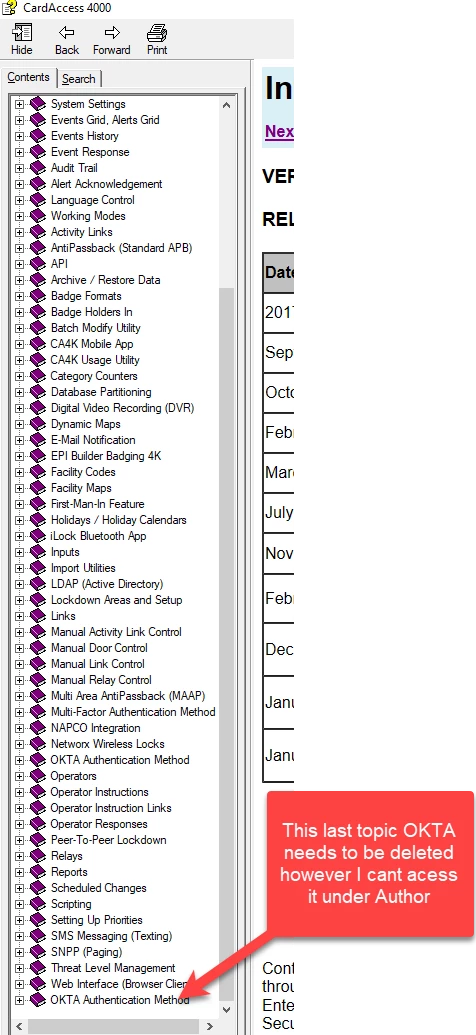
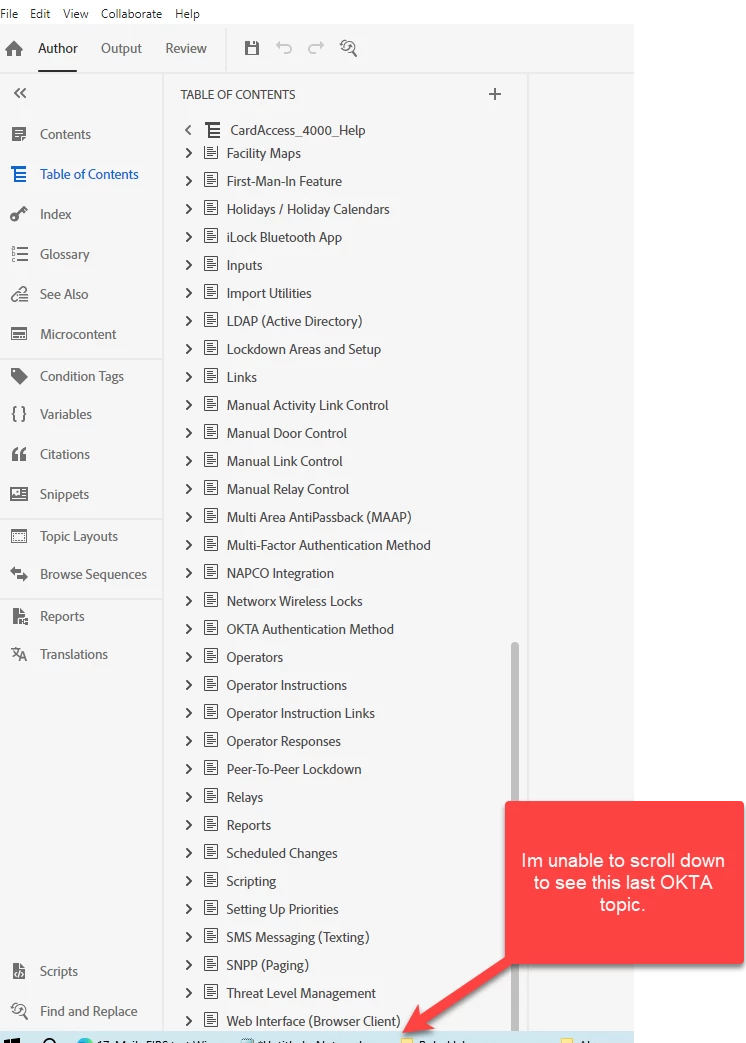
Im unable to edit the last section in my TOC in the latest revision of Robohelp 2022.3.93.  As you see below my TOC does not show OKTA, however when I output, I see the section there.  I called tech support and they made me rebuild my whole entire TOC which took lots of time that did not fix it.  Not sure if engineering needs to get involved but this doesnt seem right.  I tried different screen resolutions, seems like an issue with the software.  Does any know of any work arounds to delete just this last section in my TOC or any fix?  I appreciate the help 
 

    This topic has been closed for replies.
    Correct answer Peter Grainge

    Try putting focus on the last item you can see and pressing the down arrow. 


    If not find the TOC file in Windows Explorer and open it in a text editor. I'm not at a RoboHelp machine right now but I think that should allow you to edit it. Backup the file first if you are unsure about doing that. 

    ________________________________________________________
    My site www.grainge.org includes many free Authoring and RoboHelp resources that may be of help.


    2 replies

    Peter Grainge
    Community Expert
    Community Expert
    January 18, 2024

    You could also put focus on the last item you see and then go to the toolbar and move the item down. That will put it below what you can't see. 

    ________________________________________________________
    My site www.grainge.org includes many free Authoring and RoboHelp resources that may be of help.


    Help others by clicking Correct Answer if the question is answered. Found the answer elsewhere? Share it here. "Upvote" is for useful posts.
    Known Participant
    January 18, 2024

    Thank you very much Peter! I should have posted this weeks ago.  Pressing the down arrow worked. I cant believe it the simple things, I appreciate your help!  I will be posting any issues I incur here in the community.  Thank you, Thank you!

    Peter Grainge
    Community Expert
    Peter GraingeCommunity ExpertCorrect answer
    Community Expert
    January 18, 2024

    Try putting focus on the last item you can see and pressing the down arrow. 


    If not find the TOC file in Windows Explorer and open it in a text editor. I'm not at a RoboHelp machine right now but I think that should allow you to edit it. Backup the file first if you are unsure about doing that. 

    ________________________________________________________
    My site www.grainge.org includes many free Authoring and RoboHelp resources that may be of help.


    Help others by clicking Correct Answer if the question is answered. Found the answer elsewhere? Share it here. "Upvote" is for useful posts.