


JoeJitsu
Known Participant
June 14, 2023
Answered

Source Control: How to Pick the SharePoint Online Folder

  • June 14, 2023
  • 2 replies
  • 526 views

Hi all,

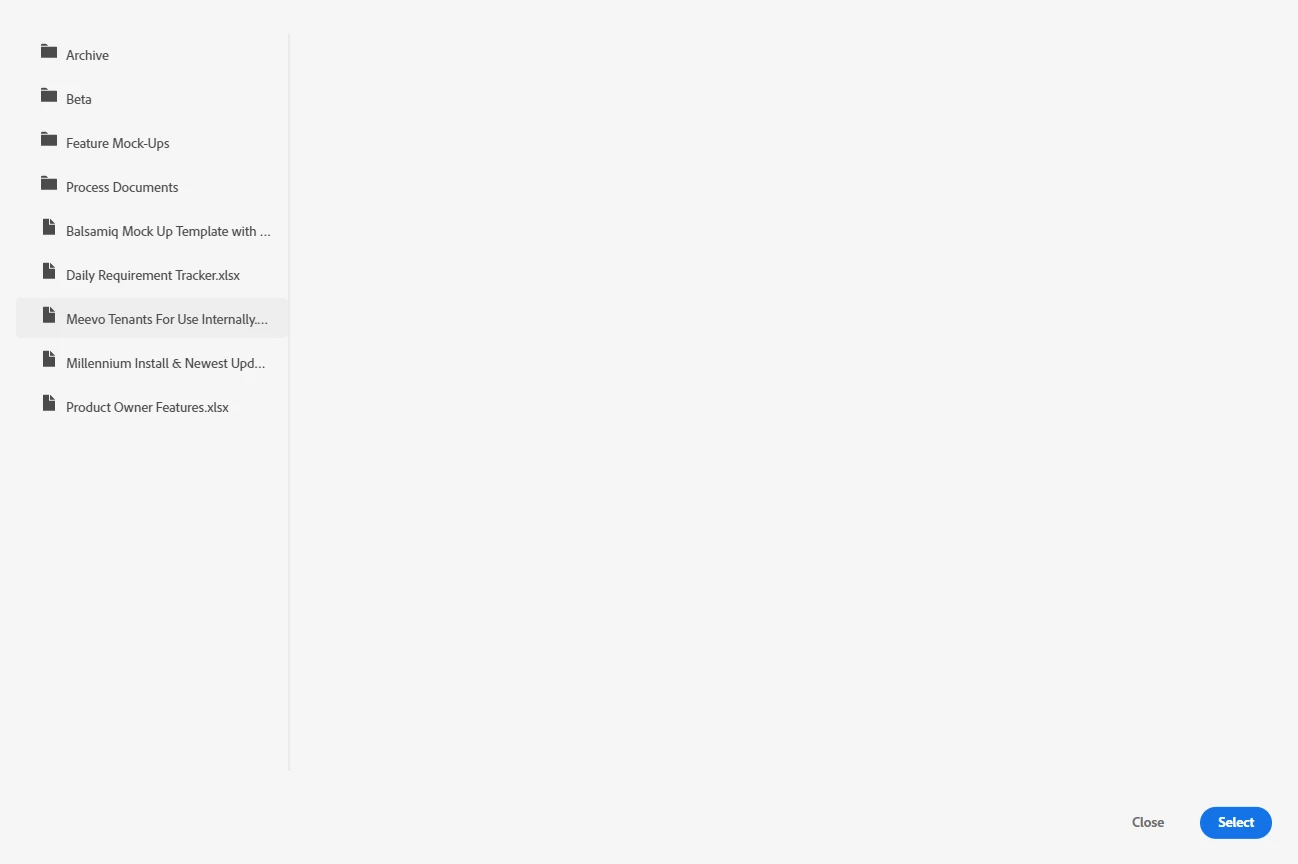
I am on RoboHelp 2020 and successfully set up a connection to our SharePoint Online site. However, when attempting to add the project to a folder, it only looks at the Document library, so the only folders I can choose from are in that library. I do not see a file browser in the RoboHelp dialog for choosing another library. Am I missing something here?  


This topic has been closed for replies.
Correct answer Jeff_Coatsworth

I'd ping the RH folks - see https://helpx.adobe.com/contact/enterprise-support.other.html#robohelp for your Adobe Support options. I'd recommend using the tcssup@adobe.com e-mail address as it reaches a team dedicated to Technical Communication Suite products including RoboHelp.
Not a lot of SP users here on the forums.

2 replies

Jeff_Coatsworth
Jeff_CoatsworthCorrect answer
Community Expert
June 16, 2023

I'd ping the RH folks - see https://helpx.adobe.com/contact/enterprise-support.other.html#robohelp for your Adobe Support options. I'd recommend using the tcssup@adobe.com e-mail address as it reaches a team dedicated to Technical Communication Suite products including RoboHelp.
Not a lot of SP users here on the forums.

JoeJitsu
JoeJitsuAuthor
Known Participant
June 16, 2023

Will do Jeff; thank you! 

Jeff_Coatsworth
Community Expert
June 14, 2023

What point version of RH2020 are you running? Are you trying to use SP for source control or output?

JoeJitsu
JoeJitsuAuthor
Known Participant
June 14, 2023

Hi Jeff!  I am running RH 2020.8.34 and it tells me I am up to date.

Intent is for source control (though I am interested in hearing how I can use it for output as well...)