


Question
Tip for Frameless Skin Editor - Tile Box indicators not showing
Hi All,
I'm sorry, if this information is easily to be found somewhere. For me, it took quite a while to figure it out, so I share it here. Maybe it will help others as well.
My problem was, that the tile box indicators in the Frameless Skin Editor were no longer displayed. Usually, this is displayed in the Skin Editor:
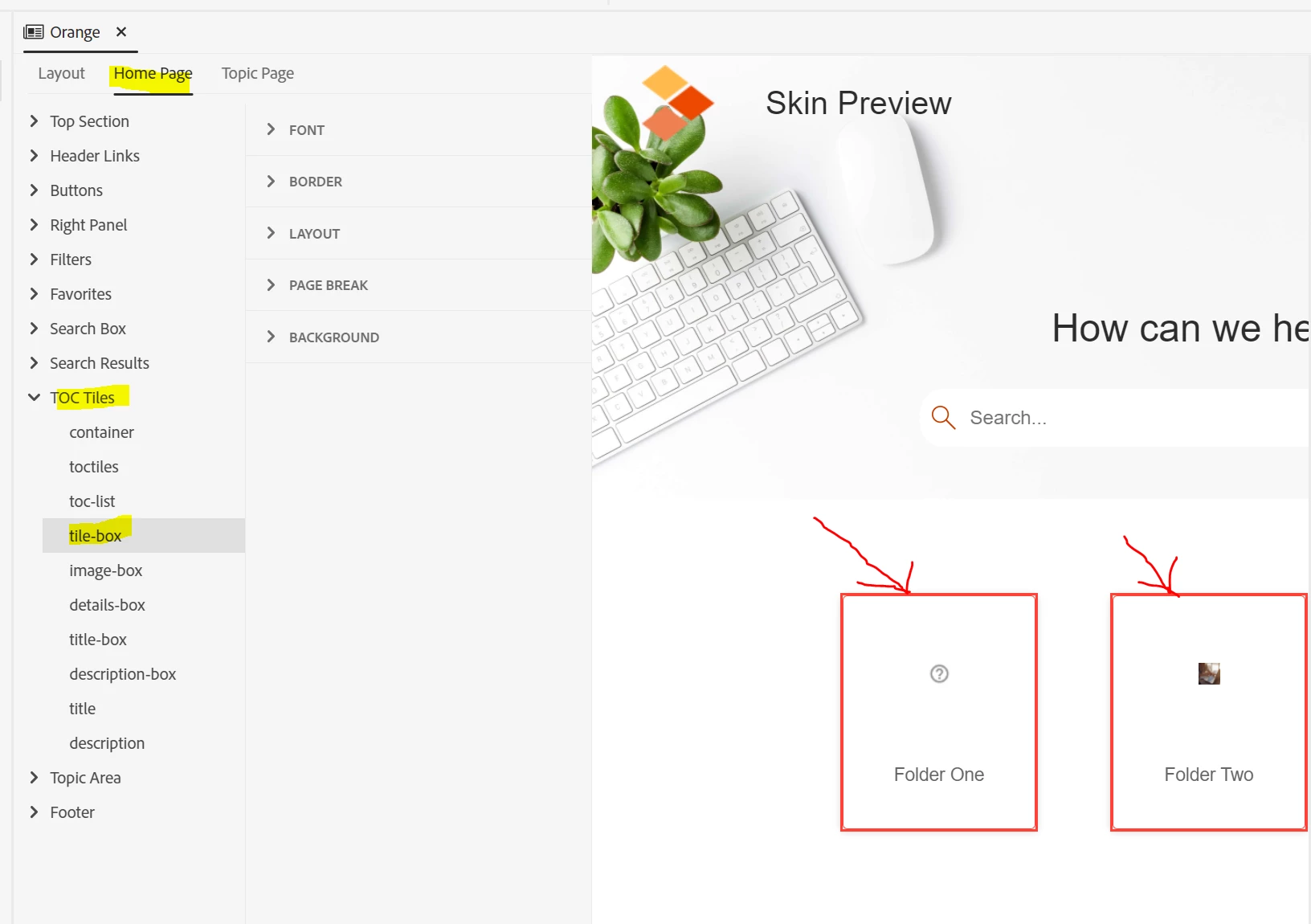
In my case, it looked like this:
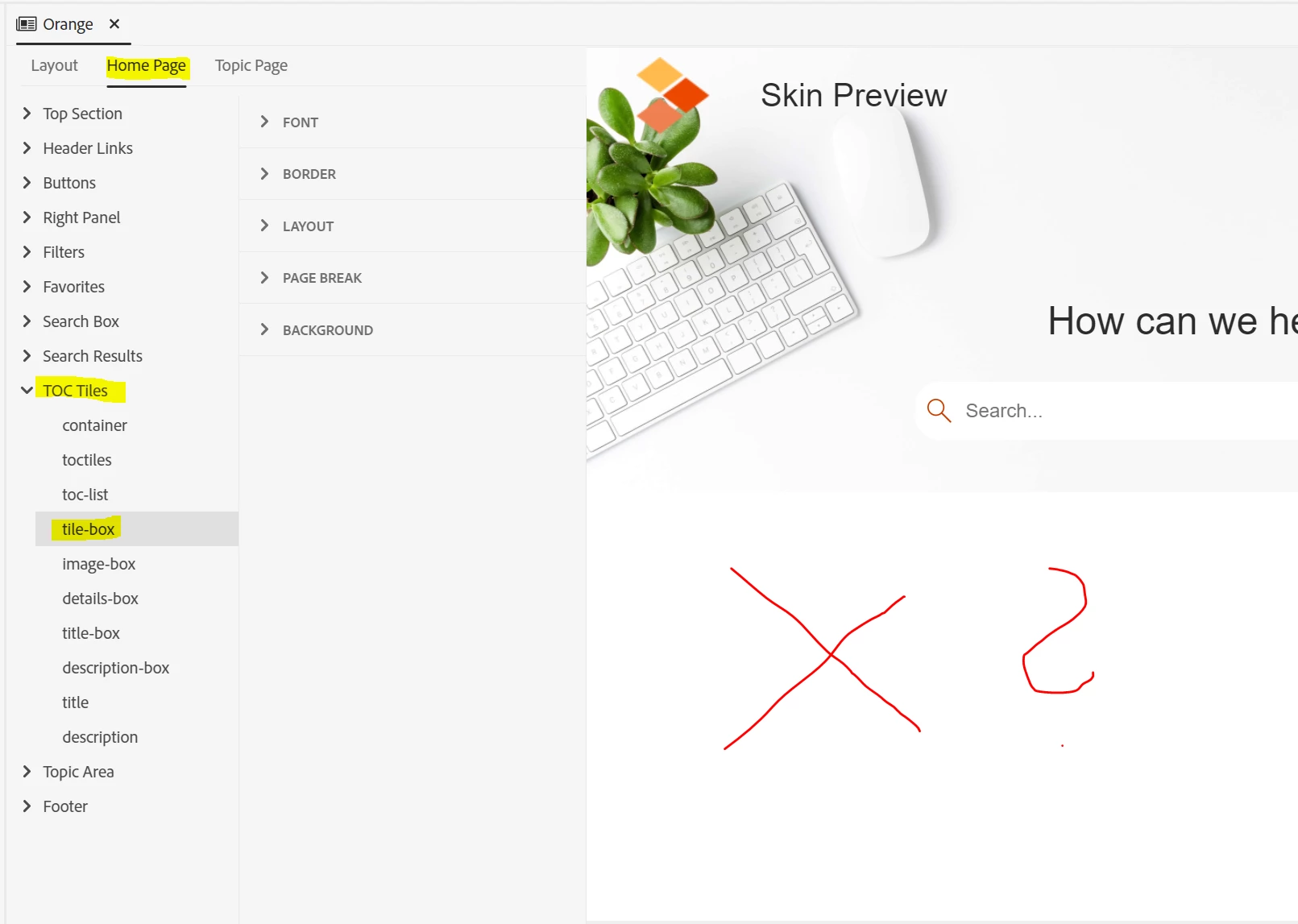 So, whatever changes I made to the settings of the tile box (and the image box), I could only check on them when I created an output.
The "problem" in the editor was the following setting:
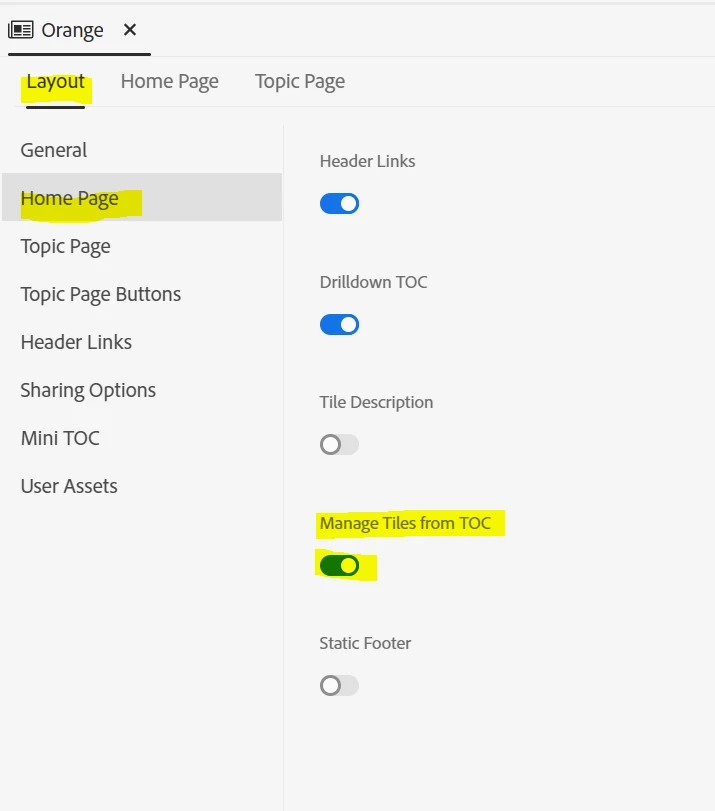
If this setting is activated and you save the skin and open it again, no tile-box indicators will be displayed in the editor.
My work-around is:
- deactivate this setting
- save the change and close the skin
- open the skin again (notice: the setting change does not take immediate effect in the skin editor, you have to close and re-open the skin)
- make your adjustments to the tile-boxes (tip: if you want to also edit the image-box, insert the images from your TOC into the skin as well
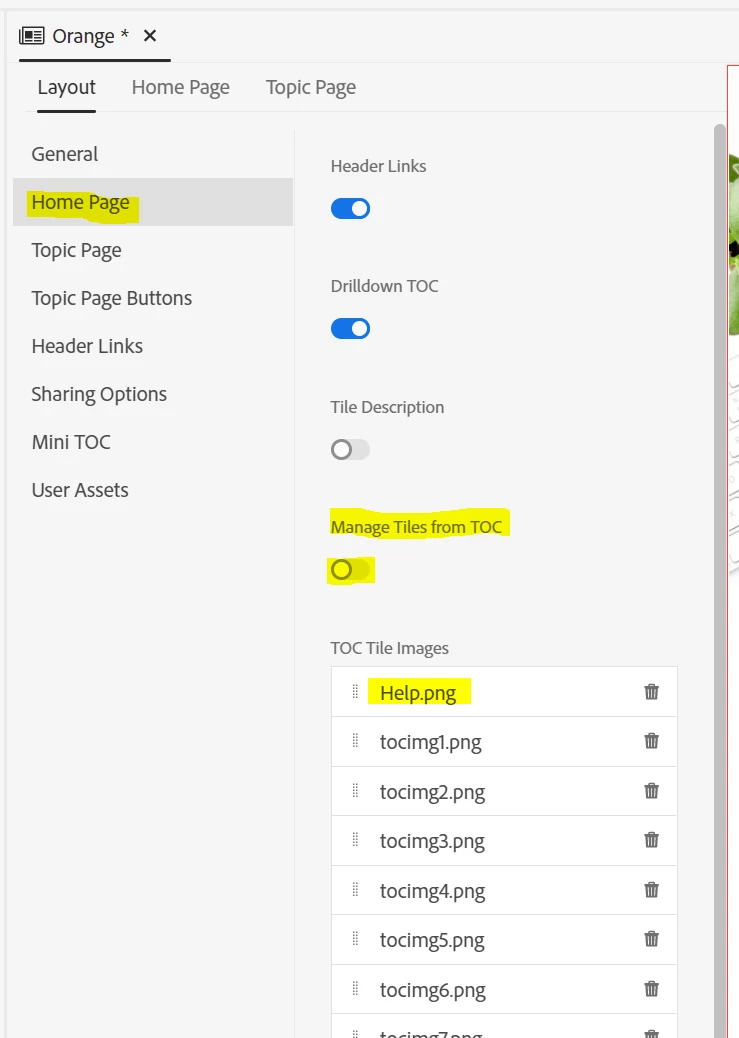
- when you are done, change the setting to "Manage Tiles from TOC" again, save everything and run your output.
I hope, I could explain everything well enough.
Best regards
Karin
 AdChoices