andreab34525845
New Participant
July 19, 2017
Question

Upgrade from 2011 to 2015 Errors

  • July 19, 2017
  • 3 replies
  • 436 views

We recently moved from Robohelp 2011 to Robohelp 2015. Everything works fine in Robohelp 2011.

When we open Robohelp 2015 and try to open our 2011 project, we get the following option to upgrade our project:
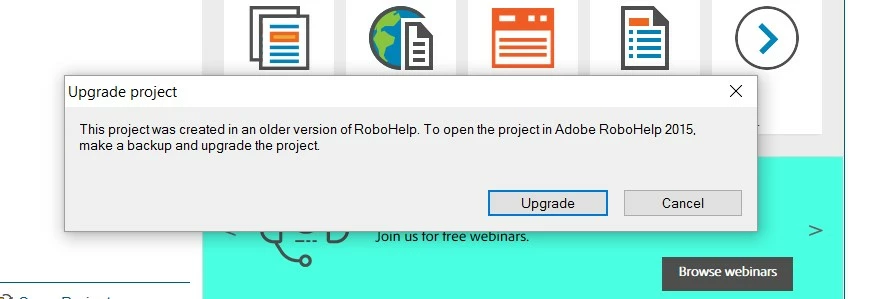
We click Upgrade, and get the following errors (one after another):
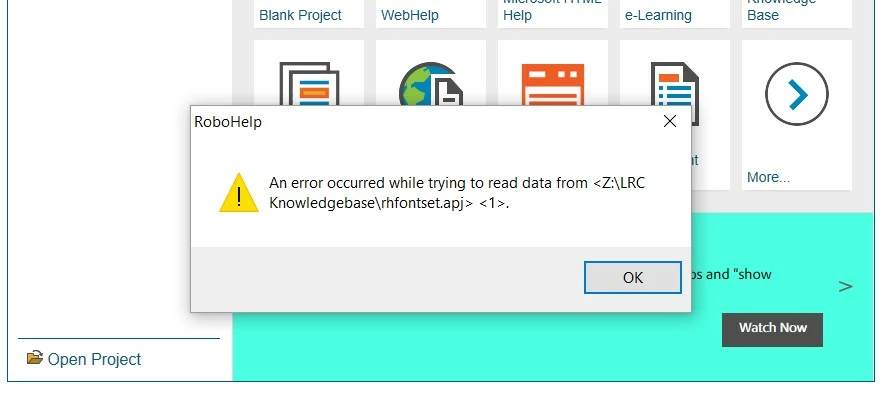
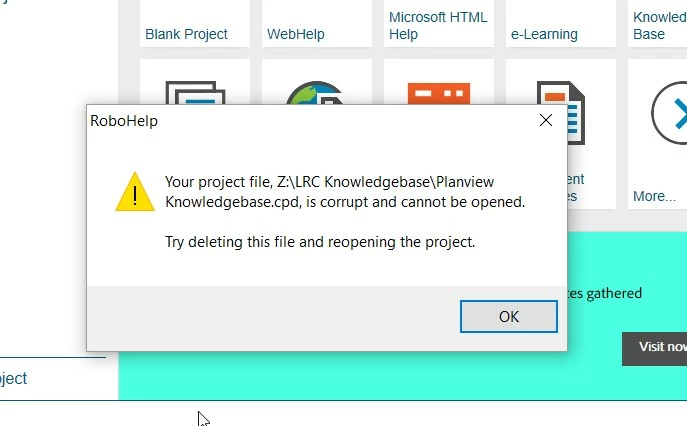
Any help is appreciated!


Thanks

This topic has been closed for replies.

3 replies

andreab34525845
New Participant
July 26, 2017

Thanks Peter - Every attempt has been with a clean copy.

There is no source/version control established for this project.

Peter Grainge
Community Expert
July 26, 2017

Can you share this project with me? If you can, see the Contact page on my

site and send it via WeTransfer.com.

It's late here but I can take a look some time tomorrow.

Help others by clicking Correct Answer if the question is answered. Found the answer elsewhere? Share it here. "Upvote" is for useful posts.
andreab34525845
New Participant
July 26, 2017

This is what I have tried:

1. Removing the CPD file and attempting the upgrade

2. Moving the project folder to a local drive (off of the server it was sitting on) and attempting the upgrade

3. Removing the CPD file on the local drive version and attempting the upgrade

All resulted in the screen shot errors.

I've opened Robohelp 2015 and upgraded the Sample project successfully.

Peter Grainge
Community Expert
July 26, 2017

I'm still not sure if you are attempting to upgrade a clean copy, in other

words, one where you have not attempted to upgrade it before. The backup

you took before upgrading.

Help others by clicking Correct Answer if the question is answered. Found the answer elsewhere? Share it here. "Upvote" is for useful posts.
Jeff_Coatsworth
Community Expert
July 19, 2017

Have you tried deleting the CPD file?

Captiv8r
Brainiac
July 19, 2017

You might also try copying the project to a location like this before performing the upgrade.

C:\Projects\LRCKnowledgeBase\PlanviewKnowledgebase

Then try the upgrade process and see how things go.

Cheers... Rick