

Answered
colour difference showing between Ai image and exported save for web jpeg
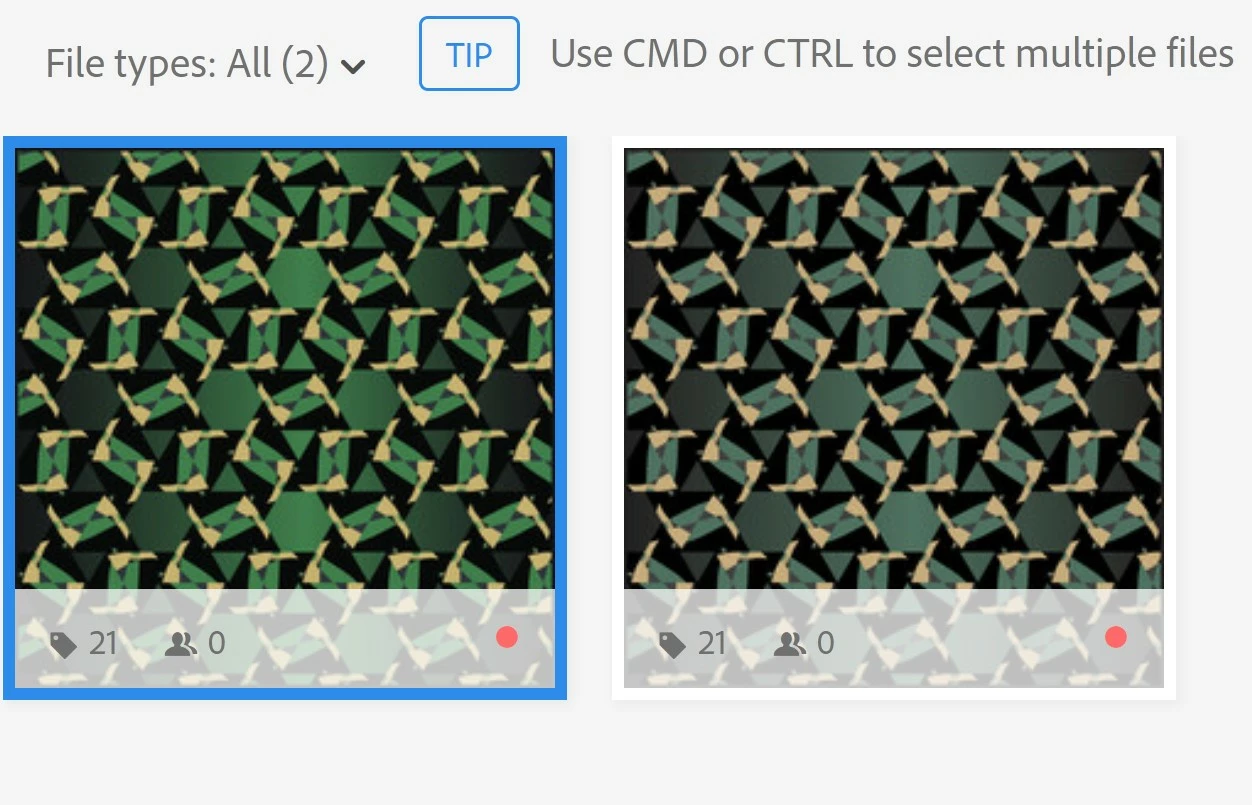
I've used the same process for all my other files and haven't had this problem. I've checked my colour profile settings always using the standard RGB.

I've used the same process for all my other files and haven't had this problem. I've checked my colour profile settings always using the standard RGB.
You should generate the preview on your own and submit a zip file, with both, the ai and the jpeg preview. Letting Adobe generate the preview, astonishly creates a colour change.
By @Abambo
Just as an update: Adobe now generates the previews on their own in all cases, and the JPEG preview in the ZIP file gets ignored. This solves 2 problems:
The colour shift problem has been addressed. So your asset should show correct colours in all cases.
Already have an account? Login
Enter your E-mail address. We'll send you an e-mail with instructions to reset your password.

 AdChoices