

Laurens43
Participating Frequently
December 15, 2017
Answered

Edit keywords and title at Adobe stock images

  • December 15, 2017
  • 2 replies
  • 11781 views

Hi, I've learned a lot about stock photos lately. Now I want to edit the keywords on the photos I already uploaded. How do I do that?

Laurens

This topic has been closed for replies.
Correct answer twaritar3263062

Moving to Adobe Stock Contributors

Hi Laurens,

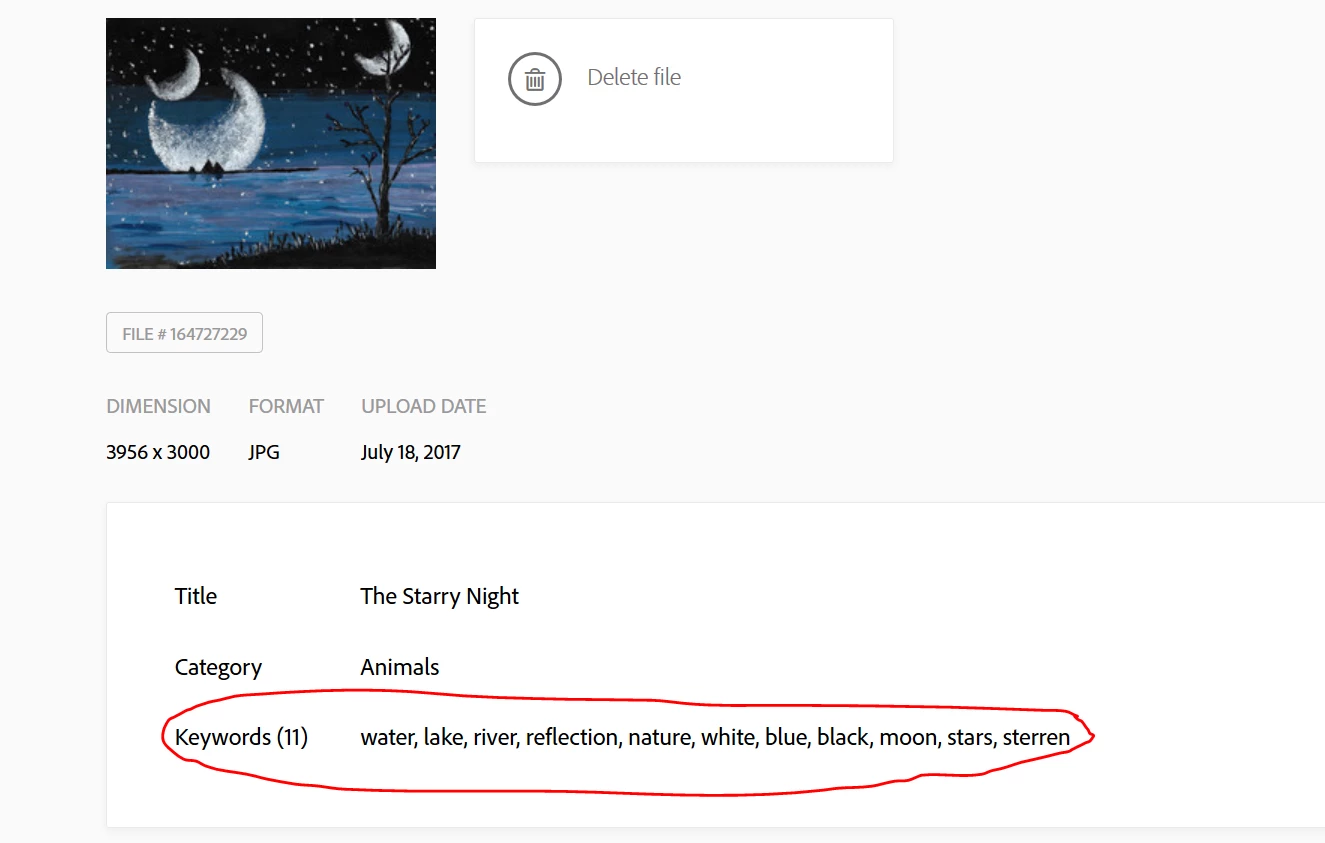
Please follow the steps to edit the keywords of the images

  • Go to contributor.stock.adobe.com
  • Click on the portfolio tab
  • Click on the thumbnail of the image
  • Go to the keywords section below and click on edit
  • Make the desired changes and click on OK.

You may also refer to the screenshot below:
Hope this information helps!

Feel free to update this thread in case of any additional questions.

Regards

Twarita

2 replies

twaritar3263062
Community Manager
twaritar3263062Community ManagerCorrect answer
Community Manager
December 15, 2017

Moving to Adobe Stock Contributors

Hi Laurens,

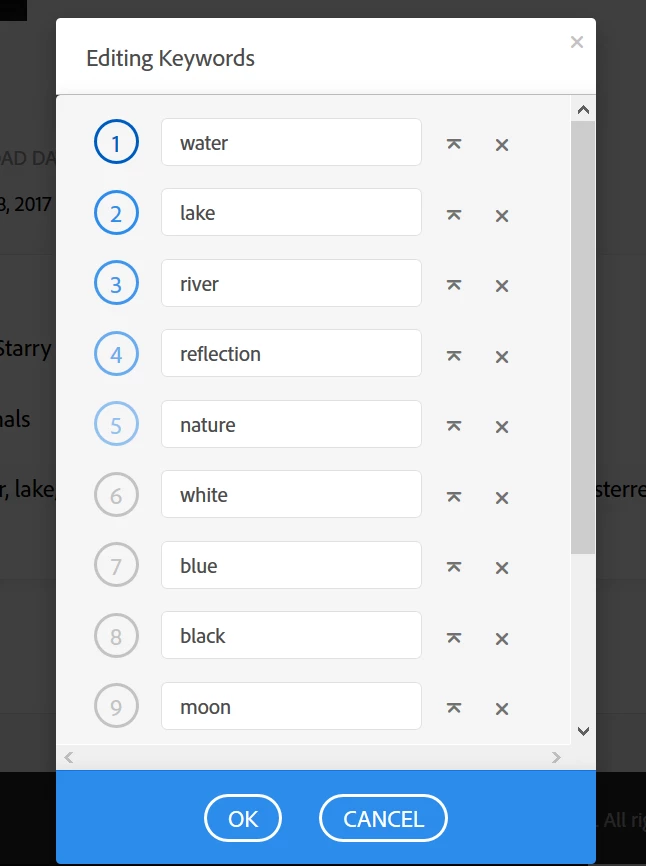
Please follow the steps to edit the keywords of the images

  • Go to contributor.stock.adobe.com
  • Click on the portfolio tab
  • Click on the thumbnail of the image
  • Go to the keywords section below and click on edit
  • Make the desired changes and click on OK.

You may also refer to the screenshot below:
Hope this information helps!

Feel free to update this thread in case of any additional questions.

Regards

Twarita

Laurens43
Laurens43Author
Participating Frequently
December 15, 2017

Thanks, this is when you upload photos. What I mean is that I have already uploaded a lot of photos which I like to update with new and better keywords.

a.ghostboy
Participant
December 27, 2019

any ideas on how to enable the copy paste feature just like when we first upload the photo/illustration ?

Community Manager
December 15, 2017

Please post this to Adobe Stock Contributors​ or one of our support members will move it for you.  Thank you,