


Participant
June 26, 2018
Answered

How to change language in AdobeStock?

  • June 26, 2018
  • 4 replies
  • 21154 views

Hi all, I'm a contributor and Adobe Stock website started to speak to me in my local language. As the translation is clumsy and confusing, I'm trying to switch it back to English. Any ideas on where I can do this? I had no luck trying to solve this myself. Thank you!
Correct answer twaritar3263062

Michal,

  • Go to contributor.stock.adobe.com, log in with your credentials.
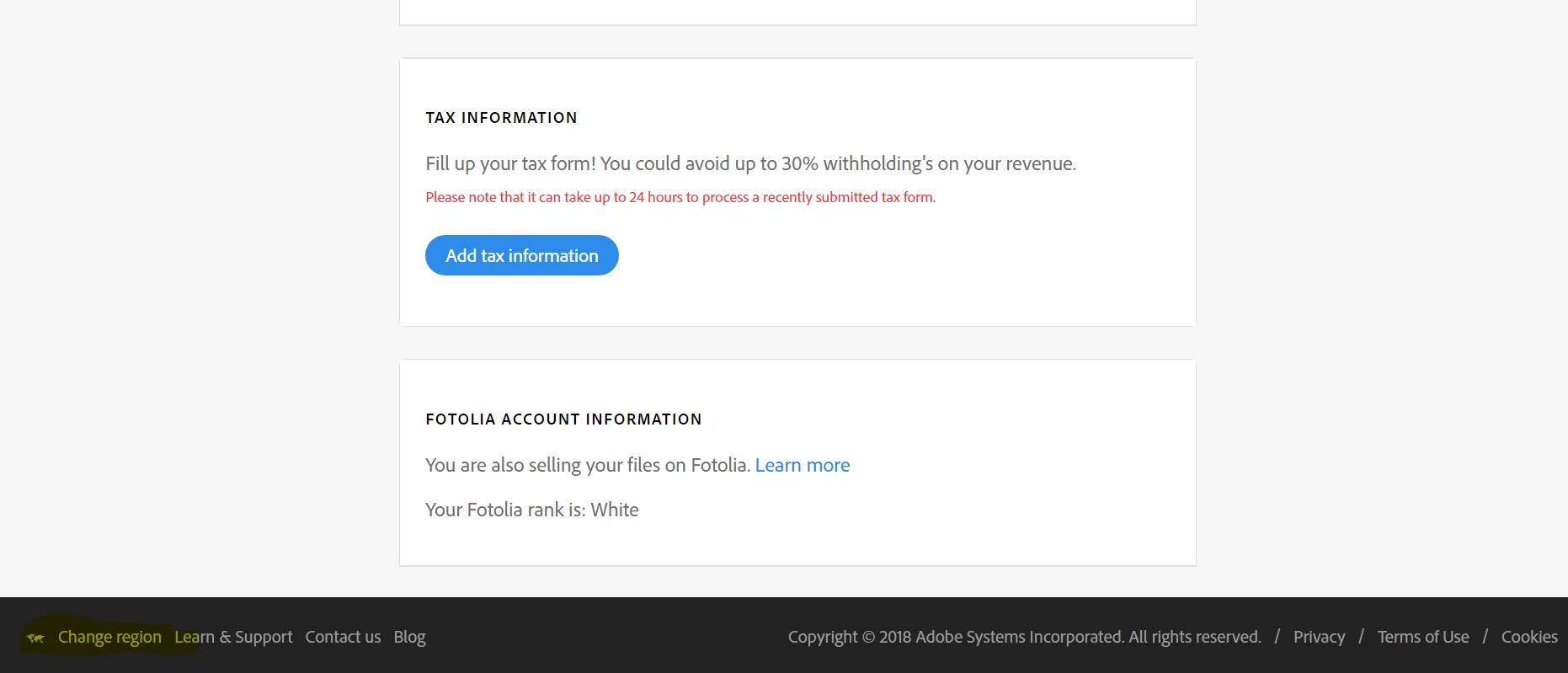
  • From your contributor account scroll down the page below and you will get the option "Change the region". Please see the screenshot shared :

Regards,

Twarita

4 replies

daniellei4510
Community Expert
Community Expert
September 10, 2024

This isn't Instagram. Do you have a question for the community?

Adobe Community Expert | If you can't fix it, hide it; if you can't hide it, delete it.
Participant
November 8, 2022

So where is it ???? I'm on stock and there's nothing like you say here. Guys, it's totally frustrating !!!

Jill_C
Community Expert
Community Expert
November 8, 2022

Contributor.stock.Adobe.com 

bottom of the page, left edge, in the black border - "Change Region"

Jill C., Forum Volunteer
nilanthar98223359
Participant
October 14, 2022

Just go to Adobestock.com home page, then scroll down to the bottom. At the footer bottom left click "CHANGE REGION". Then select your region that will change the language.


Abambo
Community Expert
Community Expert
October 14, 2022
ABAMBO | Hard- and Software Engineer | Photographer
twaritar3263062
Community Manager
Community Manager
June 26, 2018

Moving to Adobe Stock Contributors

Hi Michal,

In order to change the language in Adobe Stock website, please select the region, which changes the language and promotional content you see on the Adobe Stock website as shown in the screenshot below:

Feel free to update this thread in case of any additional questions.

Regards,

Twarita

Participant
February 16, 2022

This is kind of nonsense, if i live abroad or work abroad, I cant have the local region and change it to english without changing the region?
why cant there be just a language change?
EG. I'm in the Czech republic, and must read czech to use this? why cant we just change language to eng?

Jill_C
Community Expert
Community Expert
March 23, 2024

exacly the same issue in Belgium. every, but really every time I go to Stock or the Adobe help website, this websites appear in French, which I do not understand (and which is by the way, not the main Belgian language!). Every time I have to some translator to find an option somewhere to change my region, it really does not make any sense at all! Just make a cookie and remember my chosen language, FOR EVER!


And one note to the American programmers in Silicon Valley: Belgium is not a French speaking country, 30% of the people speak French, 40% Dutch and 5% German, everyone understands English, so make the default language: English! Hope you get it this time, my dear Adobe.


I do agree that, even if the language defaults to something appropriate to the country, changing it to whatever the user desires should be a "sticky" change. You shouldn't have to change it each time you use the site.

Jill C., Forum Volunteer