

New Participant
January 11, 2022
Answered

Rejected because of technical issues

  • January 11, 2022
  • 4 replies
  • 1023 views

Hi, just to improve my photos and reason that was rejected, please, it is possible to give me the reason because I didn´t find issue problem with them.

Thanks.


[Moderator changed title for clarity, was "Reason to reject a photo with issue problem", adjusted topics]

This topic has been closed for replies.
Correct answer Abambo

General considerations: Shoot raw not JPEG. When you post here, post the image posted to Adobe stock, not your JPEG, with the editing applied non-destructively. This gives us false impressions if we do not check the assets with the same software you used. Our comments apply probably all on the unedited JPEGs.


Last picture (edited with Lr/ACR):

If you look at the histogram, you see, that your image is missing blacks and highlights and whites.
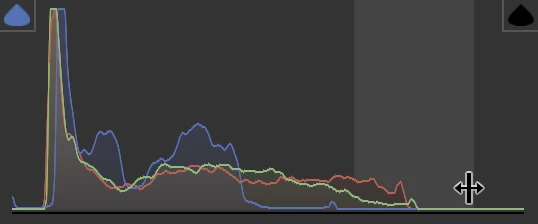
This gives your images a flattened look with missing contrasts.
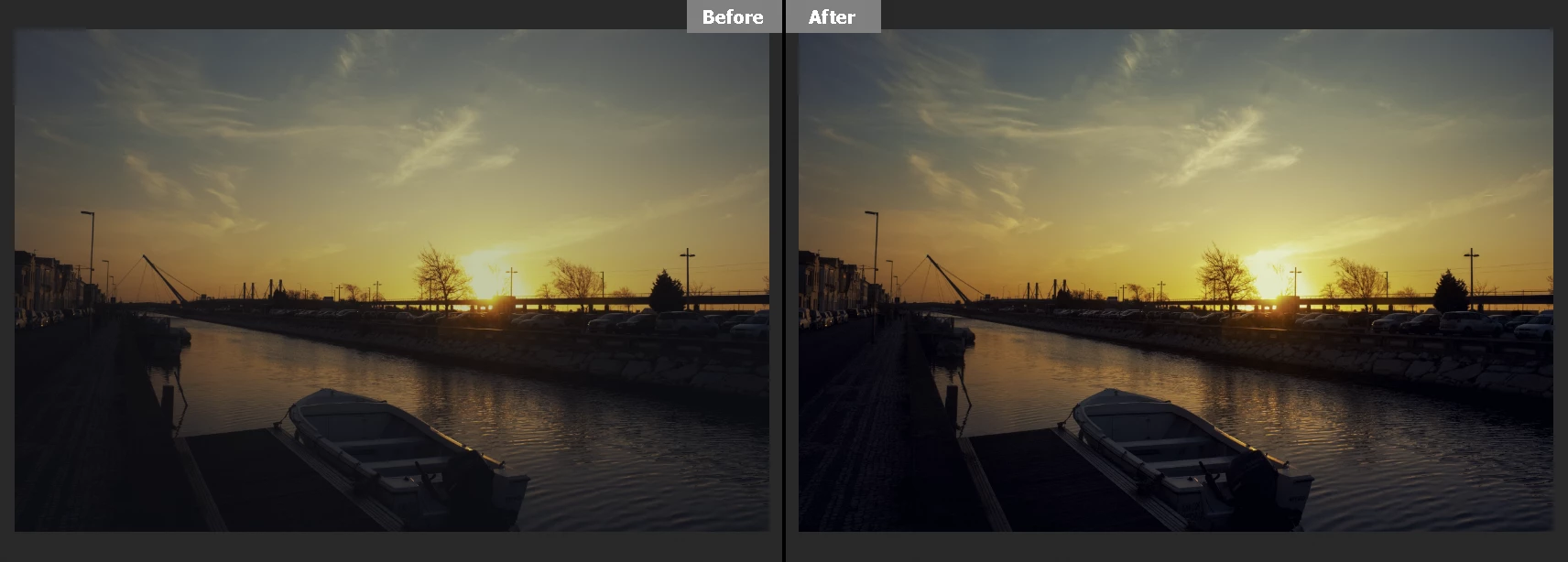
You have quite a few sensor spots, and a lot of noise. You try to correct the colour noise, but ignore the luminance noise:
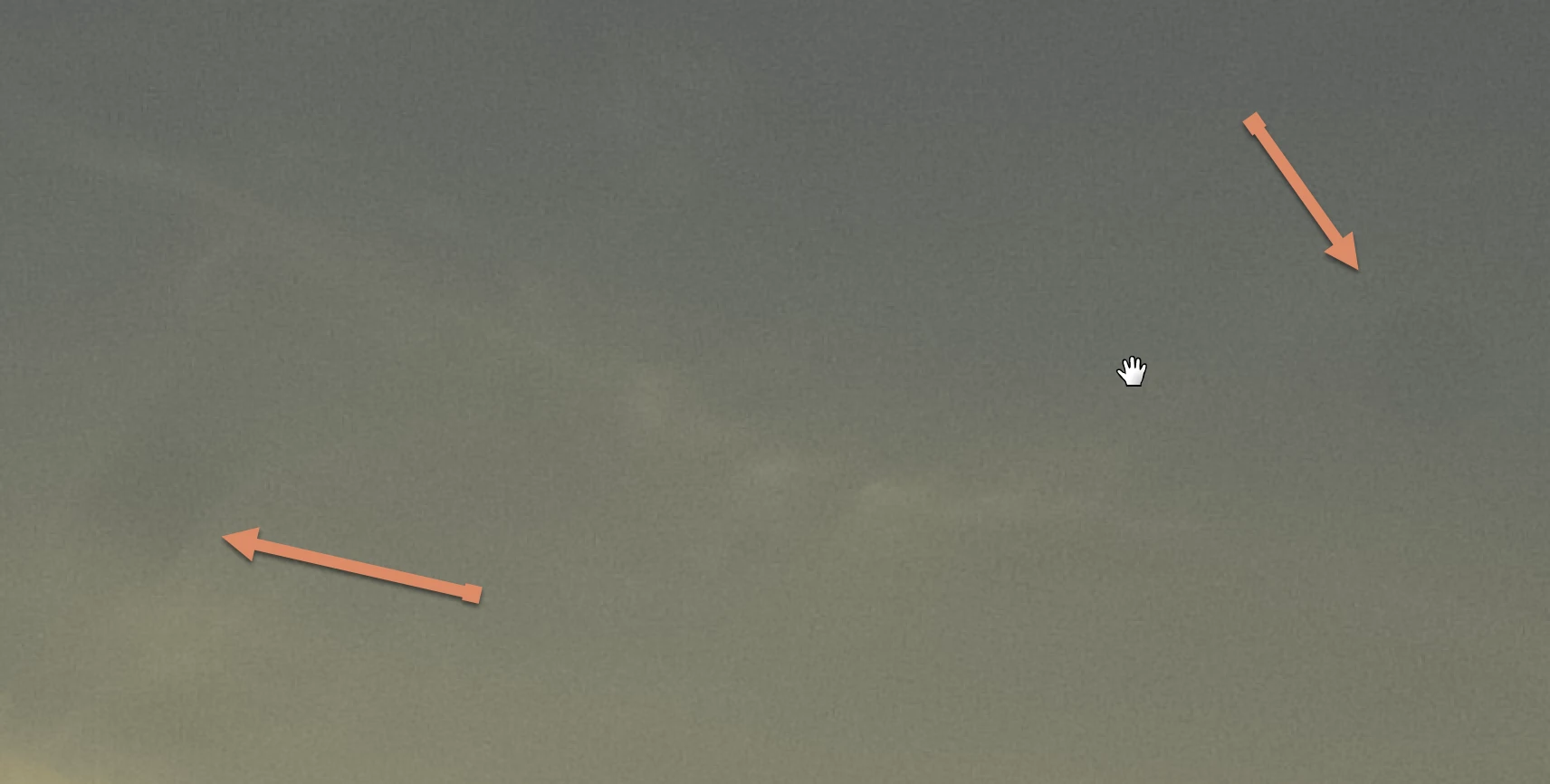
In addition there is an IP violation. You need to photoshop out all logos and markers:
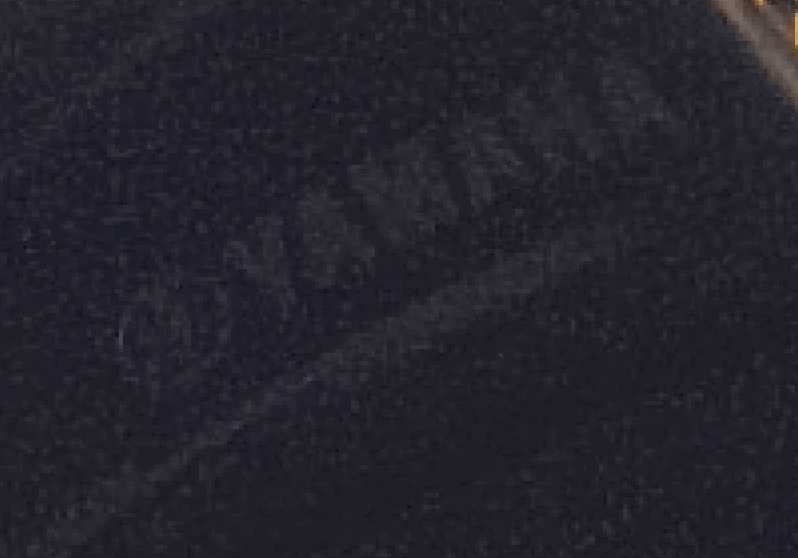
 

For your second: I'll simply refer to @Jill_C's and @RALPH_L's assessment. Just one additional remark: If you are sensor spots, you will see them always in the sky. Easy to fix if they are only a couple. You need, however, to decide on a sensor cleaning.


The settings for your first image are interesting (edited with Lr/ACR): ISO800 and 1/4000s on a static object. Don't push ISO, if you do not need. There is no excuse to get such an image wrong, as you have all your time to check the settings, taking numerous pictures and selecting the best one.

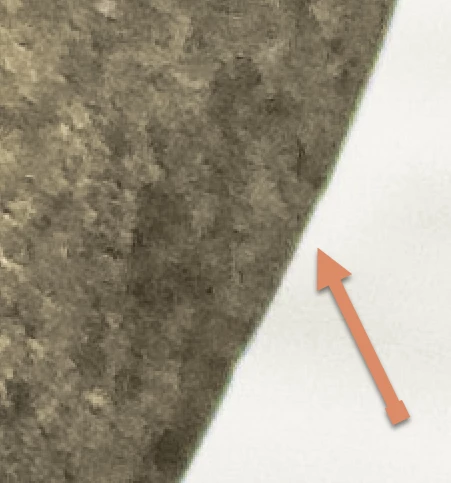
It's largely out of focus and noisy. Your editing is too much and too less. You push the shadows to a 100%, the highlights to -100%. If you need to do those extremes, you made an exposure error. You would have needed to choose a different POV and framed the stones according to the golden ratio. But that are minor corrections to be applied. The major problem is the noise level, that you won't be able to correct. You also have chromatic aberration:
 

4 replies

Abambo
AbamboCorrect answer
Community Expert
January 12, 2022

General considerations: Shoot raw not JPEG. When you post here, post the image posted to Adobe stock, not your JPEG, with the editing applied non-destructively. This gives us false impressions if we do not check the assets with the same software you used. Our comments apply probably all on the unedited JPEGs.


Last picture (edited with Lr/ACR):

If you look at the histogram, you see, that your image is missing blacks and highlights and whites.

This gives your images a flattened look with missing contrasts.

You have quite a few sensor spots, and a lot of noise. You try to correct the colour noise, but ignore the luminance noise:

In addition there is an IP violation. You need to photoshop out all logos and markers:


For your second: I'll simply refer to @Jill_C's and @RALPH_L's assessment. Just one additional remark: If you are sensor spots, you will see them always in the sky. Easy to fix if they are only a couple. You need, however, to decide on a sensor cleaning.


The settings for your first image are interesting (edited with Lr/ACR): ISO800 and 1/4000s on a static object. Don't push ISO, if you do not need. There is no excuse to get such an image wrong, as you have all your time to check the settings, taking numerous pictures and selecting the best one.

It's largely out of focus and noisy. Your editing is too much and too less. You push the shadows to a 100%, the highlights to -100%. If you need to do those extremes, you made an exposure error. You would have needed to choose a different POV and framed the stones according to the golden ratio. But that are minor corrections to be applied. The major problem is the noise level, that you won't be able to correct. You also have chromatic aberration:


ABAMBO | Hard- and Software Engineer | Photographer
mtcdAuthor
New Participant
January 12, 2022

With all the comments posted here, I will be able to be more critical with my photos and looking to improve them. Thank you all.

Abambo
Community Expert
January 14, 2022

You're welcome.


If you are new to stock, you should consider these resources: https://helpx.adobe.com/stock/contributor/tutorials.html
Please read the contributor user manual for more information on Adobe stock contributions: https://helpx.adobe.com/stock/contributor/user-guide.html
See here for rejection reasons: https://helpx.adobe.com/stock/contributor/help/reasons-for-content-rejection.html
and especially quality and technical issues: https://helpx.adobe.com/stock/contributor/help/quality-and-technical-issues.html

ABAMBO | Hard- and Software Engineer | Photographer
RALPH_L
Community Expert
January 12, 2022

Photo 1 Too soft and not in focus, horizon not level, should have been verticaly cropped.

Photo 2 not focused, too dark, poorly cropped, sensor spots and not level.

Photo 3 too dark, sensor spots, artifacts along the dark edges.

========================================Photography is more than just pressing a button!========================================
Jill_C
Community Expert
January 12, 2022

1) not in sharp focus, lacking contrast

2) underexposed shadows, noise, soft focus and poor composition

3) underexposed shadows, noise, blown highlights, soft focus 

Jill C., Forum Volunteer
Nancy OShea
Community Expert
January 12, 2022

What rejection reasons did Adobe Stock give you?   I'm guessing they were all rejected for technical problems.


Adobe Stock customers expect the highest visual and technical quality for use in commercial projects.  Read these links:


Nancy O'Shea— Product User & Community Expert
mtcdAuthor
New Participant
January 14, 2022
Yes. It was technical problems.
