

Participant
January 21, 2024
Question

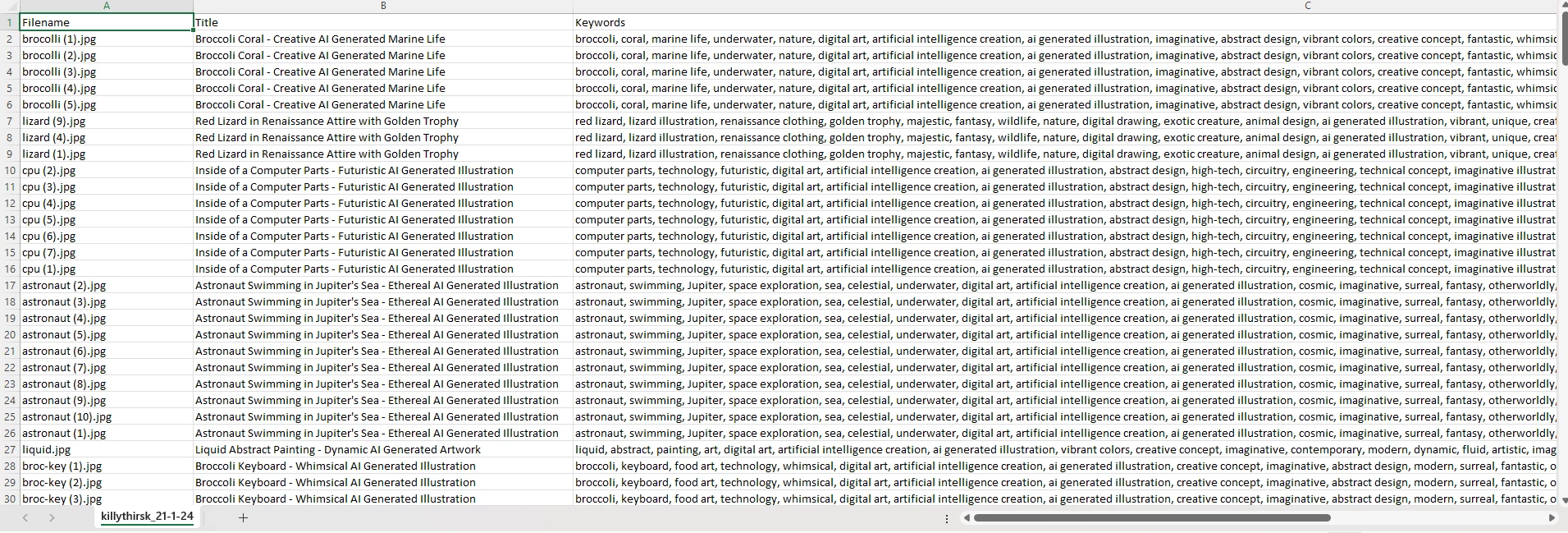
The upload of your CSV file failed. i do not know what went wrong

  • January 21, 2024
  • 2 replies
  • 1407 views

i have look some of the article regarding the same issue
and have followed them
but i still failed
i am lost at my own fault
please send help

This topic has been closed for replies.

2 replies

Abambo
Community Expert
Community Expert
January 21, 2024

I am limited on my iPad, but it seems to me that your CSV is not comma limited, but ";" limited. That depends on your local settings in Excel. You need to change the ";" to "," and you need put the keywords between quotes.

ABAMBO | Hard- and Software Engineer | Photographer
Nancy OShea
Community Expert
Community Expert
January 21, 2024

Did you use the Sample CSV file as required?

https://contributor.stock.adobe.com/static/csv/Sample_Adobe_Stock_CSV_upload.csv


Here are Stock's CSV guidelines and specs.  Follow these to the letter.

  • Start with our template: Download the sample CSV file to use as a template. 
  • Filename: Name your CSV with your name and the date you upload the file. Don’t include spaces in the filename. For example, if your name is John Doe, your filename should be something like JohnDoe_7_17_17.csv.
  • Header: The headers for each column need to match the headers in our sample CSV. Don’t translate this header row.
  • Rows: Each row in the CSV must represent a file you upload to Adobe Stock.
  • Maximum rows: Limit your CSV to a maximum of 5,000 rows.
  • Document size: The overall document must be 1MB or smaller.
  • Required columns: The filename, keywords, and title are required. Other columns are optional, but we highly recommend that you add categories.
  • Excel notes: If you’re located outside the US and using Excel to create a CSV file, you need save your document as CSV UTF-8. If this isn’t an option in your version of Excel, you may need to open your CSV in Notepad and then save it as a CSV UTF-8.

https://helpx.adobe.com/stock/contributor/help/organize-with-csv-files.html


Post back if you have any questions.


Nancy O'Shea— Product User & Community Expert