Inspiring
October 18, 2023
Answered

Uploading & Image quality issues after Upscaling

  • October 18, 2023
  • 1 reply
  • 5486 views

Hello to everyone on this forum , it's great to have such a useful place for all stock contributors.

I'm fairly new on this platform but from time to time I still have quality issues with images which I submitted on Adobe stock.


I uploaded a screenshot of what I sent to the platform last time and I need some insight / advice about quality issues with images.

As you see on every image there is visible noise and blurry look after I upload on stock platform .. don't know why??? All images are Upscaling : x4 and with Noise Reduction : Highest

For example I did an Upscale image from 1152x2040 to 4608x8160 (x4) , was this too much ?
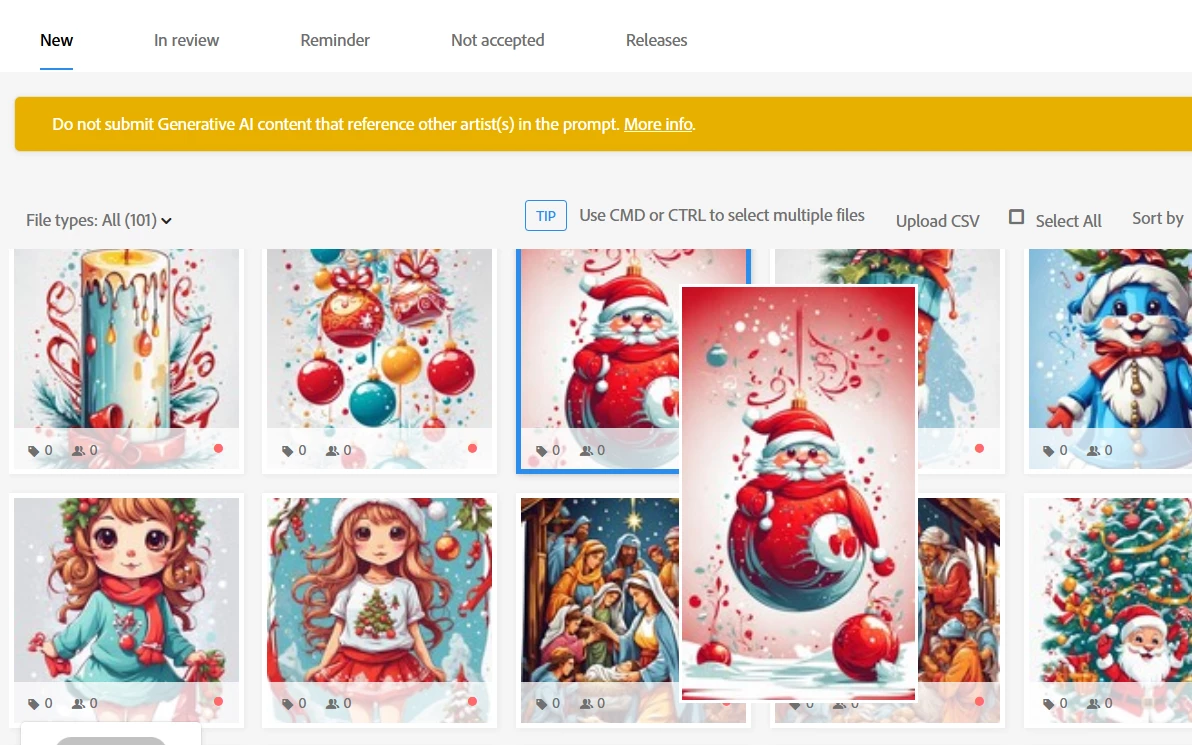
 

I did this set of images Leonardo.Ai tool and bigjpg Upscale (free tool) .

Original image is without noise and look fairly good cartoon artwork and also upscale images looks okay (or it's just me thinking )


Should I try another Upscaling image tool for better quality of images ? Interestingly this set of images are made as artwork / vector / cartoon style images but with bad quality after Upscaling ( ? ).

I already have hundreds of AI images submitted and accepted on this platform but those who got rejected had the same issue from moment of uploading till rejection as explanation "issues that can impact the technical quality of images include exposure issues, soft focus, excessive filtering or artifacts/noise."


Thanks to people for any good advice in advance.
 

Correct answer Nancy OShea

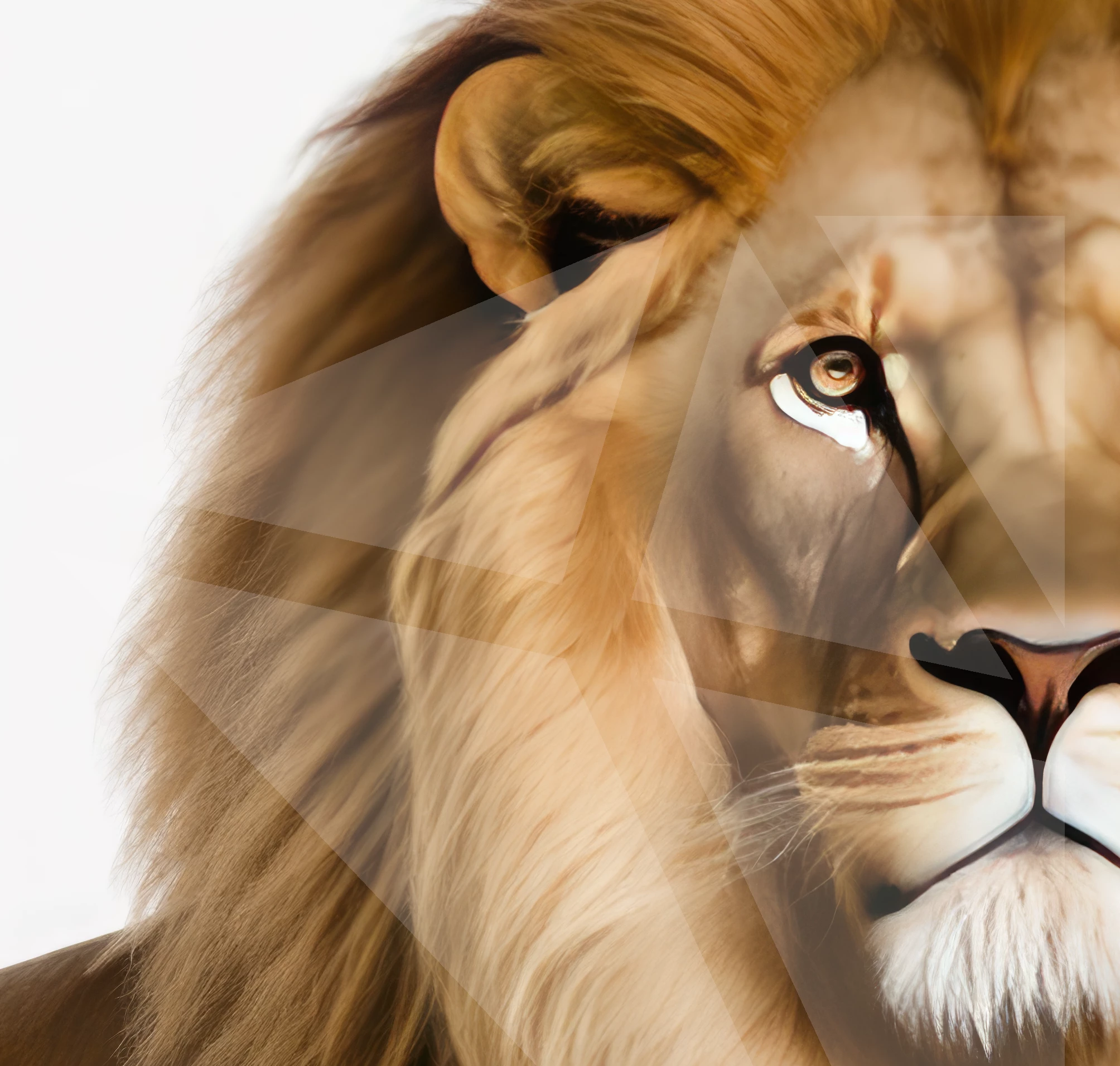
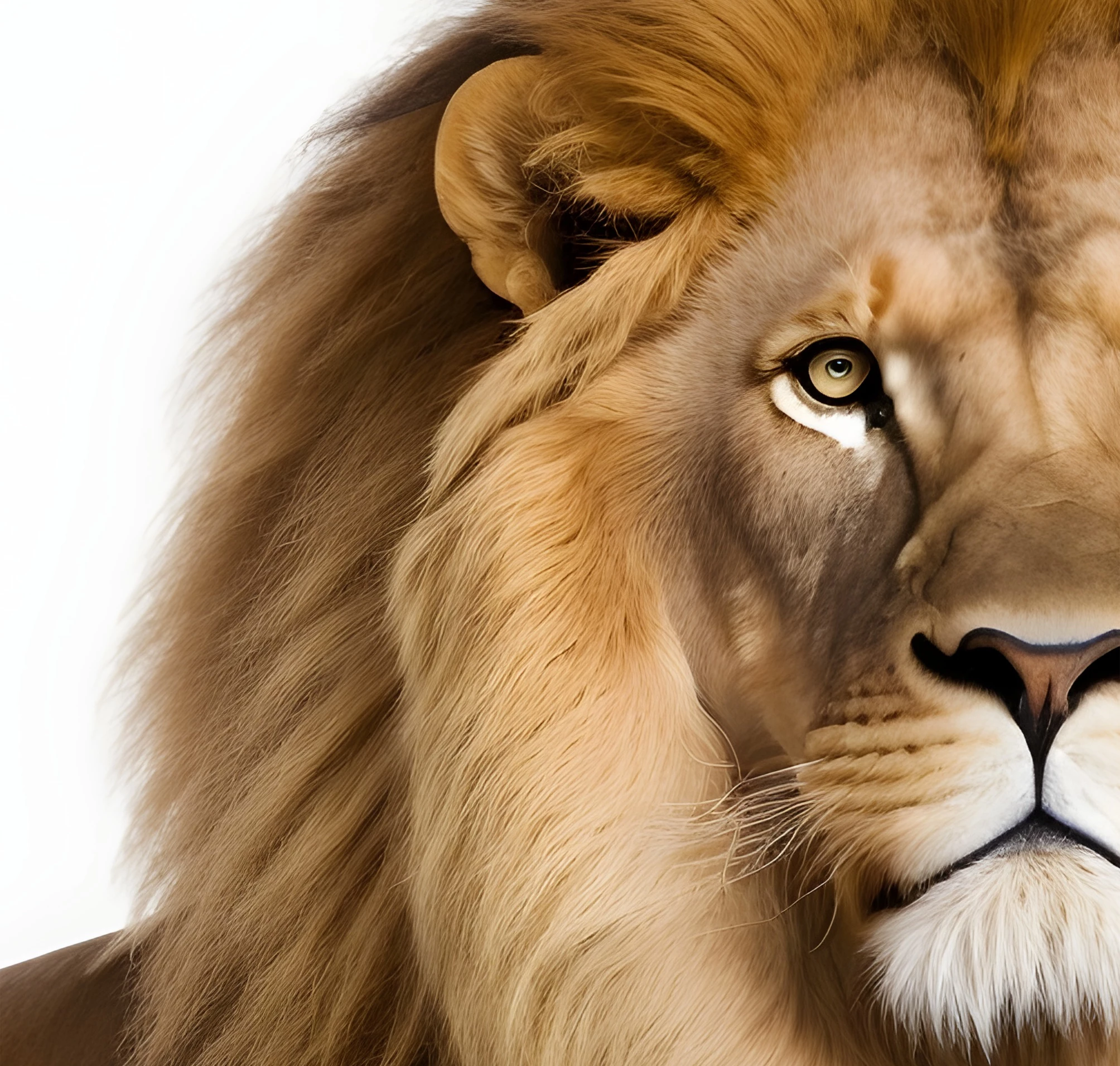
Also there is an animal image with a much realistic look which I did with two different techniques . Also interested in opinion which is more sharper + clear image ?


1st techniques for AI artwork:


2st techniques for AI artwork:


Is there a significant difference between these techniques and which could pass submission ??


Regards,

Ivan


Adobe Stock customers expect the highest visual and technical quality for use in commercial projects.


Most questions are anwered in your Stock Contributor User Guide.  Read it carefully. Pay particular attention to the Photo DOs and DON'Ts where is says "Don’t: Create mirrored images, kaleidoscopes, or patterns.

Don’t: Use effect filters."


Hope that helps.


1 reply

Abambo
Community Expert
Community Expert
October 18, 2023
quote

I did this set of images Leonardo.Ai tool and bigjpg Upscale (free tool) .

Original image is without noise and look fairly good cartoon artwork and also upscale images looks okay (or it's just me thinking )


By @Ivan28999453u1a1

Check your assets at 100% and 200% and stay critical. Artefacts in the original file get enhanced. If you post a rejected asset here with the rejection reason, we can analyse it and tell you what needs to be corrected. Furthermore, pay attention to the geometry. Correct geometry is problematic for generative AI.

ABAMBO | Hard- and Software Engineer | Photographer
Inspiring
October 19, 2023

Hello Abambo and thank you for clarification and insights .


I will try to divide my concerns into two reptiles , I think will be more understandable and for me easier to follow-up.


I added two images , one is an AI image Upscaled which got rejected and another which looks in the upload section - blurry at first look .

Would be great to give your opinion about this issue.

I assume it's an "Artefacts image" issue but it's always good to have a second opinion.


Inspiring
October 26, 2023

Late in response but working hard in the background to fine tune this problem ...  still thank you everyone for your help and advice.I have two concerns , I will continue with first  observation about  red bird image , showing two new techniques and with 100% close up look .


These upper side of image block show two different techniques : Which is more sharper + clear image  ?


1st techniques for AI artwork:


2st techniques for AI artwork:


Also I made different  two blocks of the same image for look up :


1st techniques for AI artwork:


2st techniques for AI artwork:


Which technique from your perspective is more likely to pass submission ??

Thanks a lot, people.


Also there is an animal image with a much realistic look which I did with two different techniques . Also interested in opinion which is more sharper + clear image ?


1st techniques for AI artwork:


2st techniques for AI artwork:


Is there a significant difference between these techniques and which could pass submission ??


Regards,

Ivan