


New Participant
October 12, 2018
Answered

Changing the Adobe Stock webpage language?

  • October 12, 2018
  • 2 replies
  • 10531 views

How can I set the Adobe Stock language to English, if it's set to something else by default? I understand that the Stock page may be trying to help me by providing the interface in Swedish, since I'm physically in Sweden, but my preferred language is English, our professional language is English, and the search function on Adobe Stock is much much worse if you have to guess at machine-translated Swedish descriptions for the images. My Creative Cloud account is set to English, so why is there not a simple Change Language setting on Adobe Stock - or is there? I really hope there is, because this is a ridiculous way to offer a worse service with the intent of 'helping' me. Frustrating - I'll be grateful for any constructive help or workaround!
This topic has been closed for replies.
Correct answer twaritar3263062

Hi Henrik,

Sorry for the trouble it has caused to you.

To change the language to "English", please follow the steps as mentioned below:

>Go to stock.adobe.com

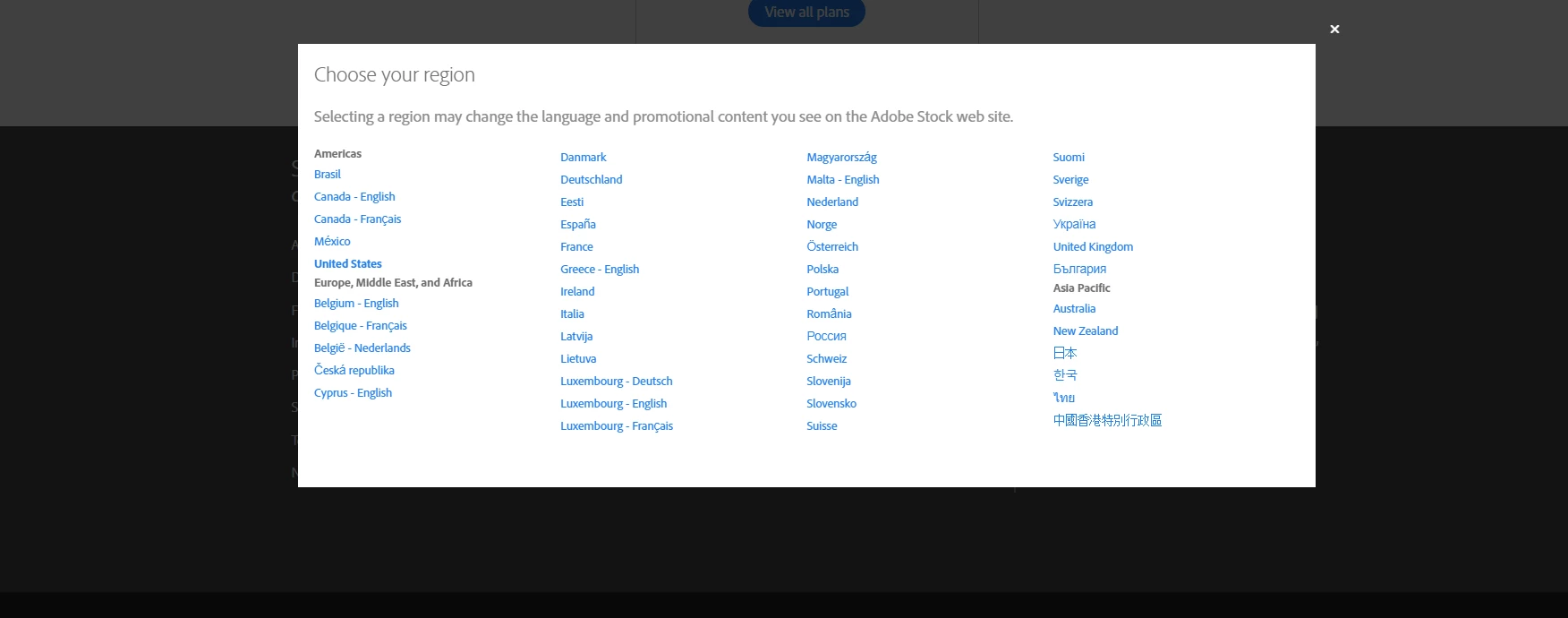
>Scroll down the page and select " Change the Region" option. Select the desired Region from the list as shown in the screenshot below:

Feel free to update this thread in case of any additional questions.

Regards,

Twarita

2 replies

New Participant
June 25, 2020

Still an issue in 2020, literally every time I use Adobe Stock (several times a day), I have to scroll all the way down to set the language to English. This is really annoying, and so easy to solve (cookie, anyone?)

New Participant
July 21, 2020

Absolutely annoying bug! Hey, Adobe fixes it, please!

twaritar3263062
Community Manager
twaritar3263062Community ManagerCorrect answer
Community Manager
October 12, 2018

Hi Henrik,

Sorry for the trouble it has caused to you.

To change the language to "English", please follow the steps as mentioned below:

>Go to stock.adobe.com

>Scroll down the page and select " Change the Region" option. Select the desired Region from the list as shown in the screenshot below:

Feel free to update this thread in case of any additional questions.

Regards,

Twarita

New Participant
December 23, 2018

Hi Twarita and Adobe Staff,

is there a way to make this the default?

It's a little bit annoying going in and each and every time having to change the Region...

Is there a setting in the Adobe Account? In 2018 that's a must setting: different language fomr the Region where you live...

Many thanks,

Andrea

Abambo
Adobe Expert
December 23, 2018

andread82204774  wrote

In 2018 that's a must setting: different language fomr the Region where you live...

Unfortunately Adobe assumes that a language is related to the region you live in. And there is no setting in your Adobe id that changes that.

ABAMBO | Hard- and Software Engineer | Photographer