Known Participant
March 13, 2024
Answered

How do you change the name of the folders in "My Libraries"

  • March 13, 2024
  • 3 replies
  • 915 views

I'm knew new to using Adobe Stock, usually use Getty. I'd like to re-name one of those folders under My Libraries, under which I see "My Library", "Your Library" and a few more like that. What I want to do is change one of those or create a new folder (not sure it's called a folder as opposed to Library) to a job name, i.e. "Matrix 5 images" Then I'll share that folder/library with the client and they'll get us the stock.


This is  what I do when using Getty, not sure it's the same, may be apples to oranges?


Thanks!
This topic has been closed for replies.
Correct answer Abambo

From the web: go to https://assets.adobe.com/libraries

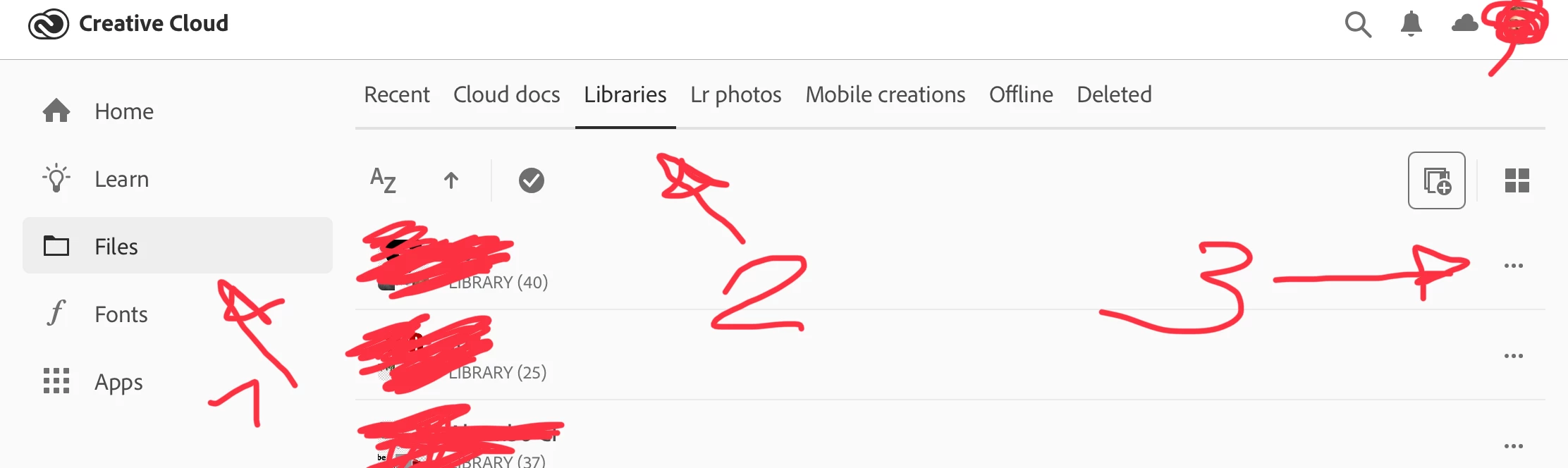
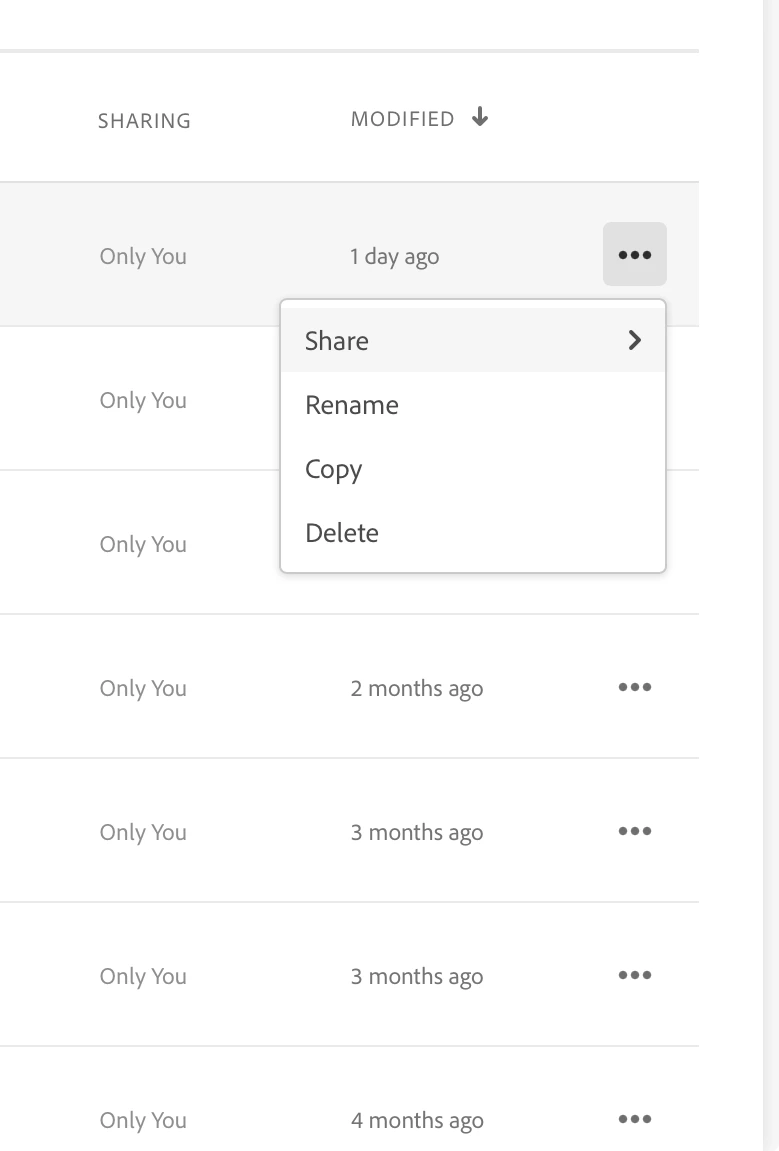
From the Creative Cloud app (here on my iPad, the desktop app is similar):


It may also be possible to do that from inside of the Creative Cloud apps, like Photoshop or Illustrator. I would need to check that.


3 replies

Abambo
Community Expert
AbamboCommunity ExpertCorrect answer
Community Expert
March 13, 2024

From the web: go to https://assets.adobe.com/libraries

From the Creative Cloud app (here on my iPad, the desktop app is similar):


It may also be possible to do that from inside of the Creative Cloud apps, like Photoshop or Illustrator. I would need to check that.


ABAMBO | Hard- and Software Engineer | Photographer
Jill_C
Community Expert
Community Expert
March 13, 2024

I knew you meant new !
click on the library/folder name and it will open up in a new window. Then click on the 3 dots adjacent to the library name and choose " Rename Library".

Jill C., Forum Volunteer
Known Participant
March 13, 2024

Dough, shoudl have seen that! Thank you!!!

Known Participant
March 13, 2024

Sorry, typing too fast, I'm new to using Adobe Stock...