


New Participant
February 7, 2018
Answered

Need Filter "Exclude Keywords"

  • February 7, 2018
  • 2 replies
  • 1509 views

I frequently browse Adobe Stock for graphics for my job. Unfortunately, there are many times where I get frustrated with the results because I'll type something like "Desktop PC" and will get TONS images featuring "tablets." I would love it if there was a filter option where I can filter out keywords like "tablet" so that my searches are more accurate/refined. By having this feature, I'd save myself hours of looking through images that are not the correct search result.
This topic has been closed for replies.
Correct answer joon.Stock

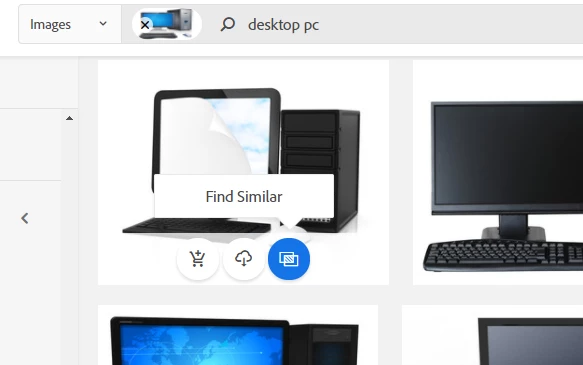
As formatted keywords search isn't on place all the time, I would like you to explore an option where you can drag one of desktop image thumbnails from search result to search bar - this will give you the refined set of collection based on the image you used. (or find similar button from the image that's close to your match will also do the same)

2 replies

joon.StockCommunity ManagerCorrect answer
Community Manager
February 7, 2018

As formatted keywords search isn't on place all the time, I would like you to explore an option where you can drag one of desktop image thumbnails from search result to search bar - this will give you the refined set of collection based on the image you used. (or find similar button from the image that's close to your match will also do the same)

New Participant
February 7, 2018

I've clicked the find similar before with some luck, but I didn't realize that dragging an image into the search bar with the words I typed was possible. I'll try that, thanks!

twaritar3263062
Community Manager
Community Manager
February 7, 2018

Hi Kayla,

Thanks for sharing your thoughts. I will definitely pass this feature request to our product team so that they can improvise on the 'Stock filter' option.

Feel free to update this thread in case of any additional questions.

Regards

Twarita