New Participant
August 18, 2019
Answered

Possible defective image file

  • August 18, 2019
  • 2 replies
  • 705 views

In the process of downloading an image I licensed, several error windows displayed. However, I was eventually able to download the image, but it is only 158 k (minus the white space and lettering) at a resolution of 72, which makes it virtually unusable for printing. Effectively, the image I downloaded is the same size as a preview minus the watermarks. I have re-downloaded with the same results. My question: Is the small resolution due to the errors, or was this just a low quality image. I have not been able to find an avenue to contact adobe on this or the original stock creator. Thx.

The image is 159134019​

This topic has been closed for replies.
Correct answer Abambo

Drew_in_Albuquerque  wrote

Yes, I opened it in AI, and have been able to place it in the PS layout I'm working with. You've answered my question about low res vectors. Thank you.

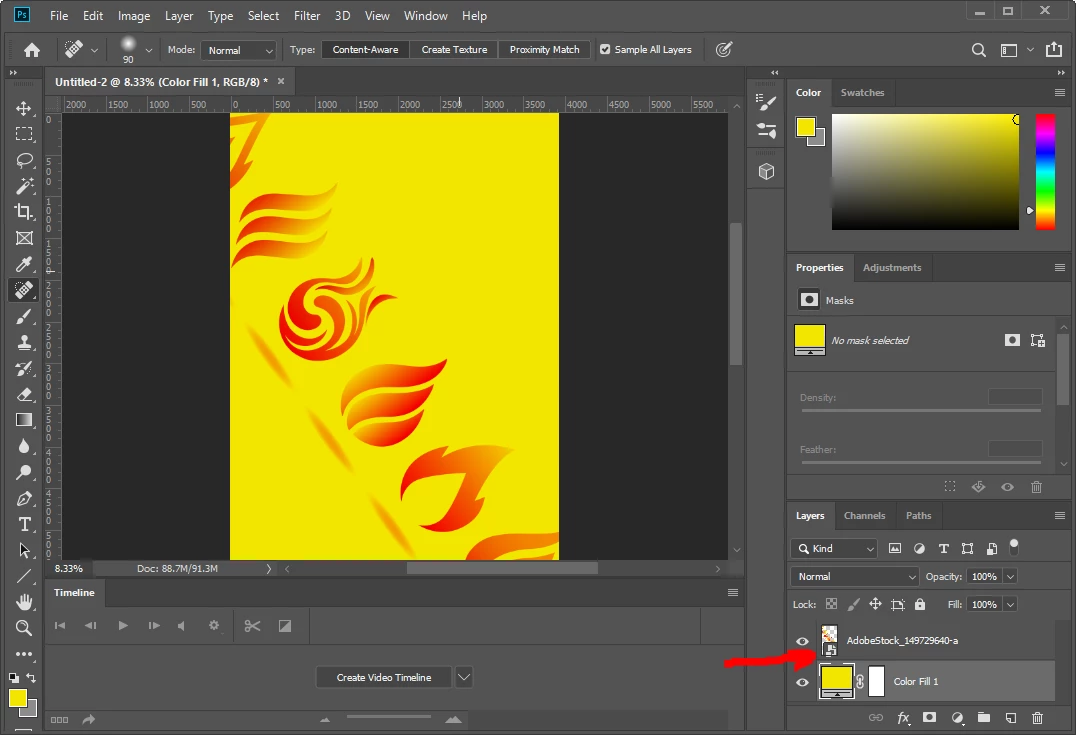
Vector assets do not have "resolutions", they can be scaled to nearly any size. But if you create a pixel design out of it, the resolution is fixed AFTER you have converted it to a pixel graphic. So my recommendation here is to do that as late as possible in the design phase. If you have a current Photoshop, you could even put the asset on a smart layer, keeping it as a vector graphic.

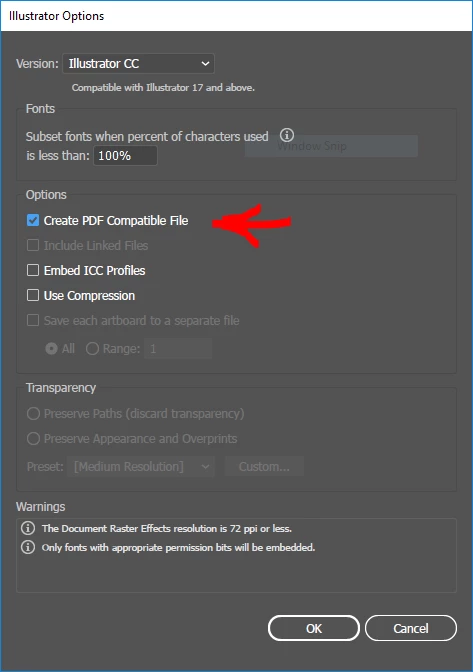
Important is that you open it once in Illustrator and use save as to save it under a current Illustrator format with "PDF compatible" enabled.

Photoshop can't render the Illustrator, but understands the PDF data.

If you keep the illustrator as a smart layer, you will be able to edit or resize without loss of quality.

2 replies

Abambo
Community Expert
August 19, 2019

What program did you use to open the asset?

As it is a vector image, it is quite normal that the used asset storage size is low.

You need to use Adobe Illustrator to open it. Eventually a different vector editor will work too, but that really depends on the asset.

ABAMBO | Hard- and Software Engineer | Photographer
New Participant
August 19, 2019

Yes, I opened it in AI, and have been able to place it in the PS layout I'm working with. You've answered my question about low res vectors. Thank you.

Abambo
AbamboCorrect answer
Community Expert
August 20, 2019

Drew_in_Albuquerque  wrote

Yes, I opened it in AI, and have been able to place it in the PS layout I'm working with. You've answered my question about low res vectors. Thank you.

Vector assets do not have "resolutions", they can be scaled to nearly any size. But if you create a pixel design out of it, the resolution is fixed AFTER you have converted it to a pixel graphic. So my recommendation here is to do that as late as possible in the design phase. If you have a current Photoshop, you could even put the asset on a smart layer, keeping it as a vector graphic.

Important is that you open it once in Illustrator and use save as to save it under a current Illustrator format with "PDF compatible" enabled.

Photoshop can't render the Illustrator, but understands the PDF data.

If you keep the illustrator as a smart layer, you will be able to edit or resize without loss of quality.

ABAMBO | Hard- and Software Engineer | Photographer
Kanikas
Community Manager
Community Manager
August 19, 2019

Hi,

I licensed and opened the file at my end and it works absolutely fine. Since you have been struggling with this image it might not be of any use to you. Kindly update the thread and let us know if we can give you an additional image license which you can use instead.

Thanks

Kanika

New Participant
August 19, 2019

Thank you, Kanika. No need for a replacement--I like this image. What res is the file you opened?

Kanikas
Community Manager
Community Manager
August 19, 2019

Andrew,

In Photoshop: Width - 1868 Pixels and Height - 1966 Pixels

Thanks

Kanika