


JettJergens
Participating Frequently
June 13, 2018
Question

Team Project randomly unlinks media?

  • June 13, 2018
  • 7 replies
  • 3904 views

I'm doing my first big project with a team of editors. I'm running Premiere Pro cc 2018 on a Mac w/Sierra. We've been pulling clips for the last few days and all seemed fine.

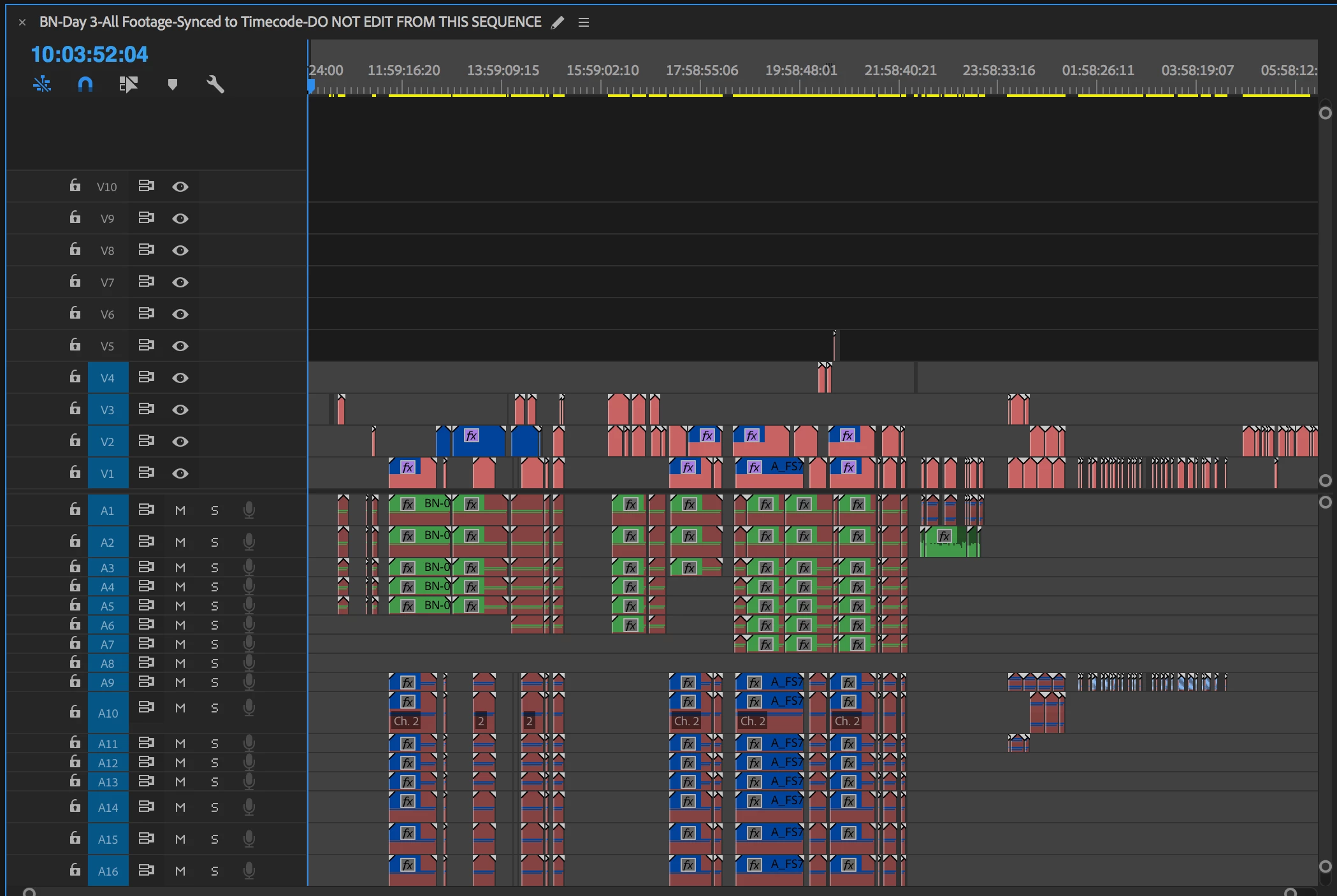
An hour ago, all the media for a particular day became unlinked. All the drives are readable, no system change, just opened the sequence and it was all unlinked.

This file was originally converted (via cut and paste) from a single user Premiere file to a Team Project. As a test, I opened the original single-user file and all the media remained linked.

What's worse, is when I try to re-link all the footage, the 'automatically find other media' choice doesn't seem to be working. I need to manually go into and out of dozens of folders on the hard drive to re-link video/audio files.

When I open the team project, all the assets seem to load correctly (there are no notices about missing media).

What is happening here, and how to I fix it? It wouldn't be so bad if I could just highlight all the media, link one and it would find the rest. However, doing this one by one will take hours... and given there's no indication why they became unlinked, I'm loath to relink it all manually.

Any help/assistance would be appreciated.

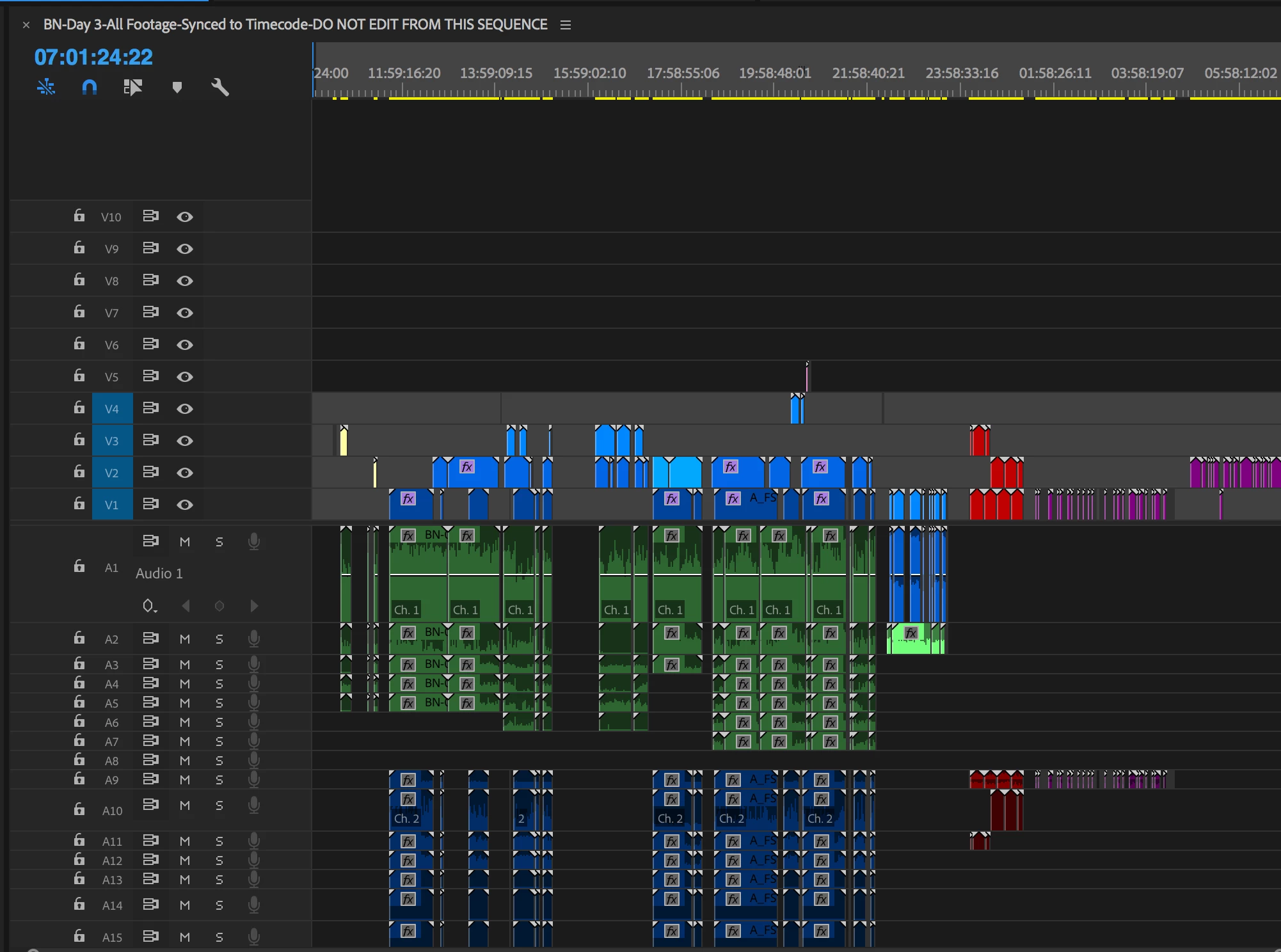
Here is the sequence in the single-user Premiere from 06-11-2018
Here is the same sequence in the Team Project version:
7 replies

palomaq68930646
New Participant
January 26, 2025

Hey all!

I seem to have encountered the same problem. First time using Teams with another editor. I set up project, passed it over, for an edit now picking back up. It was working for a good few hours then had a load of Medialocator resource errors pop up. just closed it and all was unlinked. Went to re-link and there is no filepath present (where it would normally be there).

I re-linked 1 clip and usually all would re-link from there, but no luck. I do 100 or so re-links just to finish a deadline, but I have 100's more to relink and hoping there is a way of fixing this without manually doing all these re-links (and then hoping it does not happen again of course).

Any helo much appreciated :).


Ta,

Paloma

palomaq68930646
New Participant
January 26, 2025

FYI I opened a new offline project, pasted the clips into a new sequence, went to re-link from this and got this in file name (still no file path). Tried relinking and only does individually still.


New Participant
May 10, 2023

Still happens in 2023

Adobe Employee
May 11, 2023

@callumycallumycallumy During which workflow are you encountering files going offline? Files going offline can happen for various reasons.

Best,
Udo

Udo Pawlik | Sr Software Product Quality Specialist | Adobe | upawlik@adobe.com

Known Participant
April 27, 2019

I am getting a similar, if not the same, problem in the 2019 version (v13) of premiere.

Randomly while editing, and usually just when I do something, everything goes offline. No problems are reported in the media manager and I can't use it to relink anything. I just wait, and over the course of 5 or 10 mins, everything slowly starts to come online again, clip by clip, all by itself.

PeterELee
Adobe Employee
Adobe Employee
April 29, 2019

Based on your description, this sounds like a different issue that what's been discussed in the rest of this thread. Is it possible that more than one person is logged in with the same Creative Cloud login ID at the same time and has the same Team Project open? That can cause some unexpected issues similar to what you're describing.

If not, what sort of storage are you using? Is it possible that drives are coming on and off line? One of the ways that Team Projects are different from standalone projects is that Team Project periodically scan all mounted volumes looking for media that matches what's in your open Team Projects. If something about your setup confused that scanning logic, that might potentially cause media to go temporarily offline, then come back online once it rediscovered the media files. For example, if there were copies of the same media on two drives, and one of them became disconnected. It would normally discover and link to the duplicate media in less than 5-10 minutes, though.

Known Participant
May 9, 2019

I've not had it repeat the issue and so I can't remember exactly what we were doing. It was a unique CC login ID. It may have been that some of the media was on shared storage that we have now separated out as that was causing other issues with .pek files.

jamesh16694669
New Participant
July 5, 2018

So I eventually had to re-link every single file. Took me absolutely days. I will NEVER EVER use Team Projects again. Absolutely nightmare.

Known Participant
July 5, 2018

One of our editors reported she notices random files become offline even on solo projects after full manual relink.

jamesh16694669
New Participant
July 5, 2018

Try the following steps:
1. Create a brand new offline project
2. Drag the old project file into the new offline project

3. Re-link all the offline media.

I did the above and never had any offline issues after that.

Known Participant
July 4, 2018

Looks like it's true that Premiere mess up File Name and Path. As you open 'Link media' you see locatorID in File Name column. When you click Locate, locatorID appears in 'Last Path'.

I am thrilled. Get me a time machine please!

JettJergens
Participating Frequently
July 4, 2018

Maybe I'm slow on the uptake. Does this last posting about File Name and Last Path provide an answer to fixing it? Or simply a diagnosis to help Adobe patch it?

Known Participant
July 4, 2018

No, sorry. Basically this is a hint for Adobe team. I am still trying to find a workaround.

Known Participant
July 4, 2018

This is really ridiculous! We could not avoid this issue even switching to SOLO BEFORE we faced this issue. We noticed random files getting offline when opening the solo project. You fix one pack of files and getting a new pack on re-opening.

JettJergens
Participating Frequently
June 13, 2018

Added bit of info I'm sure is helpful...

I've just re-opened the project and gotten a load of notices like this:

Any idea how to resolve this?

New Participant
June 16, 2018

What version of Premiere pro are you running? We ran into the same problem and after spending a good bit of time on the phone with Adobe, they recommended rolling back to version 12.1.0 - that solved the problem for us. We had to relink everything one time after the roll back but not again since. You just have to be sure not to inadvertently update through the desktop app. They did say that there should be a fix (the problem is apparently a known bug in this update) sometime in the next 30 days.

One other note - the Team project will not give you the option to locate a file and have the program autosearcch for all other files in that location - you have to relink them all individually.

Hope that helps

M

JettJergens
Participating Frequently
June 24, 2018

Hey Pixipixr,

Thanks for the feedback. Unfortunately relinking the whole project is not workable. I eventually relinked the 200 items in question and thankfully the problem never returned. But as the project has over 2000 assets, I'm of course nervous of this hitting at random again.

I think I will roll back to 12.1.0 to see if that helps some other issues as well.

Thanks for your thoughts.