


Inspiring
November 20, 2021
Answered

Can't access the forums at all using Firefox

  • November 20, 2021
  • 5 replies
  • 2110 views

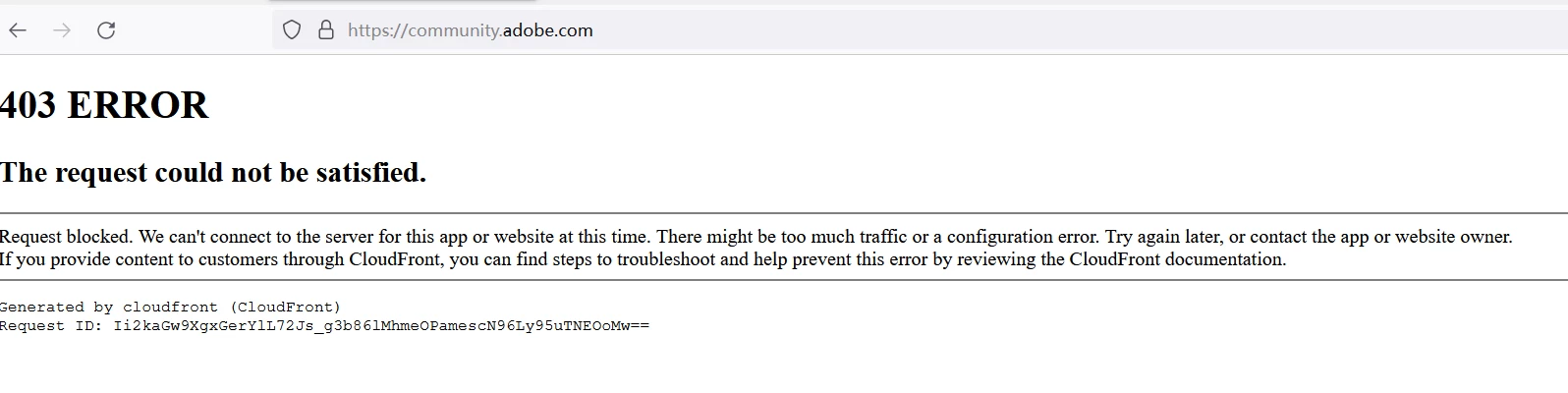
When I try to login to the forum using Firefox v.94.0.1 64bit (latest version as of today), I get stuck in an "403 ERROR" as below pic show.  I can access to other parts fo the Adobe site.

The following is the page I'm trying to laccess:

https://community.adobe.com/


Is this a general problem, or just me?


    This topic has been closed for replies.
    Correct answer Raymond ZJH

    It's fine now!


    I visit this website and post with the same conditions(same browsers and same setting, 1 month ago). It's exciting. Now it's good,The Adobe engineers may have solved this problem in the past month.

    5 replies

    Inspiring
    November 22, 2021

    I've used over 4 different and latest browsers (Firefox, Microsoft Edge, Microsoft IE,Google Chrome, etc.) in different OS's (Android, Windows 10), cookies enabled or not, privacy settings or not, scripts and privacy extensions or not, security settings to Average or Custom, Exceptional or White list for this forum.


    But I still can't used normally in this forum:


    • Can't reply
    • Topics tags inactive/unclickable (So I can't post also)
    • Follow inactive
    • Account settings inactive(Display blank)


    This is very confusing for me!  Is this a general problem, or just me? Which browser and What kind of settings is available for this forum? If available, can anyone post screenshots of key settings and versions, thanks for your help.

    Legend
    November 22, 2021

    I use several different browsers. All work. Your symptoms (can't reply or follow, can't post) sound as if you are not actually logged in successfully.

    Nancy OShea
    Community Expert
    Community Expert
    November 21, 2021

    Drop your Firefox security settings back to Average; not Strict Mode.


    Nancy O'Shea— Product User & Community Expert
    Peru Bob
    Community Expert
    Community Expert
    November 20, 2021

    It's OK for me in Chrome.

    Inspiring
    November 20, 2021

    [Moderator merged with previous related post.]


    Once I click a reply button, all of them disappear, but nothing else happens. I tried it on a Mac and a Windows machine with different and latest browsers (Firefox, Microsoft Edge, Google Chrome, etc.).  Cicking "reply" (to the whole post, or just to a single reply) gives me the same issues.


    I read this previous discussion https://community.adobe.com/t5/community-help/how-to-reply-to-a-reply/td-p/10737317?page=1


    Does anyone know that this problem has been solved now? but this is currently happening to me!


    Below are the link that i can't reply:

    Re: Can't create new post - Adobe Support Community - 12538093

    Ann Bens
    Community Expert
    Community Expert
    November 20, 2021

    I highlighted a topic for you, so try again.

    Inspiring
    November 20, 2021

    [Moderator merged with previous posts.]


    I would like to post a message to community but I cannot - after hitting "post" I am receiving message "Correct the highlighted errors and try again." but I cannot find any place to have highlighted, but I found the "topics" table can't be selected. I would appreciate your help.


    John Waller
    Community Expert
    Community Expert
    November 20, 2021
    quote

    I found the "topics" table can't be selected.


    You need to click on one or more "Topics" (or tags) to post successfully.


    When I hover my cursor over a topic and click, the topic button turns blue (=is selected). Is that what happens for you?