



swrobel
Inspiring
April 18, 2023
Answered

Fixed: can't embed unlisted YouTube videos

  • April 18, 2023
  • 3 replies
  • 12793 views

Update: it miraculously works now


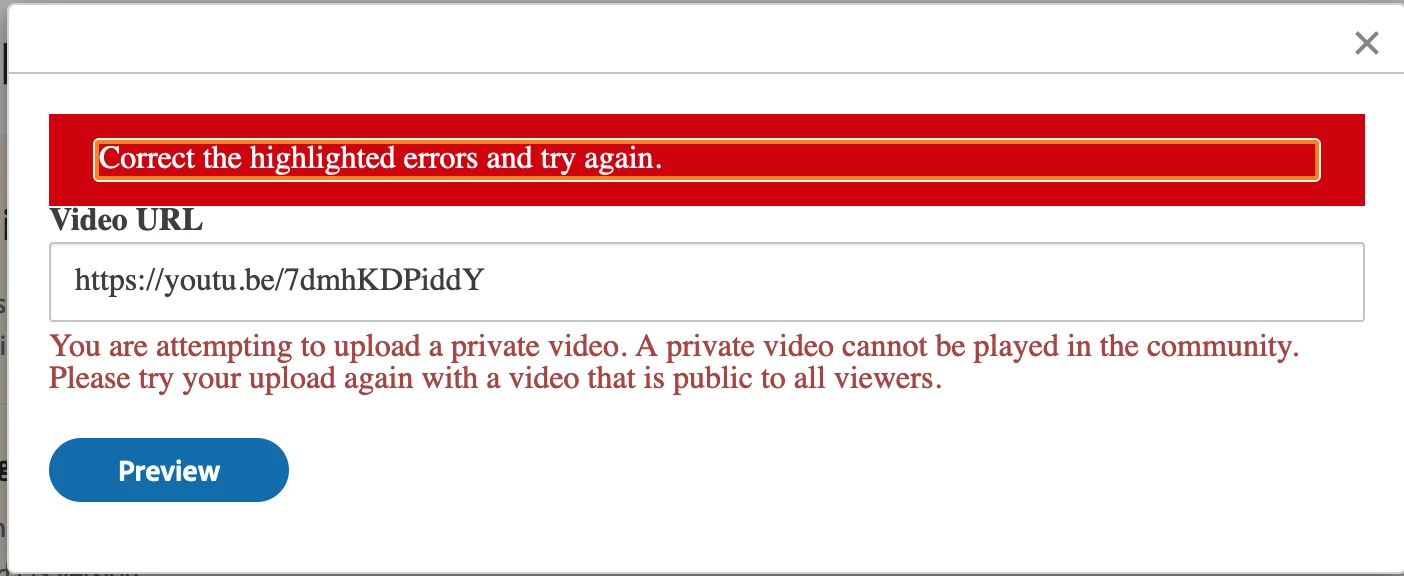
When I try to embed an "unlisted" YouTube video, such as this, it says the following, even though Unlisted videos are public, and only hidden from YouTube search results:

You are attempting to upload a private video. A private video cannot be played in the community. Please try your upload again with a video that is public to all viewers.
 

Correct answer swrobel

I'm not sure what changed, but it's working now. See OP

3 replies

swrobel
swrobelAuthorCorrect answer
Inspiring
April 25, 2023

I'm not sure what changed, but it's working now. See OP

Participant
August 17, 2023

SWROBEL  - you are not crazy - and I feel yout pain with this issue. I get this issue on my community as well, usually after imediately uploading a video to youtube and trying to embed it in a blog post. It has nothing to do with Adobe. It is a YouTube / Khoros (used as the community platform) issue. Usually you need to wait a few hours (or some unknown amount of time) and it will work. Sorry you didn't get the answer you were looking for the first time. Yes - my videos are unlisted and I have embedded them many many times as unlisted - but Khoros for some reason does not mesh well with YouTube as soon as the video is uploaded. its annoying but nothing you can do about it. Stay well. 

(same error on my Khoros run community)


kglad
Community Expert
Community Expert
April 22, 2023

in the future, to find the best place to post your message, use the list here, https://community.adobe.com/


p.s. i don't think the adobe website, and forums in particular, are easy to navigate, so don't spend a lot of time searching that forum list. do your best and we'll move the post if it helps you get responses.


<moved from using the community>

Nancy OShea
Community Expert
Community Expert
April 19, 2023

It's a restriction imposed by YouTube. You can't embed content that isn't publicly accessibile.  Only the owner of the video can make it public.


Nancy O'Shea— Product User & Community Expert
swrobel
swrobelAuthor
Inspiring
April 19, 2023

This is a falsehood. I have embedded plenty of unlisted videos. "Unlisted" videos are different from "private" videos, and as you can see, embedding is enabled for this particular video. Here is the embed code that YouTube gives me for this video:


<iframe width="560" height="315" src="https://www.youtube.com/embed/7dmhKDPiddY" title="YouTube video player" frameborder="0" allow="accelerometer; autoplay; clipboard-write; encrypted-media; gyroscope; picture-in-picture; web-share" allowfullscreen></iframe>


Nancy OShea
Community Expert
Community Expert
April 19, 2023

What you do with your personal website is your concern. 

Adobe must protect its corporate and legal interests.

If YouTube says the video URL isn't publicly accessible, it cannot be embedded here.


Nancy O'Shea— Product User & Community Expert