


Todd Shaner
Legend
October 6, 2013
Answered

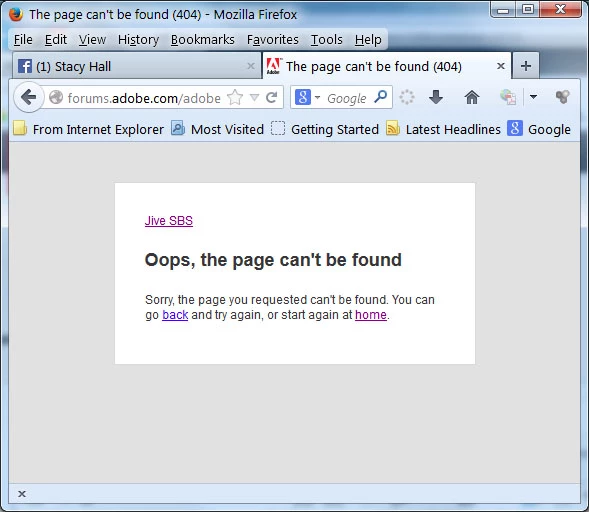
Forum 'Sign In' with Firefox browser not working

  • October 6, 2013
  • 4 replies
  • 9502 views

Anyone else having this issue with Firefox 23 or 24? IE9 works fine.
This topic has been closed for replies.
Correct answer Dave Merchant

Didn’t the actual hack occur a couple weeks ago? Were you notified of the changes more than that long ago?


The issue with a 404 "Oops" page showing when you try to sign into these forums is NOT related to the security alert, nor to any planned changes to the login system. It's a bug with the content delivery network that hosts the forum software, and it's under investigation.

Meanwhile if you encounter the 404 page, clear your browser's session cookies for the adobe.com domain and try again. No need to clear your browsing history or cache, just the cookies.

4 replies

Legend
October 16, 2013

Moved to Forum Comments, this has nothing to do with Lightroom.

Todd Shaner
Legend
October 28, 2013

My original Forum 'Sign In' trshaner has been restored. The solution was to assign a new unique email address for the Forum Sign that would not conflict with my other exisitng Adobe accounts.

Special thanks to Adobe Staff Beverley Gray for making it happen!

HarrieB
Inspiring
October 6, 2013

it happens very frequently in Explorer too lateley so I believe it has nothing to do with the browser.

Geoff the kiwi
Community Expert
Community Expert
October 6, 2013

There are some changes going on in the background with the forums, logins, etc.... Adobe are aware of this. Patience please while the changes are implemented.

DdeGannes
Community Expert
Community Expert
October 6, 2013

I have been experiencing this error message from time to time over the past week or so. My last experience was a few moments ago. I guess it has something to do with the "hack" of Adobe's system.

Regards, Denis: iMac 27” mid-2015, macOS 11.7.10 Big Sur; 2TB SSD, 24 GB Ram, GPU 2 GB; LrC 12.5,; Lr 6.5, PS 24.7,; ACR 15.5,; (also Laptop Win 11, ver 24H2, LrC 15.0.1, PS 27.0; ) Camera Oly OM-D E-M1.
Jim Wilde
Community Expert
Community Expert
October 6, 2013

My "normal" link works fine in FF24: http://forums.adobe.com/community/lightroom?view=discussions

But the link you are trying (forums.adobe.com/adobe) gives the same problem....which tends to indicate it's not a valid link? Same in Chrome, unless there's something after "adobe" which we can't see?

Legend
October 6, 2013

Clear your cache in Firefox and then restart the browser

Todd Shaner
Legend
October 6, 2013

dj_paige wrote:

Clear your cache in Firefox and then restart the browser

Thanks DJ that fixed it!

D Fosse
Community Expert
Community Expert
October 6, 2013

I'm getting it too, and if you check into "forum comments" a lot of others do as well.

To me it seems simply intermittent. Clearing the cache sometimes works, sometimes not. Clearing out cookies ditto. And if I just wait and try later, that works too sometimes.

I use Safari (Windows) as second browser (anything to avoid IE), and haven't seen it there.
