


jacquelingphoto2017
Community Expert
Community Expert
December 12, 2018
Answered

How To Upload ImageImages To Forum?

  • December 12, 2018
  • 5 replies
  • 1882 views

I seem not to be able to find how to upload images to this forum for critique uaing my mobile phone. Can someone assist here please?

    This topic has been closed for replies.
    Correct answer Abambo

    Hi Abambo,

    I send this reply using my phone on landscape mode. It's still not there.
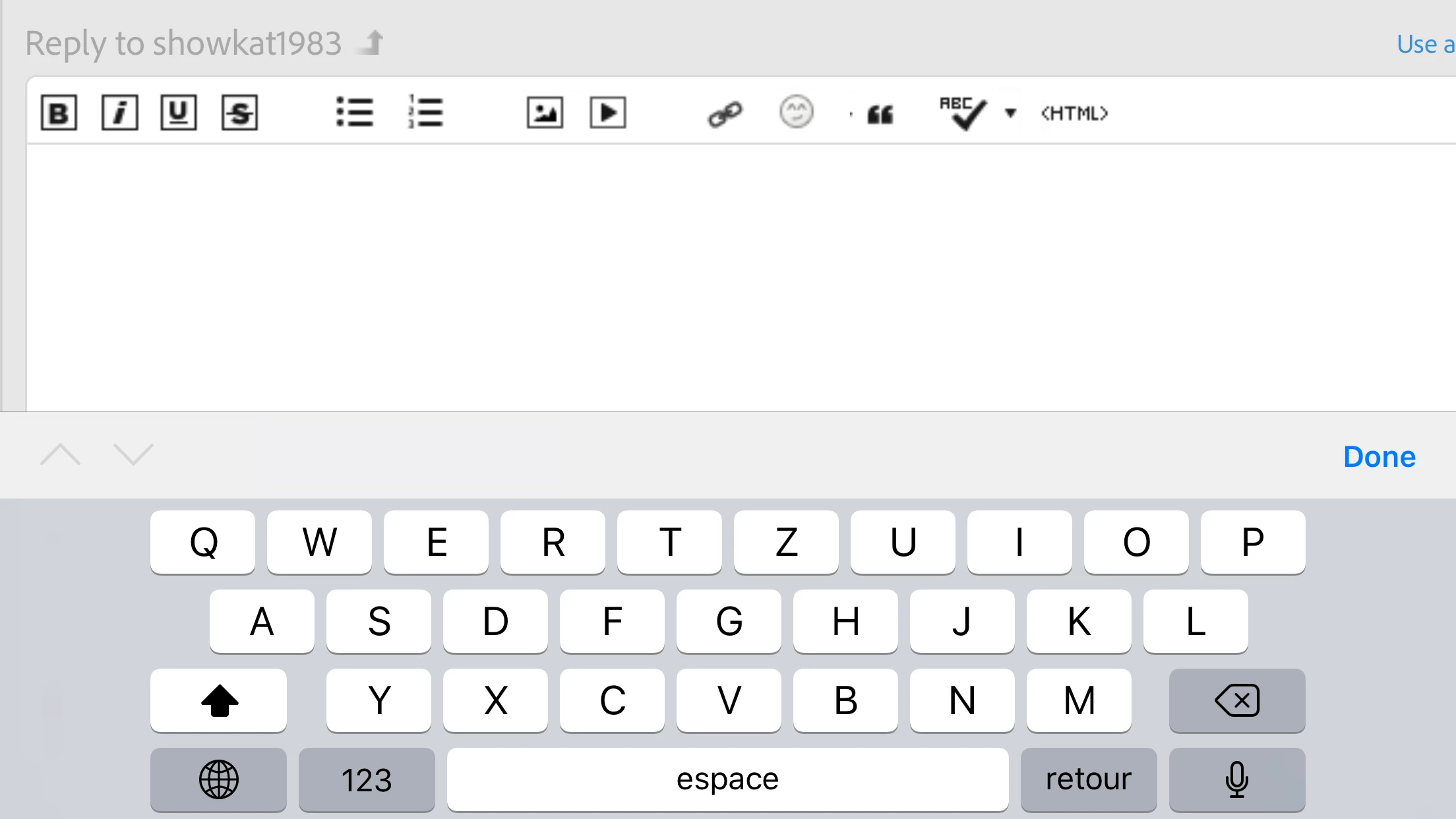

    May be your screen is to small? I’m using an iPhone 6+ for this message.

    5 replies

    December 18, 2018

    Hi, On the Top bar there is an option to insert image( 7th from the left). Click on it and upload. I hope this helps.

    jacquelingphoto2017
    Community Expert
    Community Expert
    December 17, 2018

    I selected "Assumed Answer" because none of the features to upload is available on the size page built for my size phone. The features may be available for larger size mobile, but not my size. Therefore even though for some persons this feature may be available, for me the asker the answers given is actually incorrect. I understand the limitation, therefore I, selected the answers as helpful and choose assume answered. I had to upload my images to the forum from my desktop.

    I think this was brought out in the entire discussion, assuming it was read.

    Regards

    JG

    December 17, 2018

    hello friends I can suggest you how to upload images in the forum actually each forum provide two option for uploading the image one is you can upload by direct URL and the second one is the use the media option for uploading the image this option is available inside the dashboard where you are making a reply or maybe write some post and ask any question ..so guys i hope this is helpful

    thank you

    for more about visit :-

    Machine Embroidery Designs

    Car logos vector download

    jacquelingphoto2017
    Community Expert
    Community Expert
    December 12, 2018

    Thank you Joan for your reply. I'm still not finding it. It's an android that I use 

    joanH
    Inspiring
    December 13, 2018

    I refer to the little image ab+ove this plus  - this page should appear on your phone when you open this email. Open reply and see this form. Best JH

    jacquelingphoto2017
    Community Expert
    Community Expert
    December 13, 2018

    Thank you Joan. The bar isn't on the phone version. Not sure why. Thanks any way. My internet is back so I used the desktop to upload the images.

    Regards

    JG

    joanH
    Inspiring
    December 12, 2018

    Hi friend, The upload icon above this word - dot above v - prompts you to upload an image. Click on it and begin. I look forward to your uploads. However, I do not know if this works from your phone - I do not use that app. Best regards, JH