


Noel Carboni
Brainiac
August 27, 2013
Question

Posting From IE11 in Windows 8.1

  • August 27, 2013
  • 1 reply
  • 7894 views

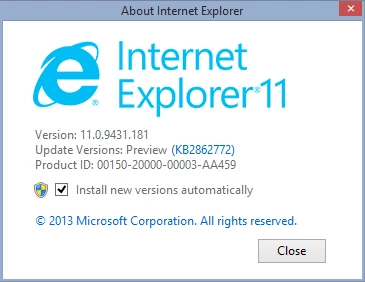
I've put up a couple of test systems on the Windows 8.1 Preview, both Pro and Enterprise editions.

Just testing to see how the forum interacts with Internet Explorer 11.  So far so good - I have been able to log in and see things looking pretty much right.
Something I'm curious about is whether "quoted" strings are handled properly, because we have seen the double quote character changed to what looks like an HTML escape sequence by the forum software when IE10 under Windows 8 is used to access the forum.

So here goes.

"Quoted text"

If the above comes out with double-quote characters at the ends, that will be happy news.

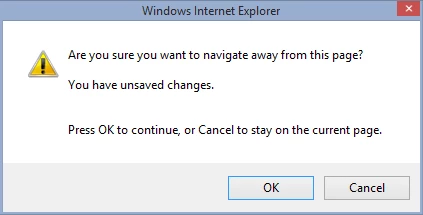
Also, in typing this, I noticed that the forum software thinks I'm leaving the page every time I press a control - e.g., the Bold, "Insert Image", or font size controls, and puts this up:
-Noel

    This topic has been closed for replies.

    1 reply

    Noel Carboni
    Brainiac
    August 27, 2013

    Apparently double quote characters are still misinterpreted.

    Looks like the forums need some work to be compatible with the newer versions of Windows.  I'm kind of surprised and disappointed Adobe is handling Windows 8 so badly.  It may not be that popular with people, but it *is* the currently shipping version and Microsoft doesn't seem to be veering from their course.

    -Noel

    John T Smith
    Community Expert
    August 27, 2013

    >disappointed Adobe is handling

    Well, that would actually be how JIVE is handling, not Adobe

    Noel Carboni
    Brainiac
    November 3, 2013

    OK, after the first set of UI look-and-feel changes - enabling the Menu bar and changing the way Tabbed browsing is managed.

    • "Quoted" text.

    • Bolded text.

    -Noel


    Second set of changes:  Disable running of Active content from the Internet Zone, add Adobe.com to the Trusted Sites zone.

    • "Quoted" text.
    • Bolded text.

    Still working, though I DID have to log in again, even though I'd chosen the [ ] Remember me option before.

    -Noel