


解決済み
Photoshop Elements 11で長方形選択ツールの使い方を教えてください。
Photoshop Elements 11の長方形選択ツールで名札を選択すると「警告:50%以上選択されているピクセルがありません。選択範囲の境界線は表示されません。」と表示され、先にすすめません。長方形選択ツールの使い方を教えてください。

Photoshop Elements 11の長方形選択ツールで名札を選択すると「警告:50%以上選択されているピクセルがありません。選択範囲の境界線は表示されません。」と表示され、先にすすめません。長方形選択ツールの使い方を教えてください。
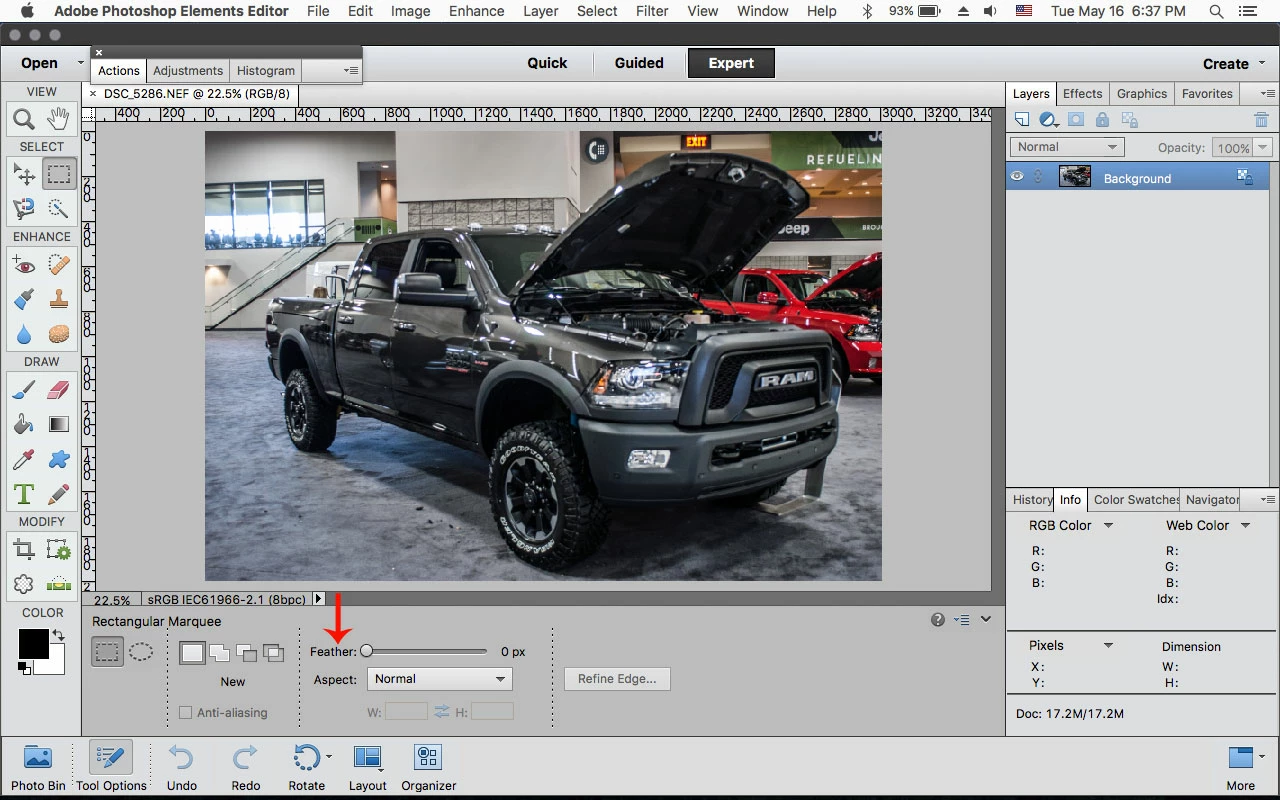
You might have a Feather value other than 0 (zero) pixels.
If so, change to 0 px and then draw out your Rectangular Marquee.
Enter your E-mail address. We'll send you an e-mail with instructions to reset your password.


 AdChoices