Participating Frequently
April 27, 2024
解決済み

切り取られて保存されてしまう。

  • April 27, 2024
  • 返信数 4.
  • 897 ビュー

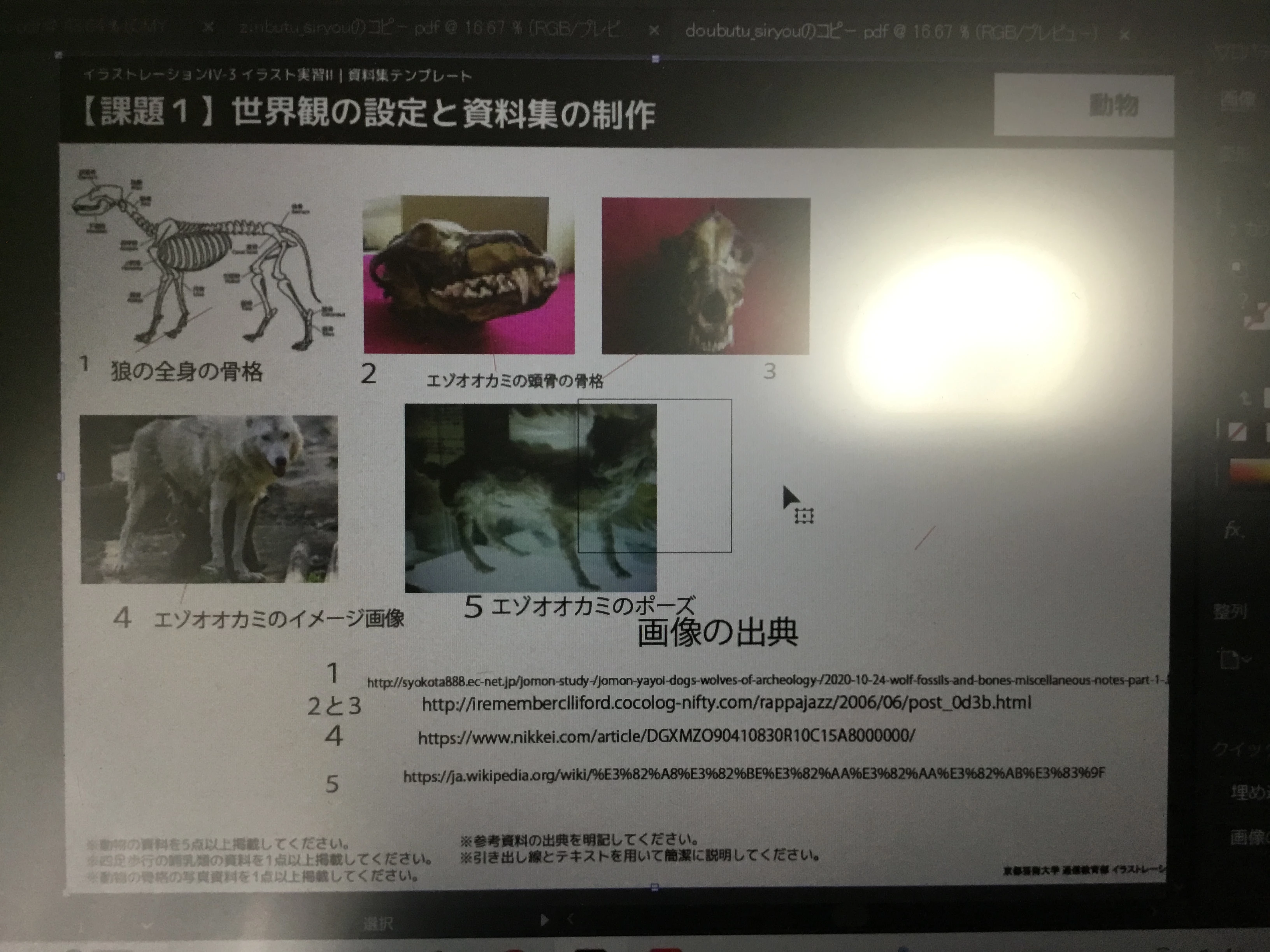
illustratorで編集中、下写真の中央にあるような四角形が表示されます。
このファイルを保存し、acrobatで開いたところ下の写真のようになってしまいました。
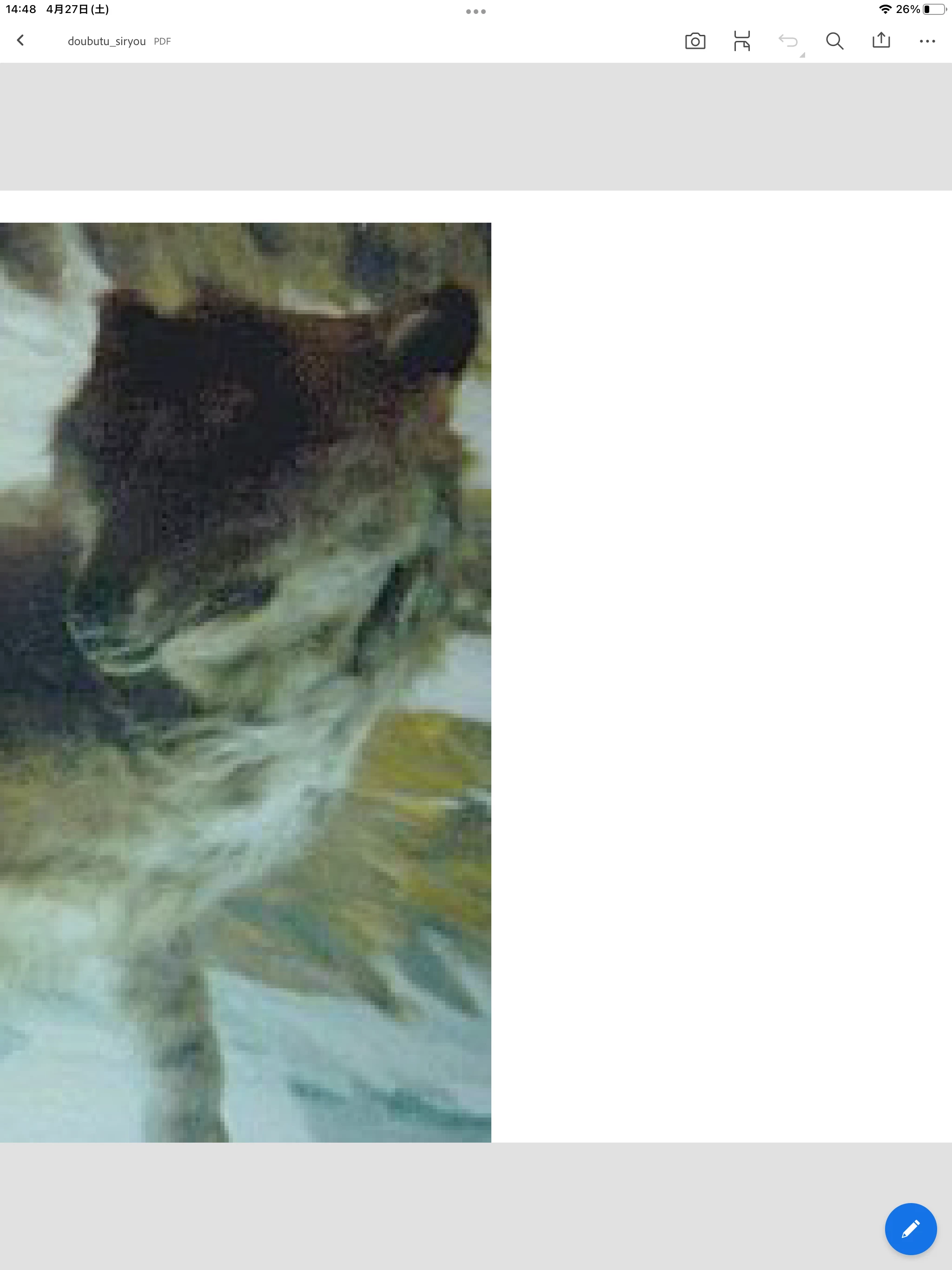
「ズームされているだけかな?」と思い縮小しましたが、これで全部なようです。


これはどうやら一枚目の四角形の形に切り取られて保存されているようなのです。

一部分だけじゃなく全体図を保存したいです。

どうすればいいのでしょうか?

回答のほど、何卒よろしくお願いします。

このトピックへの返信は締め切られました。
解決に役立った回答 Ten A

回答は付いてますが日本語で説明しておきましょう。

一枚目の画像の5のオオカミの写真のバックに正方形の線が見えています。それがアートボードで、PDFを書き出す際にはそのアートボードに収まった部分が書き出されます。画像を拡大縮小ツール等を利用して縮小し、その正方形内に収めれば正しく書き出されるでしょう。

返信数 4

Ten A
Community Expert
Ten ACommunity Expert解決!
Community Expert
April 27, 2024

回答は付いてますが日本語で説明しておきましょう。

一枚目の画像の5のオオカミの写真のバックに正方形の線が見えています。それがアートボードで、PDFを書き出す際にはそのアートボードに収まった部分が書き出されます。画像を拡大縮小ツール等を利用して縮小し、その正方形内に収めれば正しく書き出されるでしょう。

Participating Frequently
April 28, 2024

おかげさまで解決いたしました。

ありがとうございました。

Jacob Bugge
Community Expert
Community Expert
April 27, 2024

優子、


あなたはこの質問に対して正しい答えを持っていますが、


日本語フォーラムで質問することもできます。

https://community.adobe.com/t5/illustrator%E3%83%95%E3%82%A9%E3%83%BC%E3%83%A9%E3%83%A0/bd-p/illustrator-jp?page=1&sort=latest_replies&filter=all


日本人の友人にメッセージを送りました。


Ton Frederiks
Community Expert
Community Expert
April 27, 2024

Thanks,  that's the forum I was trying to find, Jacob (but it is not easy to find).

Jacob Bugge
Community Expert
Community Expert
April 27, 2024

I have had it bookmarked ever since it reopened in 2020 (June as far as I remember), Ton. But you found the relevant Search page in Japanese.


Most Japanese questions are better answered there, this one being an exception with your answer.


I believe this thread will be moved.


Ton Frederiks
Community Expert
Community Expert
April 27, 2024
Ton Frederiks
Community Expert
Community Expert
April 27, 2024

That rectangle shows the size of your artboard. Just make it larger to enclose the other objects.

Participating Frequently
April 28, 2024

解決いたしました。

本当にありがとうございました。

Ton Frederiks
Community Expert
Community Expert
April 28, 2024

Good to hear that helped.