



Adobe Bridge Beta 17.0 is now available
We are happy to announce the release of Adobe Bridge Beta (17.0.0.79)
This Beta release includes the following features
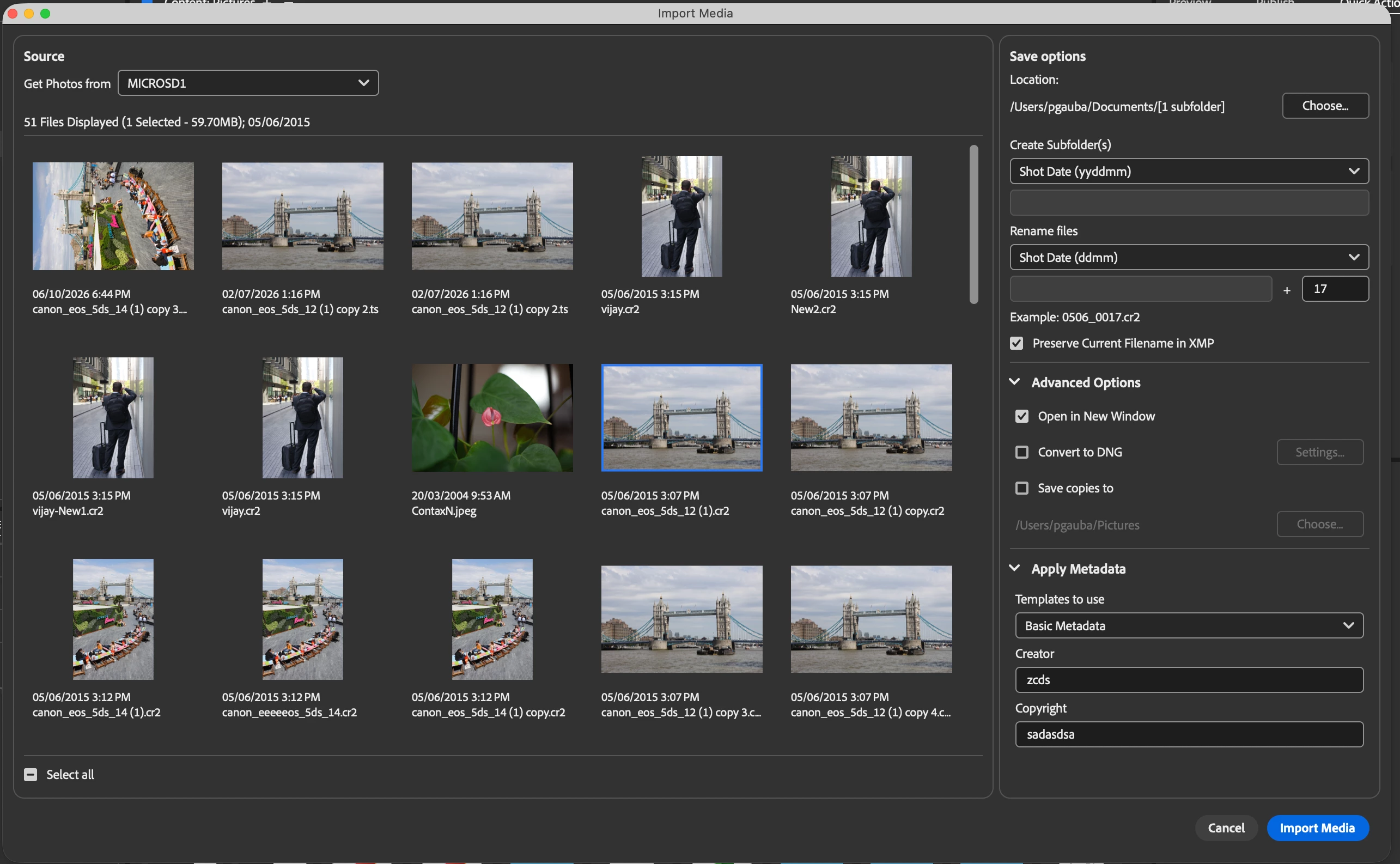
Import Media
As Apple phases out support for Rosetta 2 apps on macOS, Adobe Photo Downloader (APD) will stop working on macOS 28 (expected Fall 2027).
To ensure a seamless media import experience, we've introduced the new Import Media dialog directly within the product.
The new dialog enables you to:
- Import photos and videos directly from memory cards and connected devices.
- Choose the destination folder and organize imported assets into subfolders.
- Apply custom file-renaming options during import.
- Convert supported files to DNG format.
- Apply metadata templates to imported assets.
New Enhancement – CF Express Support
We've also added CF Express card support to the Import Media workflow, enabling users to import high-resolution photos and videos from CF Express storage cards. This enhancement expands compatibility with modern cameras and professional photography workflows, providing a more convenient media import experience.
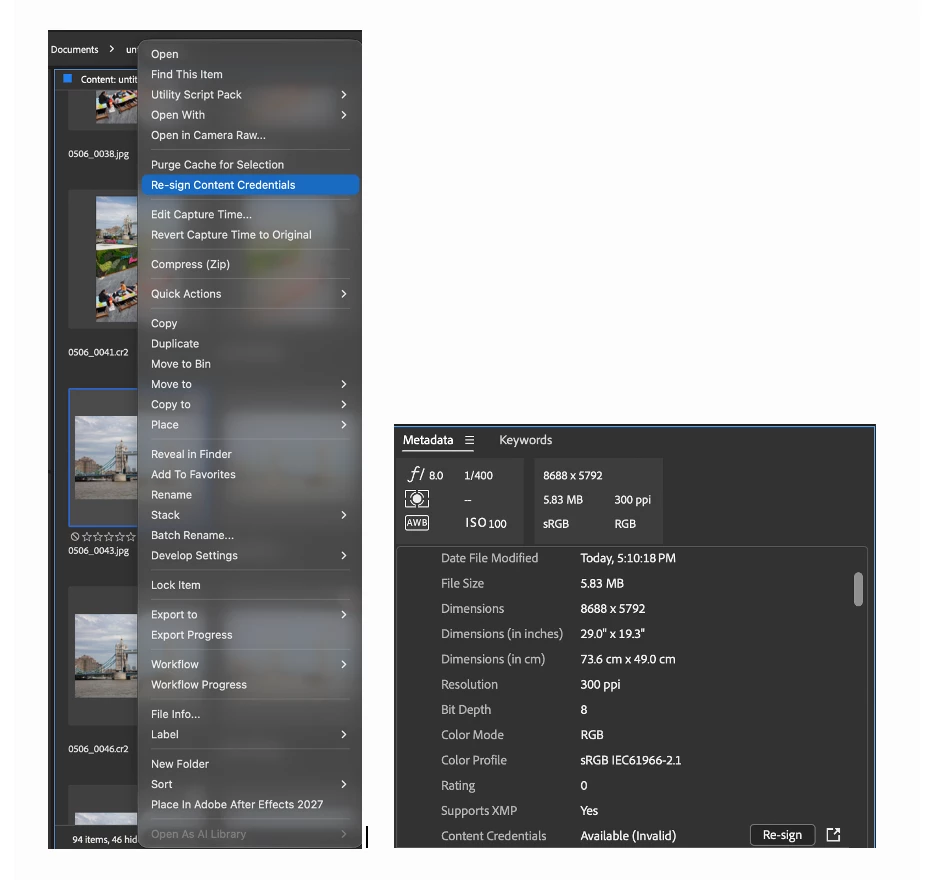
Re-sign assets
You can now manually re-sign assets at any time directly from the Metadata panel or the right-click context menu. To enable this functionality, turn on the Content Credentials preference under the Content section in the Preferences dialog.
Fixed Issues:
- Adobe Photo Downloader does not detect my CF Express Card
- App shows blue thumbnails on macOS for H265/HEVC footage
- File names truncated to a single character when they don't fit in the tile
- Scrolling during marque selection in content panel is glitchy
- White lines in full screen previews for some PSD files
- Focus does not get shift to content panel after metadata modification
- App requests permission again after every Quit
- Footer separator is not working correctly in the Output tab settings
Steps to install/update
Install: Go to the Creative Cloud desktop app > Apps > select "Beta" tab. Then select install for Bridge (Beta).
Update: Go to the Creative Cloud desktop app > Apps > click on View updates, and check for updates. Then click update for Bridge (Beta).
Note: As always, the update will be rolled out incrementally. If you do not see the update in the Creative Cloud Desktop app, please wait for a couple of days till we release the Beta update to all users.
For more info on what a beta is and how you can participate, see Adobe Creative Cloud Beta FAQ
Thanks,
Bridge Team
 AdChoices