



Now in Beta: Rounded corners in the timeline
Starting with Premiere Pro (Beta) version 25.0, build 32, all clips in the timeline have rounded corners!
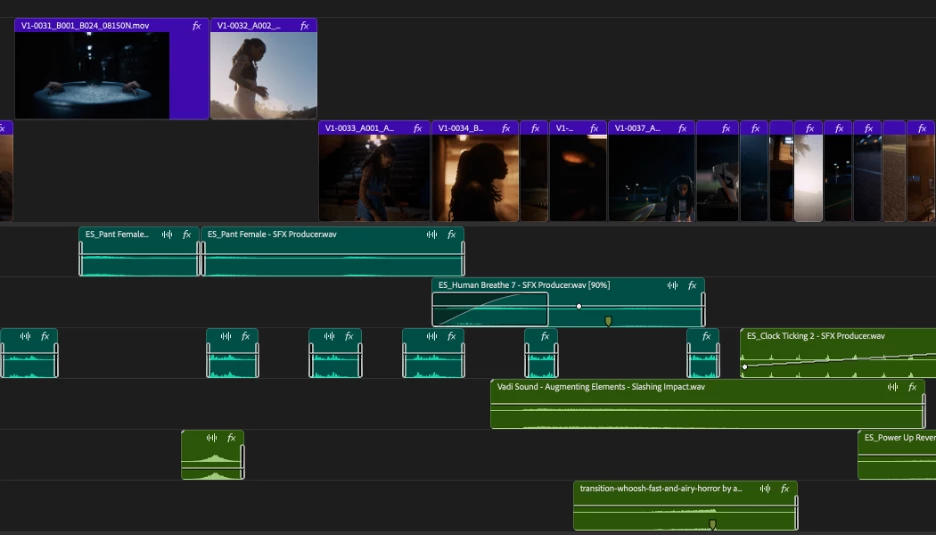
As part of the New Spectrum UI updates, we are now adding rounded corners to all of the clips in the timeline UI. Rounded corners are easier to look at all day long, require less cognitive load to parse and understand, make it easier to see the boundaries between clips, and are just plain friendlier! There is a lot of psychology behind rounded corners. Just look at any object within sight right now, and you will start to see rounded corners everywhere.
Here are a few interesting reads on Medium that explain the concept rather well.
Rounded edges are “friendlier”
The human brain is conditioned to process sharp objects as potentially harmful and dangerous. A human neuroimaging study has shown that it is natural behaviour to lean towards objects with curved contours compared to sharper objects.
(Benjamin Tey, The current obsession with rounded edges in user interfaces)
The Effect
A complete lack of sharp edges and sudden transitions eradicates the manufactured feel that we’re so used to in mass-produced goods. Instead of reminding us of industrial supply chains, automobile production, and chemical laboratories, these softer shapes evoke succulents, pine trees, and rocks that have tumbled through mountain streams. There’s an organic quality that just feels healthy and warm.
(Arthur Van Siclen, Rounded corners in the Apple Ecosystem)
The radius will reduce as the clip gets very small to avoid the timeline looking too “bubbly” and there is a threshold width below which clips will revert to 90° angles entirely. We have tested with very large timelines and we are confident in our settings, but we want to know what you think. We encourage you to post screenshots of your timeline if you wish.
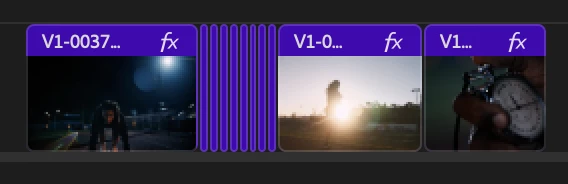
We want to know what you think. Please join the conversation below.


 AdChoices