
Inspiring
November 12, 2020

P: Brush and Folder navigation lag on macOS

  • November 12, 2020
  • 46 replies
  • 2836 views

https://www.youtube.com/watch?v=rrFkrDoxjZo&feature=youtu.be


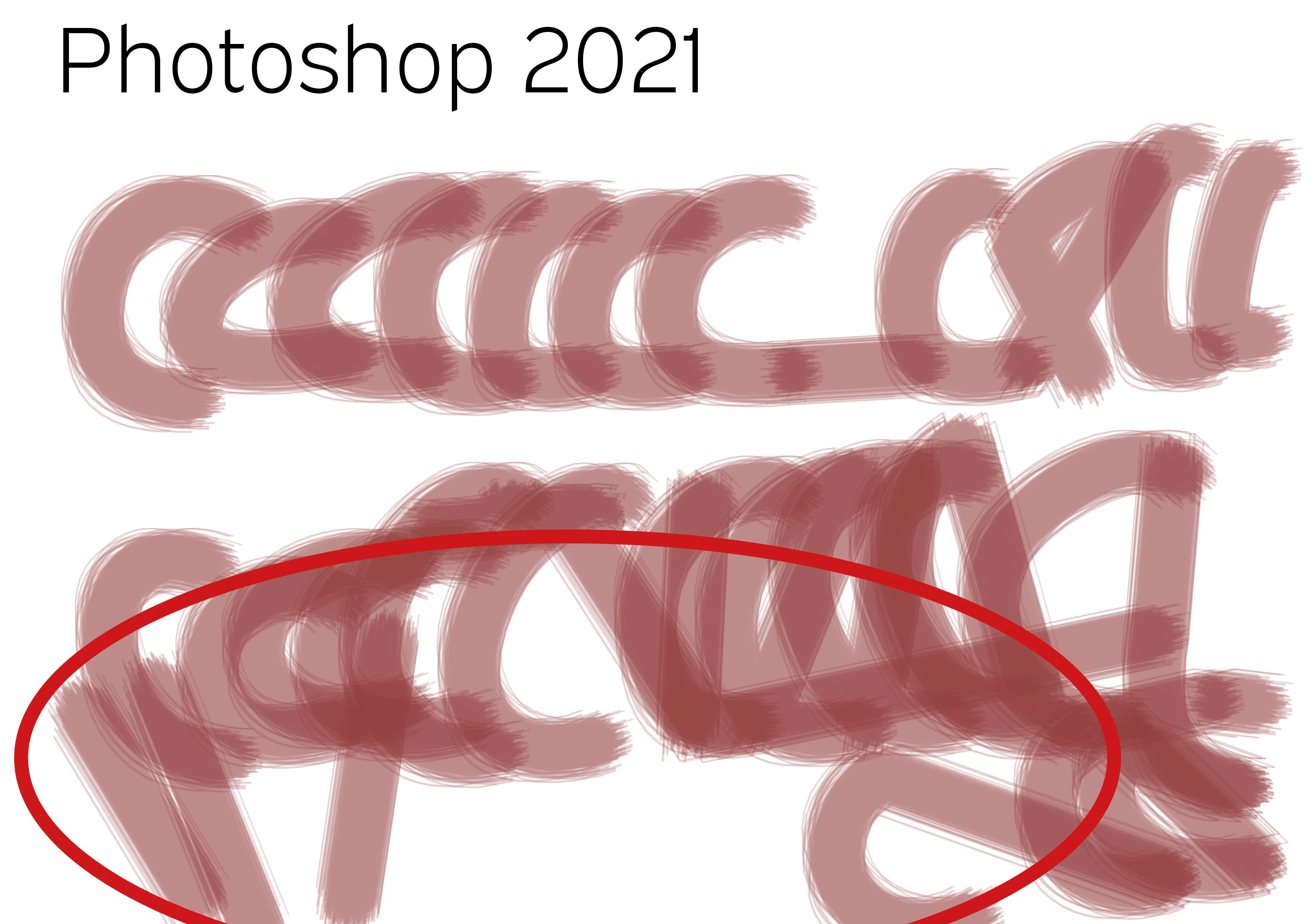
PS20 / PS21 Brush lag comparison with identical system and program settings! It is unusable. Finder latency, brush lag. What a crap! Any idea... It does not deal with brush smoothing (deactivated), it does not deal with GPU (iMac Pro with 120 GB memory and Vega Graphiccard) and it does not deal with cache, as both documents are opened just right before.


Test with identical brush strokes, color, transparency and speed. Such a mess...


PS 20

PS 21


46 replies

Someone75Author
Inspiring
April 14, 2021

Hi Chad, I'm talking about that issue: https://feedback.photoshop.com/conversations/photoshop/photoshop-2021-insane-latency-with-all-open-saving-dialogs-network-drive-especially-export-as-macos-1014-works-perfectly-in-ps-2020/5f99e4c8bd255008d377a57f

I talked to a developer of an OSX Finder extension, called Default folder X, who was abel to reproduce and confirm the bug. Can't export with Photoshop 22 anymore... It's impossible to save files.

Someone75Author
Inspiring
April 14, 2021

Your're right. Adobe and Support is just frustrating!

So thanx for mentioning what helped out for you.

But as a consequence of the lag, for painting I changed to Clip Paint Pro, now. Htey have an incredible community which helps you within hours on every issue!

It has incredible fill options and colorization helpers for brushes. So just for painting it's a huge improvement compared to Photoshop. It can mess with all other functions, but for painting, and colorisation in special, I will never come back...

chad.rolfs
Participating Frequently
April 14, 2021

I'm not tracking the export as issue - can you elaborate?

Known Participant
April 14, 2021

ah, I was only offering help with my limited knowledge, but my method was never mentioned so I thought it was worth the try anyway, whatcha got to loose, eh?

at any rate, sorry to hear that smoothing toggle didn't work for you.

I, too, have some frustration with Adobe and is reeeeally looking into alternatives,

but, alas

with nearing 2 decades of muscle memory and streamlined workflow

it's hard to move onto other apps

Someone75Author
Inspiring
April 14, 2021

@chad_rolfs turn off rulers?... turn off GUI and work with Terminal will speed up everything!

No changes regarding the broken „export as“ dialogue I guess, again?

Someone75Author
Inspiring
April 14, 2021

@Jisoo Park as I wrote: same brush settings in 21 and 22. So I for myself just want to use my brushes as they are and it only matters that things got worse and unsolved. By the  ay: turning off smoothing did not change anything in my brushes. Maybe one should not use the most simple standard brush as an example...

Known Participant
April 14, 2021

hmm...no one really posted brush settings screen shot here...

 Was experiencing lags all over the place and read somewhere to disable smoothing.

I no longer experience lags

chad.rolfs
Participating Frequently
April 14, 2021

We just released some performance improvements in 22.3.1 and have a few others on deck for the next update.  Please update and reply with results.

There are also a couple things that will also speed things up:
1. turn off Rulers

2. Go to (Mac) OS Settings > Energy Settings (or Battery depending on your OS) and uncheck Automatic graphics switching; if you don't see this option, you only have one graphics system.

Inspiring
April 3, 2021

Professional Wacom & Photoshop user here with creative cloud full... 21.2.6 is the lasta incarnation that works  with wacom intuos pro paper edition. 22.3 lags like crazy, with all my intuos pens and is fully unusable. 

its repeatable on multiple systems for me... have yet to find any fix, aside from backdating to 21.2.6.... would be nice if adobe fixed their wacom support for newer releases

chad.rolfs
Participating Frequently
April 1, 2021

We are working on a couple of fixes for addressing this issue.  In the meantime, turning off Rulers will help things.