
_nicdean
Community Expert
Community Expert
Jan 30, 2024 1:52 PM UTC
Released

P: MOGRT: ALL CAPS bug random lower-case letters

There is a long-standing bug with the faux-style ALL-CAPS (TT) option in Font Properties for text layers. This bug affects both Premiere Pro graphic Text Layers and text inside MOGRTs.


When user applies ALL-CAPS, the text randomly displays upper/lowercase characters instead of all-caps characters. 
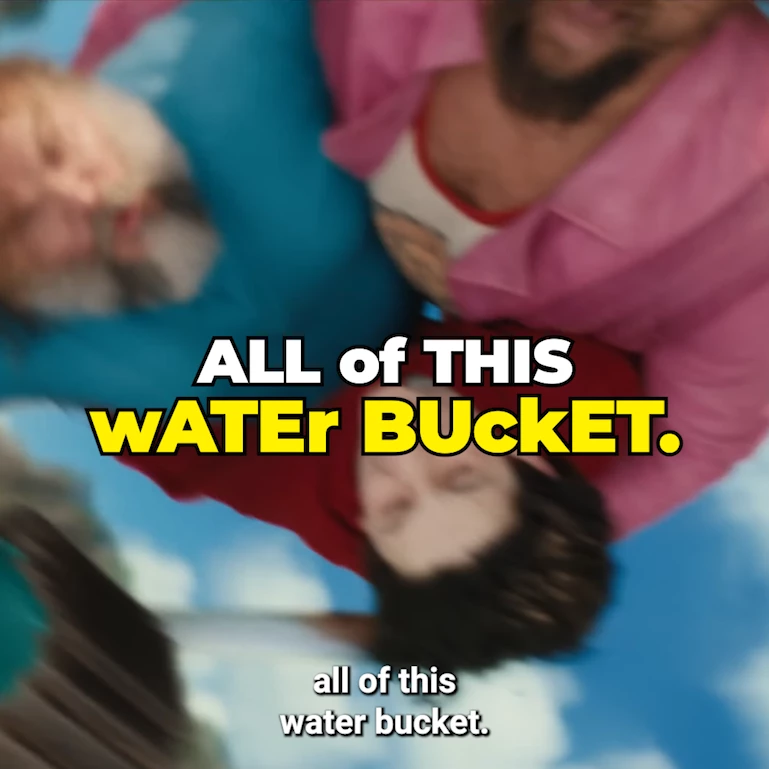
 

The fix is to manually type the capital characters (a -> A) instead of using the all-caps button.


Sometimes, these also work as a temp fix for the bug:

  1. Uninstall/reinstall font
  2. Manually clear all Media Cache files
  3. Restart Premiere Pro


This bug disproportionately affects plugins that use MOGRTs for text templates (such as Mr Horse Animation Composer, Captioneer, etc)


Here are many user reports of this issue:

  1. https://www.reddit.com/r/premiere/comments/134pyqe/random_letters_are_lowercase_when_all_caps_is/
  2. https://community.adobe.com/t5/premiere-pro-discussions/mogrt-titles-render-uppercase-lowercase-randomly/m-p/15399924
  3. https://community.adobe.com/t5/premiere-pro-bugs/all-caps-and-faux-italic-bug/idi-p/14970178
  4. https://community.adobe.com/t5/premiere-pro-discussions/random-upper-and-lowercase-letters-in-previously-exported-video-will-not-stay-all-caps/m-p/12609694
  5. https://community.adobe.com/t5/premiere-pro-discussions/text-bugs/m-p/14391297 
Pinned Reply By Theresa Rostek

Hi all,

A fix is ready to try in 27.0x57. Please give it a try and let us know if it is working as you expect.

Thanks!
Theresa

69 replies

Theresa Rostek
Community Manager
Community Manager
Oct 9, 2026 3:50 PM UTC

A related fix was also made in After Effects beta 27.1x2, cross-posting here since there is crossover between both posts and bugs:

Cheers,
Theresa

Translate
Motion Graphics, Premiere Pro
Theresa Rostek
Community Manager
Community Manager
Sep 29, 2026 12:18 AM UTC

Hi all,

A fix is ready to try in 27.0x57. Please give it a try and let us know if it is working as you expect.

Thanks!
Theresa

Translate
Motion Graphics, Premiere Pro
Theresa Rostek
Community Manager
Community Manager
Apr 24, 2026 6:08 PM UTC

Hi everyone,

Can you tell me if you’ve seen this issue on projects that have been built with 25.4+ or is it only happening to projects that were built prior?

Thanks,
Theresa

Translate
Motion Graphics, Premiere Pro
skvifi
Participating Frequently
Jun 8, 2026 6:45 AM UTC

It still happens in newest after effects, with new text layer on new comp. It happens in newest Beta as well. This is pretty crippling bug for any automated rendering, no way around it as much as I see. It happens with allCaps, smallCaps, fauxBold, fauxItalic.

Repro is simple, on empty project create comp, create text layer, put a lot of different chars inside (like ‘qeruoeutidsfhjkgvcmzvbcxmnnmvylyi’), add expression (whatever in the expression, like ‘value + “_aaa”’), and scroll through the fonts util you find some where chars are broken. When a given char is broken all occurrences of it are broken, even on different text layers.

Translate
skvifi
Participating Frequently
Jun 8, 2026 1:43 PM UTC

Correction, seems that fauxBold and fauxItalic are not the same issue. allCaps and smallCaps are.

Translate
Participant
Mar 23, 2026 10:16 AM UTC

I confirm, the error still occurs. When opening the project it may appear, but the next time it might not be there. Restarting CC helped me several times. There is an opinion that there is some issue with font synchronization.

Translate
saarangp
Participating Frequently
Mar 23, 2026 4:43 AM UTC

This bug still exists in Adobe Premiere Pro v26.0.2
Is this so hard to fix? Any ETA for this bug’s solution?

Translate
MyerPj
Community Expert
Community Expert
Feb 3, 2026 7:45 PM UTC

OK, so, this new forum software (by default) is putting the most recent on top, so, ‘Above this’ in a post means ‘Below’. I see some links in the right-side “Related Posts” which seems Illustrator was having some problems like this also.


Related posts

Translate
_nicdean
Community Expert
_nicdeanCommunity ExpertAuthor
Community Expert
Oct 30, 2025 7:35 PM UTC

@MyerPj Indeed, this bug is unresolved

Translate
MyerPj
Community Expert
Community Expert
Oct 30, 2025 7:01 PM UTC

Indeed. The two posts above yours both say the issue is not fixed, so hang in there. The OP of this thread @_nicdean is a developer himself and seems to be still tracking this.

Translate
yash-lucid
Inspiring
Oct 30, 2025 9:35 AM UTC

I think my bug got lumped into this megathread, am I correct? Oct 2025 with latest PPro, still an issue that randomly pops up. See the b, where capitalization from AE is not pulling through. @MyerPj 


Translate
Participant
Aug 25, 2025 7:38 PM UTC

This is still an issue in 25.4

Translate
Participant
Jun 25, 2026 5:05 PM UTC

This is *still* an issue in Premiere 26.3 😓

edit:
 

Just for anyone that may come to this seeking a temporary solution and do not want to delete each MOGRT and re-create on a project--

You will want to go to File>Close Projects then go to Edit>Preferences>Media Cache>Delete under Remove Media Cache Files>Delete All Media Cache Files (requires restart)>Confirm by pressing OK

Translate