





『アドビコミュニティフォーラム』に質問/トピックを投稿する方法
Join our Premiere Elements community for tips & help.
新着順
Dear Shivangi,Thank you for your inquiry, the media offline files problem has been solved.I put a folder on my desktop with all the files to be used, and for some unknown reason the name of that file changed, causing the problem, once I changed the name all was good.However I do have a different problem, I need to finish my program on a USB stick which can be shown in different places where there is no access to a DVD player, how does one do that?.It is not an option in the Publish and Share part of the program?Looking forward to your reply.RegardsPeter
Hello to everyone.I need your help, please.I have 2 episodes of one serie. One is Italien version and other it`s chinese. The episode it`s the same but the chinese have more time.Chinese episode have: 00:22:22:10Italien episode have: 00:21:27:21I want the chinese episode with 00:21:27:21After configured Time Strech and renderThe episode that's right at the beginning and the end but in half no.The first minute (+ or -) it´s correct, And Last to.At 00:11:00:00 The frames aren`t the same or equals.I'm doing something bad? Or Time Strech only adjust the beginning and the end and not the video at all?Thank you.Title was edited by: Mod
Hello, I have been using premiere 11 for a long time, however for the first time it is not working for me.Half way through the edit, my time line shows "Media Offline"What ever I try I can't get back to the normal time line and can't continuing the edit.I have saved the edit on my Mac and also on an external disk, the saved versions show the "Media Offline" message as well.I'm at a lossAny answers out there?????Peter van Santen
Here's my tutorial on creating a Video Collage in Premiere Elements. You might find it helpful also.
I am attempting to run Auto Smart Tone on a ten second clip. It starts by invoking Auto Analyzer which is very slow. It takes 4 minutes to cover about 10% so that would presumably be about 40 minutes in total if I were to let it run. Is this normal performance?
Using Premiere elements 12, I have completed a project consisting of two slideshows created in Photoshop. The program works great and looks great until I burn it to a DVD. Playing the disc on my stand alone DVD player hooked to my large screen digital TV, the video and sound jerk and skip in places. Any suggestions? I used Verbatim discs on my Dell XPS 8700 PC.
I started having trouble getting titles to show on certain portions of my projects. The only difference I could notice was that the titles could only show on sections where there was a thin orange line at the top, which starts and stops at various clips. Previous projects have had the orange line all the way through and showed titles just fine. After not finding any answers online, I decided to just be thankful that I could make do with titles in the sections with the orange. However, I then spent a lot of time Panning and Zooming on a clip and then not see any changes when I closed the Pan & Zoom window. Again, that clip was missing the orange header line. It looks possible for me to move some clips to different sections with the orange and have it work, but Deleting and Closing Gaps tends to shift it all back. I have already invested a lot of time in this project and would appreciate any advice to help me avoid having to start over.
I have a spcial efffects clip that I would like to place over an existing video track but just show the fireball effect without the black background blocking the track underneath. Is there a way I can make the black background transparent so I can overlay only the fire effect. I am currently using Adobe premiere Elements 10.Thanks for your time and input!
? Wie kann man Bildtext aus dem Organizer in Premiere Elements 2019 mit übertragen ?
I have premiere elements 2019 for MAC.After I New click on MARKER (just above the Timeline), the following appearsBUT I want to insert Scene markers and should be getting the followingPlease help
Owned Premiere Elements 12 for minor projects with success and no problems. Purchased Premiere Elements 2019 from Adobe for a bigger project but nothing major. I started the project on Premiere Elements 12 and moved it to 2019 after the first six minutes. After 22 minutes of video clips, freeze frames, stills and titles, memory (16GB) on my Lenovo M710 (Intel Core i7-7700 CPU 3.60GHz) started building and finally maxed, freezing Premiere 2019 (“the app”). Today I opened my project for just some review and I noticed the leak building to just under the max and then freezing the app. The snip shows the memory use. I closed the app with File>Exit where the app closed but Task Manager listed it as still open and still bouncing off my 16GB ceiling. And then, my 512SS C drive maxed out doing what, I do not know. I ended the app process in Task Manger and all settled down to normal.I have used other intensive CPU and memory applications and experienced memory leaks in the past on other capa
I shot video with my Galaxy s8 and imported the footage into Premiere Elements 10. The results were substandard. The video quality was poor and there was a lot of flickering going on. The file I imported was an MP4. Would a different file format be any better? Any suggestion as to why I'm experiencing such poor quality? The video are excellent when display by any other method than Premiere Elements.
Thanks for your prompt response.I have done as you advised and I have managed to burn a DVD as well as an ISO image.Just one small point. On the disc preview all the stop and start markers work fine but when I burn the DVD some of the scene markers are showing a couple of frames from the previous clip. Why is this? I have placed the scene markers a couple of frames from the beginning of the clip so I don't understan why this happens. Is there an optimum place to put the scene marker so that it doesn't show a frame from the previous clip?Regards,Don
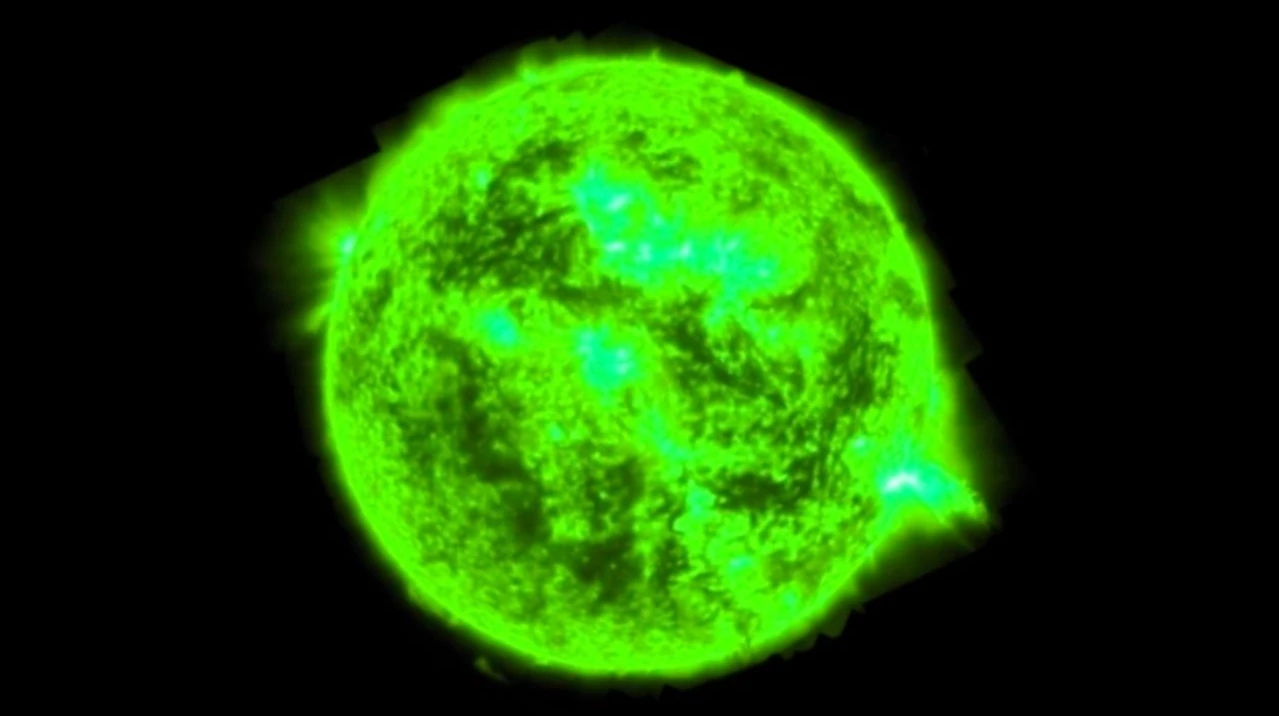
Hi there, I did a video shoot today and the main camera was a Fuji XT3 and recording into an Atomos Ninja V. The shooter gave me the MOV files but they show up a green videos in Premiere Elements 2019.Do I need to download Apple Quicktime 7.79 to get PE2018 to be able to edit them? Is there another, better way? Please advise what I need to do in order to edit the files.Thanks,Ronald
I know there are a lot of complaints on here about "Add Media Failure" with the useless error code "The importer reported a generic error." But, I'm going to try to add a few things to the discussion:1) I have a file that imported fine with Premiere Elements 12, but will not import with Premiere Elements 15. Oops.2) The file will load into Lightroom, so clearly (since Lightroom and Premiere Elements and Windows can all read it) the file is fine. 3) I have shared the file so that Adobe can analyze it and fix the bug.This is a video from my cell phone, a Nexus 5X, FWIW. The file can be found here:WillNotImport.mp4 - Google Drive I hope that Adobe will look at this. If not I'll have to figure out how to formally file a bug report.
I'm using Premiere Elements 17 to create a DVD composed of both video and still images. I'm used this application to create multiple productions using identical media.When I attempted to burn the disc it encoded the files but the application hangs up when it's time to create the iso file.The production is 34 minutes long and requires 2.33 GB of space. I've created several shows of this size or larger.We have 19 people coming over in one week to see this show so I really need to figure out what the issue is.Thanks
One again, no manuals, no answer to question online. Can someone please tell me how to import a slideshow created in Photoshop to Premiere? I already have a video in progress, also a slideshow I created in Photoshop. As I recall, I simply migrated it. But now when I try to do the same thing, I get an error message. I'm, sure you want to know what the error message says: "The importer reported a generic error."Must the slideshow be processed in someway? I have manuals for older versions of both programs (PS 4.0 and Pre 2.0) and they say import the slideshow and complete the project. But, they do not say HOW to import the slideshow to Premiere. In Pre 12 I click on Add Media and go to the Organizer where the slideshow project appears. But when I click on "Edit Project in Premiere Elements," I get the error message. To say I am frustrated is a major understatement!
I am trying to do a background blur in Premiere Elements 19, I've learned how to do that, but now I can't seem to find out how to reshape the mask. There isn't a place to change the shape from what I see. I've looked in the form and searched online for over a few hours now and can't find anything on shaping the mask for elements 19
Hi,I have videos done with my iPhone, which produces .mov files. But I can't import them into Premiere Elements 2018 to edit.If others have this problem have you found a workaround? Using a third-party converter to render the files in another video format?This seems a real flaw in an otherwise fine program, not to recognize a very common file format.Any help will be appreciated! Lots of great videos of 4 year-olds await.Thanks.Rachel
I am running PRE12 on Windows 10 Home v1903. I am attempting to create a Blu-Ray disc. Following are screenshots of the steps PRE12 executes to burn the Blu-Ray disc.Disc options: Encoding Menu 1 of 2 - Completed Successfully Encoding Menu 2 of 2 - Completed SuccessfullyEncoding Media - Completed SuccessfullyCompiling Media - Completed SuccessfullyBurning Disc 1 of 1Almost immediately after progressing to the Burn step, PRE12 displays "device error".I have tried several combinations of the options to burn a blu-ray disc. All end after apparently completing the "Encoding Media" step and beginning the burn to disc step. Almost immediately after progressing to the Burn step, PRE12 displays "device error".How to I troubleshoot the problem?
I had created a new project and was able to work on it for a week. The last thing I did was add a new video file. I was able to save and redor that day with no issues at all. When I went the next day to open it, only the "loading project" bar would come up. It usually stops at 68%. It allows me to click the cancel button but then the entire program locks up and the window to "wait" or close it comes up because it's locked up.I read another post were the guy was told to go to his %appdata%>adobe>premier elements> and rename his version # to .OLD. Tried that and still having the same issue. Reboot has been done of course. Went to services running in taskbar and shutdown all other apps that don't need to run, like browers, media players, skype, etc. Tried again and the same thing happened. I don't believe this is RAM related as I can run many other programs parallel with out issues.I thought it might be that last video file I had added so I removed it's reference pointer, or wher
I have a scene with 3 cameras. I would like to input camera 1 clip into video track 1, and then same with 2 and 3.Is there a way to tell Elements which of the tracks i want to use for a specific segment without cliping or triming or moving.Just telling Elements to use video / audio track 1 (attached) for this time period and then switch to Track 3 for a time period (1 min) and then switch to Track 2 for 2 mins and then Track 1 etc.
no sound on clips loaded into a new project so I tried an old project & no sound either. However, sound working ok when not going via PE15.There was an automatic Windows update about 5 days ago. Is this purely coincidental?
Thank you Shivangi! I did have one more question. After I've saved a project to an mp4 file, can I edit it to add more clips (also mp4 files)? I was going to edit the prel file and resave it, but a couple of the files didn't load. Thanks again for your help.Holly
Geachte,Als ik een presentatie maak met foto`s dan worden scherpe vol met kleurruis en erg onscherp het lijkt er opdat het bestand te klein maar ook kin raw gaat het niet goed.Met Lightroom gaat dat wel lukken.Met vriendelijke groet,Peter nieuwenhuis[Here is the list of all Adobe forums... https://forums.adobe.com/welcome][Comments is to ask about the operation of the Forum, not a specific program][Moved from the Comments forum to the specific Program forum... Mod]title was edited by: mod
Remix with Firefly Community Gallery
Thousands of free creations to fall in love with and remix in Firefly.
すでにアカウントをお持ちですか?ログイン
Enter your E-mail address. We'll send you an e-mail with instructions to reset your password.
申し訳ございません。このファイルは、ダウンロードしても安全かどうか、内容を確認中です。数分後にもう一度お試しください。
申し訳ございませんが、当社のウイルススキャナは、このファイルをダウンロードすることは安全ではないと検出しました。